Search results for: “label/Web%20Site%20-%20Design”

  • What Files Can You Backup With Backblaze?

    What Files Can You Backup With Backblaze?

    After I published my post where I test out the Web download option for restoring my photos from Backblaze, a regular reader of mine had sent me an email asking several questions about Backblaze. One of the questions was about what file types can be backed up with Backblaze.

    I indicated that so far I haven’t had an issue backing up any type of file that I needed to backup. All my files have been backed up without a problems and have been doing so for many years.

    At the time I replied to the email I didn’t have the number of files or a list of files types I have backed up over the years. It has also been a while since I last looked closely at the number of files and the types of files I have been backing up, so this was a good reminder to do so.

    For those that are interested in what can be backed up with Backblaze, then I will provide more clarity into what I have been able to backup.

    What files can you backup with Backblaze?

    Before going into detail about what file types can be backed up with Backblaze, lets look at how many files I currently have backed up and how much drive space the files use.

    Backblaze Control Panel
    The current status of my file backup with Backblaze.

    As you can see from the image above, I currently have 164,899 files backed up, and altogether they consume 745,199 MB (745 GB) of storage space. This has increased by about 4 GB since the previous post as I have uploaded some new photos.

    Over 160,000 files backed up is quite a lot, so explaining what file types I have backed up off the top of my head is not possible. I do have an idea of the file types, but not an exact list.

    Luckily, Backblaze does provide a high-level report that lists the type of files that I currently have backed up with them. It isn’t specific, but it does group my files into several categories.

    The file type report is shown below.

    Backblaze Files Report
    A report of the file types backed up with Backblaze.

    The report Backblaze provides groups the files into several categories, depending on the file extension. It then adds the total size of each category and displays it in the report. I’ll explain what I have stored in each category starting from the largest to the smallest.

    Photos

    As I expected, the largest type of file I have backed up are photos (541 GB), since I am always taking photos. There are different types of photos in this category, including JPEGs, RAW, and TIFF files. My Canon shoots both RAW and JPEGs at the same time, and most of the other JPEGs are those that I have automatically backed up from my Android phone and my wife’s iPhone.

    This is the most important category of files because these files contain a history of my family, and the files can’t be reproduced if they were lost. This is the main reason why they are backed up with Backblaze.

    Movies

    This category includes files with many different file types. Movie file types are more diverse than photo file types since many different video formats have been used throughout the years. In this category I have older AVI files that were created with a standard-definition camera. Newer files include MOV from Apple devices, MP4 from my Android smartphone, and MTS from my HD camera.

    There was a surprise here. When I ripped my Blu-ray discs for my Plex media server, I copied some MKV files into a folder that I originally didn’t include with Backblaze. At some point, Backblaze had included that folder and backed up the MKV files. I don’t really need those files backed up, but since they have been uploaded I’ll leave them for now.

    Other

    This category is the catch-all category for files that don’t fit into any of the other categories. Files in this folder will include data files that aren’t documents, spreadsheets, presentations, etc. I am not entirely sure what files are in this category as I do backup several computers to my server, including my wife’s Windows 8.1 laptop which could have many files that fall into this category.

    Much like the movies category some files that are organized into this category is a result of Backblaze finding a folder with files that needed to be backed up. On my C drive on the server I have Python 2.7 installed. Backblaze automatically selected that folder to backup and now backs up all the Python source files. I don’t need that directory backed up, so I will probably go and exclude it in the future, but it does show that if you forget to include a folder, Backblaze may automatically find it and back it up for you.

    Music

    The bulk of files in this category are the songs my wife has purchased from her iTunes account. Both DRM-protected and non-DRM-protected music files are backed up without any problems. Other music files that are backed up include MP3 and FLAC.

    Zip and Archives

    This category is self-explanatory – any compressed files types – ZIP, RAR, 7z, etc. are included here. Apparently, I have over 9 GB of compressed files, which is not entirely surprising as I do have backups from past computers that I have zipped up into a single file.

    Documents, Presentations and Spreadsheets

    I am grouping two categories together since they basically contain anything related to office-type files. This is mainly my wife’s data as she is constantly creating documents and presentations. She apparently has quite a number of files on her laptop that I have backed up to the server, and these files go back to her school days several years ago. There are also probably duplicate files as she has upgraded laptops over the years and I have copied her files from one laptop to the newer laptop.

    Anyway, any document that can be created by an office application is backed up by Backblaze.

    Financial Information

    This one is confusing. While I do backup my financial data, I always have it encrypted in a container, which is automatically backed up and is probably counted in the Other category. I am not sure what file(s) are in this category, as I don’t have any financial data stored outside of an encrypted container. Files from my wife’s laptop have probably been categorized here, or Backblaze determined that one of my encrypted containers contains financial information from the name of the container. Either way, 64 MB of financial data is backed up.

    Browser Favourites and Bookmarks

    Since I backup my wife’s laptop, this includes all of here Web browser favourites and bookmarks. These are important to her, so it is nice that they can be restored if issues occur with her laptop.

    What isn’t backed up

    Pretty much any file type that we need to have backed up can be backed up with Backblaze. With that being said, there are many files that Backblaze won’t backup. Backblaze provides a small list of file types that it won’t backup by default:

    • ISO (Disk Images)
    • DMG (Mac Disk Image)
    • VMC VHD VMSN (Virtual Drives)
    • SYS (System Configuration & Drivers)
    • EXE (Application Files)

    For some of the above file types you won’t need to worry as they are usually installed by an application and don’t need to be backed up. Some files, such as virtual drives, you may want to backup, especially if you have created a virtual machine and don’t want to lose the drives associated with that machine.

    If you would like to backup the above file types, Backblaze does allow you to remove the exclusions so those files can be backed up.

    Backblaze does have a page that outlines what Backblaze does backup.

    Files Size Limitation

    Is there a limit to the size of file Backblaze can backup? The answer is no.

    Backblaze doesn’t impose a file size limit when backing up files. If a file is 20 GB in size, the entire 20 GB file will be uploaded by Backblaze to their servers. If you would like Backblaze to prevent large files from being backed up, you can set the file size limit within Backblaze.

    By default, the limit is set to “No limits”, which means backup all files regardless of size.

    Conclusion

    I have over 160,000 files backed up with Backblaze, and there are many different file types that I need to have backed up. While there are some file type exclusions within Backblaze, I find that such exclusions haven’t prevented any of my data from being uploaded to the Backblaze servers.

    If I find that the exclusions do prevent some of my important files from being backed up, I can always remove those exclusions and then Backblaze will continue to backup my files automatically.

  • 5 Mistakes to Avoid When Starting an Online Business

    5 Mistakes to Avoid When Starting an Online Business

    Regardless of the kind of business you are running, an online presence provides you with a platform to boost your sales. This is why new blogs and websites are coming up every day.

    However, online business is an art on its own, and if you don’t get it right, you might incur great losses. But, how do you get over these loopholes and establish a successful online business?

    Here are 5 mistakes to avoid when starting an online shop.

    1. Waiting too long before launching a product

    Most newbies in the online business always make this mistake. They wait too long before launching a product to sell. Stop waiting for the magic number of 1000 or 10,000 subscribers before you start selling.

    You might be too good at luring many clients to subscribe, but what else are you offering? Online shopping is gaining publicity, and if you don’t have anything to sell to your customers, you might lose them in the end.

    There is never a right time, just launch a product and start selling. If no one buys your product, learn from your mistakes and launch another product that is more relevant.

    2. Failing to LISTEN to your customers

    Customers make or break a business. If you need to know the quality of your product, you need to listen to your customers. Not just those who buy, but those who refuse to buy it or those who buy it and refuse to use it.

    These are the ones who will give you honest feedback on your product and the changes that you need to make. They will also let you know how to improve the overall shopping experience resulting in customer satisfaction.

    3. Failing to optimize your site for SEO

    When shopping online, customers are looking for a site that is easy to navigate and doesn’t take ages for the web pages to load.

    SEO makes it possible for your site to stand out from the thousands of sites with the same product as you. Therefore, always try and keep up with the changing trends in SEO so as to improve your rankings and make it simpler for potential clients to find you.

    4. Failing to be different

    It is next to impossible to establish an online shop that sells a product which no one else isn’t selling already. Therefore, the only advantage you have lies in what makes your product stand out.

    What is unique about your products and services? Selling a product just because someone else is successfully doing it is never an option. This is because everyone has their “secret ingredient” that makes them different.

    If you do not have that defining feature for your brand, then you will look just like the others in your business and you won’t be able to make any major sales.

    Failing to be different is something many people struggle with online, and is usually the main reason for failure.

    5. Just putting up an image and some content

    How interesting is it to navigate around your site? Do you just post an image and some content and move on hoping to attract customers somehow? How about some creativity?

    Apart from just posting web content and stopping at that, try out some creativity and post videos that help market your products. Also, at the end of your posts, create room for customer feedback and comments on their shopping experience.

    For instance, if your online business deals with for example aircraft parts like marvel schebler carburetors, it is important that you respond to online customers’ complaints quickly and professionally to avoid negative comments that can damage your business reputation.

    Starting an online business comes with its own challenges. However, there are many mistakes which can be avoided if you do your research before starting out.

    There is never a wrong or right time to do it.

    Stop procrastinating and start acting on your goals.

    Optimize your site to ensure a smooth shopping experience and watch your sales grow!

  • All You Need to Know About Designing a Customer Friendly 404 Page

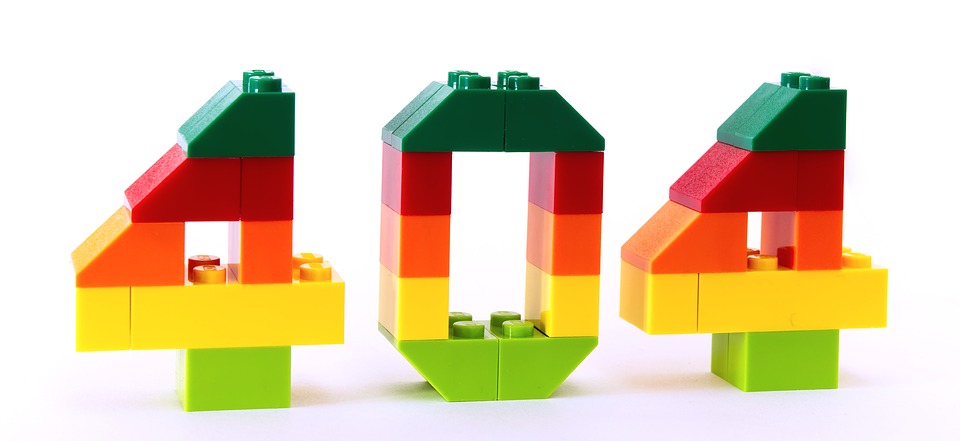
    All You Need to Know About Designing a Customer Friendly 404 Page

    404 pages are the most undervalued element of website designing. Nobody likes to see the “page not found” message while searching for a product or information on a website. This type of inconvenience may drive away the regular visitors of your website as well as your new clients with dissatisfaction.

    But it does not have to be this way.

    You can turn this inconvenience into a pleasant experience by designing your 404 page in an aesthetic manner.

    The main purpose of the ‘404 page’ is to navigate the user and point him or her where to go next. This can be done in a creative way which will ultimately allow you to retain your visitors.

    Although, you should keep in mind that 404 errors could occur to any websites due to some technical errors. It would be wise if you prepare yourself in case such occasion arises.

    What is a 404 error?

    In the 21st century, most of us have already seen a 404 error page sometimes in our life. When you click on a link and that takes you to a 404 error page, it means, the current page you are looking for does not exist anymore or the server hosting that page might be down for the moment.

    A 404 error page usually shows the visitor a message such as these: ‘HTTP 404 Not Found’, ‘404 Not Found Error’, ‘the page cannot be found’ or ‘The requested URL was not found on this server’, or other messages.

    These messages could appear in two ways, either on a generic 404 page or on a custom 404 page. While generic pages pay no attention to designing, customs pages can be made to reduce visitors’ dissatisfaction and encourage them to check other pages of the website.

    What to do?

    When a visitor to your website does receive a 404 page, you should help the visitor find a more relevant page, or make your visitor’s visit more pleasant. Here are several ways you can do that.

    Show a 404 page that can exhibit the personality of your business

    If you are an interior decorator and you provide the service of coloring and decorating your customer’s home, then you can show an image of a beautiful colored wall with modern patterns. Make sure your image looks professional.

    That way, a potential customer who may land on the 404 error page, will not get irritated when he looks at the sample work you have done on someone’s home.

    You may show things that are pleasant to look at and arouse a minimum amount of curiosity. Off course, make sure they are related to the service you are providing. You can also hire additional help from http://www.lasvegaswebdesignco.com/ to appear more professional.

    Be friendly

    Instead of showing a message that almost looks robotic, you should use words with a human touch. For example, ‘OOPS’, ‘Yikes’ or an apologetic ‘Sorry’,proves that there is a human brain behind the page.

    Usability

    When the users land on an error page, they will eventually want to head back to the home page or leave the web site. You could provide a link to your homepage so that instead of leaving the site; they can go back to the homepage and find something else that suits their requirement.

    You can also provide a search bar on the 404 page for their ease. Don’t forget to provide a contact link as well, so that the user can report the broken link to you.

    Conclusion

    Recent statistics have shown that engaging 404 pages could captivate a large amount of web traffic. It also has shown that simplicity and usability are the most two important factors for creating eye-catching 404 pages.

    So, keep the aforementioned points in mind while designing.

  • Virtual Private Servers & Private Cloud: What is the Difference?

    Virtual Private Servers & Private Cloud: What is the Difference?

    The technological differences between Virtual Private Servers and Private Cloud have caused quite some confusion in the IT industry.

    The lack of awareness about these two web hosting technologies contributes to the confusion.

    However, before we explain the major differentiating factors, first, let us give you a brief about both.

    Introduction to Virtual Private Server

    Also known as, Virtual Dedicated Server (VDS) a Virtual Private Server (VPS) appears as a dedicated server.

    However, it is installed on a computer that serves multiple websites. Interestingly, a single computer can play host to several virtual servers, with each one having its own operating system that runs the hosting software for any user.

    Also, each server can be individually rebooted and booted.

    Introduction to Private Cloud

    Also known as Virtual Machine (VM) or IaaS (Infrastructure as a Service), Private Cloud is also based on Virtualization and comes with many advantages.

    Presently, it is termed as one of the most top-of-the-line website hosting solutions available.

    Also, this technology has already been adopted at a rapid pace in a short time. Any website hosted on the Cloud is highly available, meaning the hosting resources of each website is imitated on every Cloud server in the bunch.

    To put in simple words, website hosting services like SFTP, SSH, FTP and mail services, etc. are run on many different servers concurrently through Cloud.

    Difference Between Virtual Private Server and Private Cloud

    Feature Virtual Private Server Private Cloud
    Server Setup It is a single physical server that is split between restricted number of users. With a similar hosting set-up like Shared server, it also has many user accounts located on the same server. Private Cloud, uses disseminated resources across several physical servers. This allows a seamless transition to other connected servers in the network in case of hardware failure or any other major issue.
    Location of the Hardware VPS is usually hosted at off-site, third-party web hosting provider. Private Cloud is situated in the data center or site the user owns. However, some Cloud providers also offer hosted private clouds to their users.
    Scalability With VPS, the user could upgrade to any service manually or can also send in a support ticket to the service provider. Private Cloud control panels are built keeping in mind deployment and quick provisioning. With just a few clicks through the admin panel, the user can get a new database, Virtual Server or any other resource.
    Cost VPS is less expensive than dedicated server hosting. So, if someone is low on budget, VPS is the sure shot answer for them. In terms of hardware, a Private Cloud is more expensive than VPS as the user needs to shoulder the cost of maintenance, set-up, installation, and cost of the hardware.

    How to Make the Selection between VPS & Private Cloud

    Server Model Main Advantages Best Suited for Pricing
    Virtual Private Server Cost efficient and has a broad range of pre-configured servers. Predictable traffic websites Hourly (rare) or Monthly
    Cloud Server Freely scalable server and advanced automated redundancy. Anything and Everything Hourly as per the use

    We hope the comparison and points mentioned above have helped clarify the differences between the Private Cloud and Virtual Private Servers.

    Private Cloud has come a long way and become a superior choice in almost all use cases.

    However, to sum it up, the choice between the two is a matter of preference and depends on the needs and budget of the user.

  • 5 Features to Look For in Powerful Computer Monitoring Software

    5 Features to Look For in Powerful Computer Monitoring Software

    Try it: here.

    Pretty much every computer monitoring software will let you track and monitor activities taking place on computers in your workplace – but their capabilities can differ quite a bit.

    If you want to have a tool that can help you to increase productivity by minimizing time wastage and improper computer use, it is important that you look for software that has the features you need.

    In particular, there are five features that you should look for in computer monitoring software that could make a world of difference:

    1. Automated scheduled reports

    Although sometimes it can be helpful to manually track employees’ activities, for the most part you will want to use automated reports.

    It helps if these reports provide relevant overall data as well as specific information about individual employees that can be used to evaluate and assess them at predetermined intervals.

    2. Logging and searching

    By logging keystrokes it is possible to find data breaches or other security risks. However it is important that the keylogging itself is customizable, and provides a reliable and user-friendly way to search through logs rather than having to scour them line by line.

    3. Web usage timers

    Being able to filter out certain websites and online platforms is a useful part of most computer monitoring software, but it is even more useful to have web usage timers.

    Essentially these timers will let you allocate a certain amount of free browsing time, in order to allow employees to access the internet freely for a fixed duration so that not too much time is wasted.

    4. Easy installation and setup

    The level of complexity involved in installing monitoring software varies – but one with an easy installation that doesn’t take long to set up is definitely preferable.

    Not only will it make it faster and more convenient, but it will also mean that installing it on new workstations that you may eventually add will be easier as well.

    5. Customizable alerts

    Every company is bound to have different needs and may need to keep an eye out for specific types of computer activity. That is why it helps if your monitoring software has customizable alerts that you can set up to encompass any activities that are relevant to your company.

    Ideally these alerts should instantly notify you of any issues, so that action can be taken immediately.

    Of course in addition to these features you should make sure that the software you select is user-friendly and is something you can easily familiarize yourself with.

    The user interface, controls, settings and other aspects of the software will all play a role in that regard.

    As you can see the scope of computer monitoring software can vary quite a bit, and its features will definitely dictate exactly how it can be used to track and monitor activities.

    By ensuring that these features are present, you should be able to choose a powerful monitoring software that can be tailored to suit any requirements.

  • Quality Assurance: Getting Your Website Onboard

    Quality Assurance: Getting Your Website Onboard

    Having a good website requires a lot of effort from the UX and UI design team. However, you till have to perform some quality assurance so that your page is near-perfect. Here are some things to check to ensure that your website is performing better than your competition.

    Accuracy to the Original Design

    When doing a quality assurance check on your website, you want to make sure that all design elements are consistent. Compare your original design to the final product to ensure that the coded version looks like the previous design element that you love.

    Keep in mind that all of the adjustments might have been discussed during this process. But you and your team need to know them so that there are no hidden surprises. Are the font styles correct? Do every bulleted point look how you expected them to look? If there are any rollover effects, check to see that they’re working beautifully.

    Content

    You should check to make sure that you have all of the pages needed for your debut site. And make sure that all written content has the proper spelling, grammar, etc. Your audience views your content regularly, so you have to ensure that it’s been refined through your quality assurance team.

    Privacy Policy

    Did you know that your site is required to have a Privacy Policy? Some web developers will have a standardized version of your site, but make sure it’s there. If you are finding any sensitive information, look to see if your site requires any specific language.

    Testing

    If you have any custom or e-commerce components, then you need to test them! We suggest that you try a processing payment and make sure that it gets back to your account through the third-party gateway.

    Keep in mind that if you sent a charge through the system, you will have to go back and refund your money later.

    Links and Menus

    Click on all of the links and menu items to make sure they go to the right location and that there are no pages with missing content. Links might also include PDFs and documents that you’re offering for download on the websites in exchange for the user’s email address. You can either open up a new window or check links that open from within the site’s window.

    Images

    When conducting a website qa audit, you want to look at all of the images on your site and make sure that they’re picture perfect. Check for any watermarks and ensure that each image has aesthetically pleasing spacing and look the way they should.

    Conclusion

    Overall, your website qa process is crucial during the final stages of web development. It helps you ensure that your page is free of errors, running up to speed, and the content is organized. Thus, you should use it so that you can keep your viewers engaged to your site!

    Do you have any questions about checking your website’s quality?

    Tell us in the comments below.

  • Your First Single Page Application: A Guide

    Your First Single Page Application: A Guide

    You don’t have to waste time creating a multi-page app for your audience. When adopting a single page application architecture, you make it easier for your coders to look at and utilize so they can complete your projects on time.

    And we’re happy to help you get started. Here are some tips you can use to ensure that your team is well equipped and ready to produce their first app!

    So let’s begin!

    What are SPAs?

    While the concept of adopting a single page application architecture sounds good on paper, it can be hard to understand the benefits when building an app.

    At its core, the majority of single page applications are built via Ajax, which is a platform designed for processing and sending request from your server in the background, so you don’t have to reload the entire page.

    What makes them so good?

    As a result, this allows you to create functional apps that have a functionality and UI that’s similar to desktop sites but still fits on one page on your browser.

    One of the main advantages are SPAs is that it allows you to port your applications on the web without making changes to the established workflow or UI. A familiar and smooth desktop user experience is one of the largest strength of single page applications.

    Because SPAs are never reloaded fully, SPAS have more response times. The fact that your page doesn’t have to reload makes workflows that have multiple streams and are streamlined than the traditional web applications where users are forced to reload pages and switch tabs.

    Besides giving a better user experience, single page applications can provide better stability and better performance. When done correctly, Asynchronous requests, when executed correctly takes up less bandwidth and reduces the server load. The main logic behind a single page application is usually downloaded on the first request, which makes it possible to perform operations offline, which is a great solution for slow internet connection.

    What are the best tools for SPA development?

    Despite its desktop-like nature, SPAs are made using developer tools. For instance, the most popular tools are React and Angular.

    React is less universal, but has its own form of advantages. While developers will have to write more lines of code because there are less ready solutions, but you’ll usually get a high-performance app in the end.

    Angular is a popular framework that can be used to make any form of application. It’s popular and is the main language tool for most developers.

    No matter what language you choose, make sure that your IT team knows the coding language you’re trying to develop it as. Stick to either Angular or React throughout the program and then switch to another language once your team completes the first one.

    Conclusion

    Overall, you have to create a fully functional app by adopting a single page application architecture. Once you’ve completed your first one, make sure that your IT team has time to refine it. By doing this, you’ll ensure that your app is fully functioning and ready to be deployed to the public!

  • Getting Your Personal Business Online – Building the Website

    Getting Your Personal Business Online – Building the Website

    First, there is big corporate businesses, then small and medium-sized enterprises (SMEs) and small personal businesses. The first two don’t have much trouble when setting up their online presence since they might already have a following or the staff they need to build their online presence.

    Small personal businesses, on the other hand, always have a hard time since you are a one or two-person team of desperados trying to make it in an otherwise competitive online world.

    Does that mean you should ignore the internet and keep marketing your business on other platforms? Perhaps not.

    According to VPN Mentor, the internet had over 3.7 billion internet users by the end of 2017. Coupled with the fact that over 64 percent of all in-store sales (approximately $2.2 trillion) had some connection with the internet, it is evident to see how much your personal business can benefit from owning a website.

    Are you ready for the website?

    Most personal businesses have to do significant trade-offs when choosing what to invest in and what to ignore for the time being. You will have to decide whether to spend a couple of thousand bucks on a website or whether to put that money into paid per click campaigns and social media campaigns.

    A quick cost-benefit analysis will help you do a short-term evaluation of priorities and choose what will keep your business growing and running.

    • Don’t spend too much on your website if the business isn’t yet stable unless your business plan revolves about the website.
    • You have to be willing to invest time, money and effort into building a reputable website that will convince people your brand is the best.
    • Don’t expect instant results. Be prepared to let search engine optimization (SEO) and other content marketing processes to run their natural course before you begin making sales.

    Getting started with the venture

    The trick to benefiting from your website is building quality. However, since getting brand specific domains is a bit tricky, most people will prefer grabbing their domain name and let it sit until they are ready to set up a decent online retail website.

    Others will get an affordable and reliable hosting account and set up a simple blog explaining what they do. Just something simple and enough to keep the domain occupied and the few people who might search for you online covered.

    Is this a good idea? Well yes. Some online presence without spending anything on it will help you drive subliminal sales to your website. Moreover, this simple setup will be a way to gauge how hard it will be to penetrate your local search for your business specific keywords.

    Your Starter Website Must Have Professional Content

    Professional content with the right keywords will do you justice on the search engines. Most of the times, people, and search engines will be looking for information on the internet rather than hunting for refined products.

    Focusing on creating great content around your niche with the location name mentioned a couple of times and then drafting an elaborate about us and contact page to tie you to the niche will help you build your credibility as you build other aspects of your business waiting to invest on a reliable web design.

    Content creation will always be cheaper than a comprehensive web design. Running an informative website as a starter will kick things in motion and prepare you psychologically for the massive investment you will make when getting that custom website.

    Your final design must look and feel professional

    With almost 1 billion websites out there, yours must be outstanding if you are to make any impression on your audience. First impressions matter. All your visitors will judge you depending on how good or how bad your website looks.

    At all times, keep your appearance neat and professional. Emphasizing on speed and user experience is way better than any graphics. Convince your visitors that you are serious about business and they will do business with you.

    Getting your business online gives you access to more customers. However, to succeed, you need strategy and a unique way to add value to your local audience.