Search results for: “label/Web%20Site%20-%20Design”

  • How to Avoid Common Mistakes as a New Blogger

    How to Avoid Common Mistakes as a New Blogger

    Over the last decade, blogging has taken the Internet by storm. People of all walks of life and in all industries have taken to blogging to share their experiences, promote their business or product, or to generate income via advertising and sponsored posts.

    For some bloggers, it becomes a full-fledged career, while others prefer to keep their blogs personal and for when they have time. Regardless of how you choose to approach blogging there are a host of mistakes new bloggers make. Some of these are simple to correct, yet others require a more mindful approach to blogging and a plan to keep things running smoothly.

    If you’re considering a blog for any reason these are a few of the biggest mistakes new bloggers make and how you can avoid them.

    Pick a Proper Web Host

    If you plan to blog more for fun that possible income, then a simple website creator like WordPress or BlogSpot might be all you need, but if you want to be serious, then you need to research Web hosting sites. You first want to look into a hosting service that offers tiered services. You need minimal bandwidth to start and probably some help designing your blog, but little else.

    The tiered hosting sites help when you start to see growth and need to scale up to accommodate for all the visitors you’re now receiving. One thing to always look for in a good hosting service is the guaranteed uptime; accept no less than 99 percent. It does you no good if you have an article go viral and your site crashes, limiting the revenue you’ll actually earn.

    Create a Library of Content Before You Launch

    Another mistake that new bloggers make is launching and promoting their site before they have content in place to back it up. Simply writing an article or two is not enough. Many experts suggest that you have at least 12 to 14 pieces of content published before you invite the world to view your blog.

    In addition, it’s very wise to set a publishing schedule and stick to it. While three posts per week is sometimes considered the rule, be sure that the schedule you set for yourself is one you can stick with. Not only will a regular publishing schedule keep the Google gods happy, it also gives readers a timeline they can trust when visiting your site.

    Know the Ins and Outs of Plagiarism and Copyright

    Few bloggers intend to plagiarize or break copyright laws, but if you’re new to the game it could happen without your realization. It’s best to start by assuming that everything you see on the Internet is protected by a copyright of some sort and know what type of content you can use and what you can’t.

    Creative Commons is a great way to source photos for your blog posts, but pay attention to the requirements. Some content owners specify that you simply need to credit them, some specify that their work cannot be used for commercial purposes, and some require no attribution at all. Become familiar with the rules, use your own content whenever possible, and understand the legal ramifications of violating copyright.

    Use Keywords to Your Advantage

    In the old days many blog posts were laden with links and keywords that, in some cases, made reading them impossible. Google has changed their algorithms over the years so, thankfully, those awkward keyword days are over, but you should still pay attention to what you’re writing and how it’s placed.

    Depending on the publishing platform you’re using you may be able to work with plug-ins that set up your keywords for you. The most popular of these is Yoast and it can help manage your posts so they’re easily indexed by Google, as well as to ensure that you’re using keywords appropriately.

    Starting your own blog is an exciting venture, and is also one that could prove to be a good source of income. Just be sure to take it slow and avoid these common mistakes and you could be well on your way to blogging success.


  • 11 Reasons Why I Use Backblaze to Backup My Data Online

    11 Reasons Why I Use Backblaze to Backup My Data Online

    I have been backing up my data online for several years now and haven’t had any issues with doing so. I don’t mind backing up my data to the cloud, for a few reasons with the most important being that my data is offsite. The fact that I can restore my data at anytime is also a huge benefit.

    About six months ago I switched my data backups to Backblaze from Mozy. I didn’t have any issues with Mozy, but their pricing structure changed some time ago and it became too costly for me to keep my data with them, so I went elsewhere. After doing some research I settled on Backblaze. Since that time I have completed backing up over 500 GB of data to their servers and have had no issues with doing so.

    Now that I have finally completed my initial data backup, I decided to put together a list of the 11 reasons (10 is too common) I like Backblaze for backing up my files.

    1. Affordable Price

    Being able to afford to backup my data was an important requirement when I was looking for an online cloud backup provider. Backblaze is very affordable for anyone regardless of how much data you need to backup. As with many cloud solutions, they offer three different pricing levels:

    1. $3.96 a month for 2 years ($95 total).
    2. $4.17 a month for 1 year ($50 total).
    3. $5 auto-bill each month.

    2. Unlimited Data Storage

    Anyone that has heard of this term is skeptical if it really true. Many of us that have done business online realize that there is really no “unlimited” anywhere. Well, when it comes to online storage, many companies will list “unlimited” but may cap the bandwidth speeds at a certain amount of data stored. With Backblaze that simply isn’t true. I have almost 370 GB of data backed up with them, and not once did my upload speed get capped – my ISP bandwidth usage records can prove that. Every time I backed up I used the full upload speeds of my ISP (about 11 GB/day) regardless of how much I had backed up.

    3. External Hard Drive Support

    While this may not seem like a big deal, it is to me. All the data that I want to backup online is stored on an external hard drive. The other option I was looking at – Carbonite – required me to pay for a more expensive package in order to backup from my external hard drive. Backblaze allows you to backup data from external hard drives connected through a USB or Firewire. Network Attached Storage (NAS) drives are not backed up.

    Here is a list of what is and isn’t backed up:

    Backed Up NOT Backed Up
    USB Drives Network Attached Storage (NAS) drives
    Firewire drives TimeMachine drives
    Thunderbolt BootCamp partitions
    Internal Drives Virtual Machines
    Drive partitions Mounted Volumes

    4. Files are Encrypted

    Besides being affordable another big requirement for me was security. I wanted to ensure that when I backup my data that I am the only one that has access to my files. When it comes to encryption, most online cloud solutions provide this ability. All my data is encrypted when it is stored on the Backblaze servers so I know that my data is safe. While the default is for Backblaze to use their own highly-guarded password, if you choose, you can use your own password instead, which will make your data that much safer.

    5. No File Size Limitations

    While not a huge requirement, I know some people may have very large files that need to be backed up. The largest files that I have are home HD videos that can be several gigabytes in size. Backblaze allows you to exclude large files, if you choose, or change it to “No Limits”, which essentially allows you to backup any file regardless of size.

    6. Multiple Restore Options

    A backup is only as good as its ability to restore your data. In this case Backblaze provides three methods of restoring your data:

    Web Download (free)
    You can download your files from a Web browser. A zip file will be generated that will contain all the files you wish to restore. Once the zip file is ready, you will receive an e-mail once your files are ready to be restored.
    USB Flash Drive ($99)
    If you have several gigabytes of files that would take a long time to download, or your ISP caps your bandwidth, you can have your files shipped to you on a USB flash drive. The maximum amount of data for this method is 128GB.
    USB Hard Drive ($189)
    For those with a lot of data, you can have your files shipped to you on a USB hard drive. The hard drive will be large enough to contain all your data. The maximum amount of data for this method is 3TB.

    In my case, I also store my data on a 2.5″ external hard drive that I also store offsite, so if I were to restore all my data I would restore from the 2.5″ external hard drive and anything that is missing I would restore from Backblaze.

    7. File Archiving

    Backblaze is designed to help keep your files protected and will even keep multiple versions of a file for up to 30 days. This can be helpful if you accidentally deleted a file a few weeks ago and need to restore that file. With Backblaze you will be able to perform such an action. After 30 days, however, your file will be removed from your backup.

    8. Automatic Throttling

    While I mentioned that Backblaze can use the full speed of your Internet connection, there may be times that you want it to reduce the speed in order to allow other applications to access the Internet, such as Skype or online games. In this case, Backblaze will automatically throttle its bandwidth usage to allow other applications to access the Internet. If you wish, you can also manually throttle Backblaze to limit the speed it uses to upload your files.

    9. Locate You Computer

    This is an interesting feature of Backblaze. While I am on a desktop, I know that many people are using a laptop, and this feature will benefit you. If you have every misplaced, lost or had your laptop stolen, this feature of Backblaze can help you locate your computer. By logging into your account, the Backblaze application will report the last time the computer was online, and the last IP address of your computer. You can also use their mapping tool to map the location of your computer, that will hopefully help locate it. This feature is included without any additional cost.

    10. Small Company

    Backblaze isn’t a large, face-less corporation that I have seen online. Many online cloud solutions are run by a large organization that cares about their bottom-line. Backblaze is a smaller organization that doesn’t hide behind a logo, but are open to how they run their business, and how they manage their costs of data storage. I believe that are also making a profit, which is great because that will ensure they continue to provide their solution for years to come.

    11. Keeps Their Costs Down

    Since Backblaze isn’t a large organization, and they offer unlimited storage space for a low cost, they need to find ways to keep their costs down. Once method is that they design their own storage system to efficiently store all their client’s data. You can even read about how they create their storage system on their blog/website, where they also provide information on how you can create your own system just like theirs.

    So there you have 11 reasons why I chose Backblaze to backup my data. If you are looking for a good online cloud backup solution I highly recommend you try out Backblaze. There is a free trial of Backblaze that you can take advantage of to see if Backblaze suits your needs.

  • How to Update Plex Automatically When Run as a Service

    How to Update Plex Automatically When Run as a Service

    On my Plex media server I run the Plex Media Server as a service, and the one issue that I had was not being able to update Plex from within the Web dashboard. The reason is that when running Plex Media Server as a service Plex is running as a service, any update through Plex can’t be done because the service needs to be stopped first before any updates can happen.

    For me, another issue was that the Plex Media Server runs under a standard user account on my Windows 10 machine, and a standard user account can’t perform any application installs, which leads to another reason for me to disable Plex auto updates.

    While I can’t have Plex auto update to the latest version, I have found another way of accomplishing the same goal. I created a small application called Plex Server Auto Updater that will perform the same update task when Plex is running as a service.

    What does the Plex Auto Updater do?

    The Plex Auto Updater makes it easy to update Plex when the Plex Media Server is running as a service. The updater will automatically perform the tasks that you would normally need to take when updating Plex.

    Note:

    Since the Plex Auto Updater needs to install the Plex update, the updater needs to be run under an administrator account. If you are logged in as a standard user, you simply need to right-click the Plex Auto Updater executable and select “Run as administrator” to allow the updater to perform the update.

    The following actions are performed when the updater is run:

    1. Stops the Plex service.
    2. Stops any Plex processes that may still be running.
    3. Installs the update.
    4. Deletes the run keys from the registry to prevent Plex from auto-starting outside of the service.
    5. Stops any Plex processes that may have started after the update.
    6. Restarts the Plex service.

    The updater will update Plex regardless of where Plex is installed, where the Plex local data directory is located, and which user account is running the service.

    Getting the Plex Auto Updater

    I created the Plex Auto Updater so that it is portable, which means it doesn’t need to be installed. It is a single executable that can be saved and run from any directory on your machine.

    To get the Plex Auto Updater and use it, follow these steps:

    1. Download the latest release of Plex Auto Updater.
    2. Extract the psupdate.exe file from the zip file. You can extract the executable file into any directory.
    3. Double-click the executable to perform an update. Later in this post I describe how you can run the updater so it updates Plex automatically.

    To have the Plex updater perform an update, there is one thing that will need to be done in Plex to ensure the updater can find the updates, which I discuss below.

    Configure Plex Media Server for Plex Auto Updater

    Configure Plex Media Server for Plex Auto Updater

    Before running the Plex Auto Updater, it is important to first have Plex automatically download the latest updates. The Plex Auto Updater will check these downloaded updates to determine if it should install a newer version.

    To enable Plex to download updates automatically, use the following steps:

    1. Log into the Plex server Web dashboard.
    2. Click the “Settings” option under “Manage” on the left.
    3. Click the “Server” option from the top menu if it isn’t already hightlighted.
    4. In the “General” section, check the “Automatically download updates” checkbox.
    5. Click the “Save Changes” button at the bottom.

    Once the above steps have been completed, and an update has been downloaded, the Plex Auto Updater can now perform the update.

    Of course, you can simply run the Auto Updater executable, but the point is to have it update automatically without any user intervention. This can be done by simply scheduling a task to run the executable at a specified time.

    Schedule the Plex Auto Updater

    Schedule the Plex Auto Updater

    Once Plex Media Server has been configured to download any updates, you can now schedule the Plex Auto Updater to automatically check the updates to see if one is available.

    To avoid updating the Plex Media Server when you are streaming media, you will want to schedule the updater at times when the media server won’t be streaming any media, such as early morning.

    To schedule the Plex Auto Updater, use the following steps:

    1. Click the Windows icon to bring up the Start Menu. Type “Task Scheduler”, and then select the “Task Scheduler” that shows up in the list.
    2. Click the “Action” menu and then select the “Create Basic Task” menu option.
    3. Enter a name for the task, and then click the “Next” button.
    4. Select a schedule for how often you wish the Plex Auto Updater to run, and then click the “Next” button.
    5. Enter the schedule information, and then click the “Next” button.
    6. Select “Start a program” for the action.
    7. Click the “Browse” button and then navigate to the location where you placed the psupdate.exe file. Click the “Open” button to select the file.
    8. In the “Add arguments” field, enter “-silent” (without the quotes). This will cause the updater to run without any user interface. Click the “Next” button to continue.
    9. Check the “Open the Properties dialog for this ask when I click Finish” checkbox, and then click the “Finish” button.
    10. When the Properties dialog is open, ensure the user that runs the task is an administrator. If not, click the “Change User…” button.
    11. Enter the administrator user’s name in the “Enter the object name to select” textbox. Click the “OK” button to continue.
    12. Select the “Run whether user is logged on or not” option. Click the “OK” button.
    13. Enter the administrator’s password and then click the “OK” button.

    When the above steps is completed, you should have a task scheduled to run the Plex Auto Updater at a specified schedule, and using the administrative user account.

  • This application solves the issue I had when running Plex as a service and not having the ability to update Plex automatically. With the portable application I created, I can now schedule Plex updates so that my Plex Media Server has the latest release.

    Download the latest Plex Server Auto Updater release.

  • 10 Easy Ways to Make Your Blog Better

    10 Easy Ways to Make Your Blog Better

    When it comes to blogging many of us forget that the simple things matter. We get so caught up in the ads and the content that we forget what makes a blog stand out to readers first is the way it looks. First impressions matter here if you want readers to stick around long enough to read your content.

    That is why I wanted to go over a few simple points about blogging that you may have forgotten n your rush to get out great content.

    10 Easy Ways to Make Your Blog Better

    1. Focus is essential

    The first thing I want to remind you of is that your blog’s focus, its niche topic, is essential to its success. If your blog is not focused or has too wide of a focus you will lose your readers. There is a metaphor I like to remember when I think about focus.

    It is like spaghetti sauce. There is smooth and chunky but no in between. Some people like smooth sauce and are happy. Some like chunky and are happy, but if you try to make an in-between neither of them will be happy. Like this, blogging is about making your content fit your readers.

    2. Who are you writing for

    Speaking of fitting your readers, once you find out what your topic is you need to find out who your target market is. Is it retired people? Teenagers? Business people? Stay at home parents? You cannot write effectively if you do not know who is reading your blog.

    Instead use resources online to find out who your blog’s market is and what they are looking for.

    3. Doing research

    Now when it comes to finding out what readers are looking for it pays to do your research. There are many programs online that will give you insight into what search words and phrases your target market are looking for.

    Once you find out those keywords to work with you will be able to tailor your content to meet their needs and get the traffic you want.

    4. Use keywords

    Keywords are overused and underrated. Keyword packing, where your content is nothing more than a series of keywords that no one would actually want to read, is a definite no-no. However if your content is inspired by your researched keywords you will get tons of traffic and meet the needs of your readers.

    An example of this would be a site for special needs kids. The writer found out there was a lot of searching for Down syndrome and Down’s syndrome but no one knew what the appropriate term was.

    He addressed this issue in his blog and at the same time increased his traffic by incorporating two huge keywords in his post.

    5. Keep it short

    While you should be focused on the quality of your blog posts you should not worry too much about the length. A typical blog post should be between five hundred and two thousand words. If you write over two thousand words readers will not stick around to read it all.

    If you go shorter than five hundred words not only do your posts look puny and useless to readers but search engines will not pick up on them as frequently which means fewer readers to work with in the first place. Keeping your posts short but high quality will assure you the most return for your effort.

    6. Update a lot

    Speaking of frequent blog posts, you should update your blog at least once per day. I know that may be a lot for some blog topics but updating frequently raises your blog’s rankings in search engines and gets you more exposure.

    By constantly keeping your blog at the top of news feeds and readers you can keep your blog in your target marker’s mind and increase your exposure to new readers also. New is always better in the online world so make an effort to update your blog as much as possible.

    7. Make it readable

    Another aspect of blogs that I have noticed many times is that the blog itself is not readable. How can you expect more traffic if your blog looks like word vomit on a page? Instead of making your blog’s appearance an afterthought or counting on a computer program to tell you what your blog should look like take a look at your blog yourself.

    Is it something you would read? Do ads cover up the text? Is the background the same color as the text making it impossible to read? Do the colors clash hurting your eyes? Is it boring and dull or so bright and busy that you can’t tell where to start? Address these issues in your blog by cresting a user friendly space for readers.

    8. Make it usable

    Speaking of user friendly once you address the looks of the blog make sure everything works right. I can’t tell you how often I have run from a blog because it just did not work. The links were broken, the images did not load, the blog took so long to load it was ridiculous and so on.

    Make sure your blog is easy to use and give readers the ability to easily move from one post to another within your blog. The more internal movement you allow the longer they will stay and the better off your blog will be.

    9. Add images

    When it comes to a blogs appeal the visual is the first thing readers get. Is your blog nothing but text? How boring! Add some images, graphics, or videos to make your blog posts stand out above the rest.

    Many people find images so appealing they will stop to read the text that goes along with it. Even image searches can bring in new readers to your blog so images and videos are well worth adding. You can find free stock photos on sites like FreeDigitalPhotos.net or import videos from YouTube.

    You can also make your own videos or images using screen captures or web cameras.

    10. Become a part of the community

    Last but not least you should become a part of your community. That can mean your blogging community, your local community, or even your national or worldwide community. Things like natural disasters and food aid are great places to start in giving your time and resources.

    Maybe you can write an article for their website or volunteer your web skills to help them to update their blog. You can donate money, time or services to a variety of organizations and get a link to your website or image badge in exchange.

    That way you can get in new readers and broaden your exposure to their readers or fellow volunteers. In the blogging community you can comment on your fellow blogger’s post and give insightful advice or commentary. You can also offer your help or even do guest post for them in exchange for a link on their site.

    Through this you get exposure to their audience and some may come to your site just based on how well you write your comments.

    There are many more ways that you can improve your blog without having to jump through hoops or spend lots of money. These are just ten simple ways to take a second look at your blog and make sure it is running the way you want it too.

    Do not forget that your target market is people not computers. Try to stay human and give people what they really need: quality content that matters to them. After that everything else is easy.

  • The Benefits of Electronic Billing (and How to Get It for Your Business)

    The Benefits of Electronic Billing (and How to Get It for Your Business)

    To the dismay of pencil manufacturers, the world is going paperless. At your place of business, your copy and fax machines have probably developed a layer of dust, as most of your employees work entirely from the comfort of their desktops.

    Nearly every business stores files, sends communications, creates content, and tracks sales digitally ? but for some reason, many businesses just can’t kick the habit of sending clients traditional bills.

    Like everything else made from trees, paper bills are disappearing slowly but surely. Here are a few reasons you should follow the e-billing trend, as well as some tips for setting up your own digital billing service.

    The advantages of the paperless bill

    Imagine, if you will, a 40-foot-tall tree. Most likely, it is a softwood tree, like a spruce or pine, so you might picture the evergreen needles and smell the sweet, spicy aroma of its new growth.

    When one customer opts for electronic billing, he or she effectively saves about 50 of such trees from being chopped down and ground into wood pulp. By offering paperless options, your business could preserve entire forests of trees, fostering a greener, cleaner way of life.

    Of course, a diminished carbon footprint isn’t the only benefit of paperless billing. Customers are granted the option with nearly all EBPP solutions to view their bills online anywhere, anytime.

    This is immediately advantageous to businesses: Customers who have continuous access to their bills are more likely to pay them in-full and on-time, even while they are away from home.

    Moreover, bill history is usually compiled online as well, giving both customers and businesses the ability to review previous statements for spending trends.

    Finally, electronic billing is substantially cheaper than paper invoices. For most businesses, paper and other office supplies (like ink cartridges, stamps, and envelopes) take up a sizeable portion of the budget.

    Moreover, paper appliances like copiers and fax machines require regular maintenance and updates, which is not a minor cost. By going paperless, that chunk of change can be reinvested in other areas of the business, helping your company to grow.

    The disadvantages of billing electronically

    If e-billing seems too good to be true, it isn’t. However, as with any business service, paperless billing does have a few weaknesses that may be off-putting at first.

    For example, any online service that collects payment information must be secure from cyber-criminals, which means you and your customers will need to craft and remember increasingly complex passwords.

    Some customers who are fed-up with memorizing incomprehensible strings of letters and numbers may opt out of e-billing simply because they have no room to store another password.

    Additionally, as technology changes, EBPP services need to adapt to new machines. Businesses may need to expend effort updating software and websites to ensure that their billing portals remain secure and up-to-date.

    Neglecting to perform regular maintenance could expose private customer information to a data breach, which is always bad for business.

    Still, a dedicated IT professional will find such simple updates easily within the realm of his or her responsibilities, and it is unlikely that an update will ever seriously derail a business’s ability to collect payments.

    How to get the bills of the future

    Most commonly, businesses contract experienced e-billing professionals to create web payment portals that integrate into existing websites.

    Ideally, a customer does not need to leave your business’s site to pay his or her bill; leaving a trusted, secure website for a third-party payment collector can cause doubt and discomfort about the e-billing process, making it less likely that you will receive your money online.

    In working with a professional, you will have more control over how your e-bills look and behave, ensuring they conform to your business’s brand identity.

    Another option is directing customers to an established third-party payment collector. Sites like PayPal and Google Wallet have been facilitating online transactions for well over a decade and most Web users trust them with precious financial information.

    Yet, these services often skim money from your payments, slashing your profits while impacting your brand. Though third parties are easy to use, they should be a short-term e-billing solution while you develop an on-site payment collection.

  • Best Billing and Invoice Software for 2016

    Best Billing and Invoice Software for 2016

    Your business runs on software. Human Resource teams have a multitude of software options to manage the full employee life cycle including benefits, attendance, and payroll.

    Sales Teams also have quite a few different software programs available to make their process easier. Any search engine query will quickly provide a list of multiple options for either one of these services.

    When speaking to different colleagues in the Accounting field it was surprising to find out that many are still using MS Excel for their Accounting needs.

    We wondered why they are still relying on such a manual process for one of the most important parts of their business when there many old and new software systems to take the mystery and confusion out of the accounting process.

    We put together a list of some of the most popular systems as ranked by TopTenReviews that we personally like the most. You can make your billing and invoicing a thousand times easier (and more accurate) by switching your accounting department over to any of these software tools.

    FreshBooks

    FreshBooks has quickly and efficiently become the Web’s favorite invoicing tool thanks to its beautiful simplicity. In just a few steps, anyone can begin creating and sending professional invoices ? no accounting experience needed.

    The invoicing options are incredibly useful for a growing business, as adding new clients and services takes seconds, though its billing options are a bit rudimentary.

    FreshBooks operates entirely in the cloud. This fact is particularly amazing considering the program’s intuitive functionality and brilliant design.

    Xero

    Xero has the potential to be the only absolutely perfect invoice software for your business because it is infinitely customizable to address your accounting team’s needs and wants.

    Nearly every aspect of NetSuite can be altered to integrate better with your existing software, which means your invoicing and billing could work seamlessly with your other software systems used for sales, marketing or CRM.

    However, not every business has the IT staff necessary to customize appropriately, and modifications can wreak havoc on your existing software if they are not performed correctly.

    As mentioned before, Xero has a lot of potential, but you need a little more skill to get the full benefits of the software.

    Zoho

    More than just accounting services, Zoho is a complete online office suite offering tools for nearly all of your teams. Instead of attempting to incorporate new software into your existing business programs, you can replace everything with this neat, simple service.

    Zoho’s invoicing module is flexible yet robust, meaning you can add and subtract from individual invoices fairly easily. Perhaps the most exciting feature is using multiple currencies on a single account, which isn’t commonly available in similar invoicing tools.

    Zoho even offers an online payment portal so clients can complete their payments immediately online. Even if some clients fall delinquent or are slow to pay, having standardized invoices will make collecting much easier.

    Analyzing Data

    Kashoo

    Another Web-based accounting application, Kashoo is an international accountant’s dream. With immediate currency exchange for invoices going to more than 56 countries, the service is perfect for businesses not confined to a single region.

    Possibly best of all, Kashoo is exceedingly affordable. Lone entrepreneurs have access to simple tools ? including all of Kashoo’s invoicing capabilities ? for free, while startups and small businesses can unlock multiple accounts and more advanced features for less than $20 per month.

    This online service is an excellent place to start, but it lacks a number of features of more prominent accounting software.

    For example, Kashoo fails to provide customer records beyond basic contact information, and it fails to provide any inventory tracking options. Still, if all you need is invoicing and billing ? and you need it for international clients ? Kashoo might be your best option.

    QuickBooks

    QuickBooks is nearly ubiquitous in the accounting world, and it isn’t difficult to see why. As one of the first accounting programs created, QuickBooks has had many years to improve and build upon their software and processes.

    QuickBooks is so universal that most accountants should have at least a working knowledge of the software before they graduate. Chances are most if not all accounting personnel in your office already have familiarity with at least an older version of QuickBooks.

    One of the reasons QuickBooks is integrated into so many businesses and remains a leader for the Accounting industry is that the software offers a very robust line of products for just about any person or business.

    Tracking payments and sending invoices to clients is just the beginning of its many features.

    One of the many advantages of the installed software over other online versions is its ability to seamlessly integrate with other apps and services such as tax preparation providers, invoice factoring services, PayPal and even FreshBooks. Because it is such a comprehensive accounting tool, it makes nearly every business project run more smoothly.

    QuickBooks does offer an online service to supplement the installed software version but it does not include many of the features.

    All of these software programs became popular for different reasons such as practical features, intuitive function, attractive design, ability to integrate, etc.

    We know that there is rarely ever going to be just one software or service that will fit the needs for all businesses which is why most providers offer a trial service to allow accounting teams to test before committing to one of the billing and invoice providers above.

  • Cloud Computing – The Basics You Need to Know

    Cloud Computing – The Basics You Need to Know

    Has it ever crossed your mind that you might lose data that is stored in various devices or hard disks? Is it secure to store data on them? What if a virus infects it?

    I know some of you must have used DropBox or One Drive for storing all your precious data just to keep it secure and in reach all the time. All of this data gets stored in a cloud.

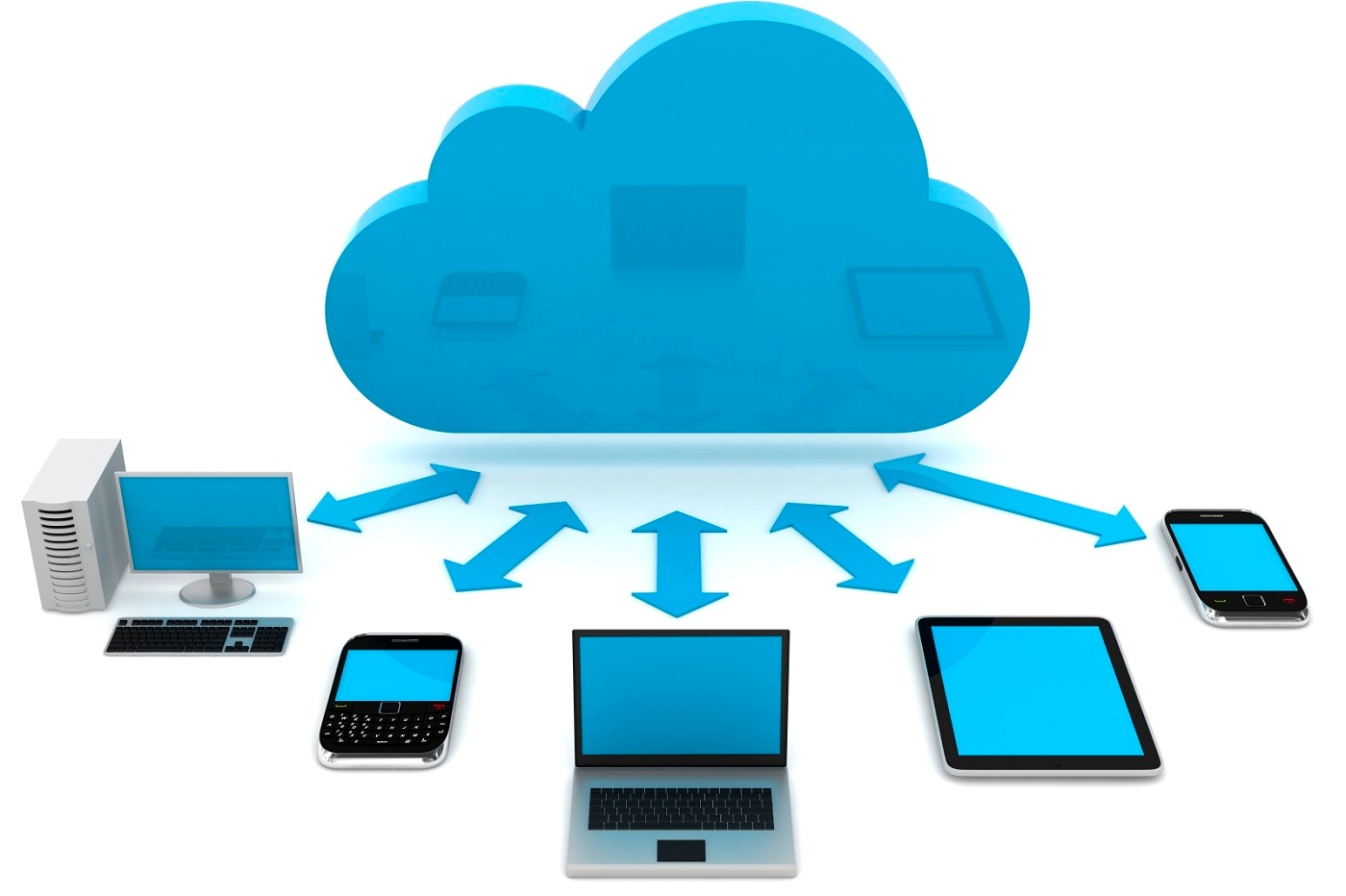
    A cloud refers to an IT environment that has no limits for storing data. The symbol of the cloud is used as a metaphor for the internet as the cloud and the internet both, have no boundaries.

    There are many clouds that are easily accessed via the internet. But there is single difference i.e. the Internet provides open access to many Web-based IT resources whereas, a cloud is a private zone area.

    The usability of a cloud for computer backup is pretty useful. The delivery of computing services via the internet is known as Cloud Computing. It allows both business and individuals to utilize hardware and software that are being managed by third parties at different locations.

    For instance, some of the places where cloud services are offered include social networking sites, webmail, file storage, and online business applications.

    The model of a cloud computing is designed in such a way that it allows continuous access to a computer’s resources and information from anywhere, any time – with a network connection.

    Here are a few amazing things that you need to know about cloud computing in order to reap its benefits:

    Two versions of cloud

    The two most popular versions of the cloud are Infrastructure-as-a-service (IaaS) and Software-as-a-service (SaaS). With SaaS, you can use a cloud service provider for hosting your enterprise applications and you can easily store its associated data on the servers.

    By doing this you can gain access to the SaaS applications through your Web browser. But your company has to pay each month depending on the number of users.

    Computer Mate Inc. is a software-based medical service; one of the best example for SaaS. As with IaaS, this cloud service provider actually helps you by offering virtual servers, storage, virtual machines and connectivity resources to run your applications on a pay-as-you-go basis.

    However, you will be considered responsible for their maintenance and installations.

    Flexible offers by Cloud Computing Service

    Considering the dynamism of today’s business world, cloud services have made companies reach a new level and it is applicable to almost all the needs that a company may require.

    A cloud service can is perfect for the companies as they can easily test the services and in case they don’t like them, they can easily go for another service next month. Example, for your new application, you need something latest but you are not sure about its growth.

    \

    Thus, a cloud computing service lets you expand and contract IT resources in sync with those cycles.

    Cloud Computing gives you a fresh start

    Those companies that are thinking about expanding, need a much larger server to be able to store all their confidential data. Their need of powerful virtual machines to run their applications is efficiently met by Cloud Computing.

    They give the companies what they exactly need instead of buying new servers which can be pretty expensive.

    The Cloud is economic

    There are many data centers that are running out of space and they are forcing companies to either build new data centers or pay a huge amount of money for expanding the existing centers.

    Here, cloud computing wins the race as it allows companies to move their applications on their provider’s infrastructure as it would help them save a lot of money through their comparably cheap payment programs.

    Most cloud services offer a minimum of 5GB of free storage, which you can expand through a premium membership of the service. These services provide individual as well as business packages.

    The Cloud frees staff for other projects

    In any company, IT members are always busy in maintaining, managing and troubleshooting equipment or an application, thus, their maximum time is taken by these tedious jobs.

    Cloud computing can be of great help to them as it offers management and infrastructure services allowing the company to offload all the tasks and as a result, free the extra IT members so that they can work on other important projects.

    This can have a positive impact on a business’s productivity levels.

    Additionally, Cloud Computing can help the companies in other ways as well such as making them more responsive to the changing market conditions while generating great revenue.

    Moreover, if you wish to learn Cloud Computing, there are many online learning platforms such as Udemy, Zeolearn, and Cloud Academy where you can enrol and learn the basics of cloud computing.

    Author bio

    I am a Freelance writer by day and sports fan by night. I write about tech education and health related issues (but not at the same time). Live simply, give generously, watch football and a technology lover. Find me on twitter @ericadsilva1.

  • The Grandparent’s Guide to the Internet [Infographic]

    The Grandparent’s Guide to the Internet [Infographic]

    If you have grown-up children and they have made you proud grandparents, you will probably have noticed just how adept their kids are at using the internet and their tablet or smartphone, with many preschooler’s knowing their way around an iPad with amazing skill and dexterity.

    Being a grandparent is great fun of course, but it also means that you are trying to catch up with the digital age and all that it has to offer.

    Smartphones and iPad’s were not words that had been invented and neither had the internet for that matter, which means that you might just find everything associated with the internet and how to use it, a bit daunting.

    The Grandparent’s Guide to the Internet is designed to get you up to speed and give you the confidence to explore what the web has to offer and how to harness its ability to make some of your daily tasks easier and more efficient.

    The guide takes you through step-by-step, from explaining why you need a web browser, what a window is and how to navigate around a page, to sending emails, uploading or downloading pictures and videos, right through to how to get to grips with social media.

    If you want to share your experiences and spend time catching up with what your grandchildren are doing and what they have been doing, the best way to do this these days is to learn how to use Facebook or Skype, so that you can communicate with your family and others in the only way that that really know how to these days.

    The Grandparent's Guide to the Internet

  • More posts