Search results for: “label/Web%20Site%20-%20Design”

  • Review: tenforty

    Many blog authors like to write about personal experiences, which can be a refreshing change to those who like to read blogs. It’s nice to read about someone’s experiences on what they have done, or would like to do. For those that write a blog on their travels, the photos they take and display add to the enjoyment of the blogs as many of the photos provide a windows into another country and culture.

    In this post I review a blog that provides both great content and photos to locations in the eastern part of the world. You may not understand the title: tenforty, but once you read the description of the title on the blog you will understand.

    tenforty Blog

    Design 3.5 stars

    When I first looked at tenforty one word came to mind: blue. The entire site is mainly various shades of blue. If you are not a fan of that colour, then this may not be the blog for you. Blue is my favourite colour, however, I do have my limits to the amount of blue that I like to see.

    Unfortunately, the right navigation bar’s background colour is blue as well as the links. This makes the links more difficult to read as blue on blue doesn’t work too well. Once a link has been visited the colour changes to a light orange colour. This makes it also a little difficult to read.

    There are some items in the navigation bar that just don’t blend well with all the other items. An example of this is the Resources item, which stands out amongst all the other items since it has a faded book background. Making all items in the navigation bar similar will provide a nicer look to the entire right-side of the pages.

    One of the things I liked about the design of the blog were the design of the posts. The author has chosen a nice large and very readable font. The titles of the posts are even large so they stand out against the fonts chosen for the post content. I like how the posts are all surrounded by a thick border and are separated by other posts with a space. This provides some nice separation between the posts.

    The design of the blog could be improved if the author limited the amount of blue as a background colour, maybe possibly making the right navigation bar and the post background match and keeping the main body background as blue.

    Focus 4.5 stars

    For those that haven’t visited tenforty before may find it a little confusing as to the focus of the blog. There are many categories listed in the navigation bar, which may obscure the focus.

    To help visitors understand the focus of the blog, the author has provided a nice description in the upper right corner. There the author also explains the name of the blog: “The 10/40 Window is an area of the world extending from 10 degrees north to 40 degrees north of the equator, and includes countries in Africa, the Middle East and Asia.” This also helps to set the focus for the entire blog, which is really ingenious. Sometimes coming up with a name for a Web site or blog can be complicated and I feel that the name captures what the author is writing about.

    The focus of the blog is enhanced by the well written posts that also include photos of the authors experiences. Once you have visited the blog, the focus is more easy to determine as your read the posts on the blog.

    Content 4.5 stars

    As I have briefly touched upon in the focus, the main content of the blog is about the author’s experience in the eastern countries in the world. The author has gone into great detail in some posts, but not too much where they have lost the focus of the post. Many of the posts are enhanced with the inclusion of at least one photo followed by a brief description of the photo. This helps to picture what the author is illustrating in the posts.

    While the photos help the posts, those visitors on dial up may have to wait for the complete post to be downloaded. Some posts have one photo, while others may have several. Some of the photos can be rather large (80KB and larger) which can take longer if you are on dial up.

    The content overall is detailed and well illustrated with photos. The post length is not too long where the interest of the visitor can be lost, but are rather short and to the point, while at the same time not losing the focus of the post.

    Spelling and Grammar 4.5 stars

    As I read several posts I noticed that the author has obviously spent time checking both the spelling and grammar. I rarely found any problems with the spelling and grammar, which sometimes is a rarity in blogs. The very minor mistakes I did find, didn’t affect the readability of the posts. In this regard the author is very careful when writing the posts.

    Overall 4 stars

    I enjoyed reading many of the posts that have been written on tenforty, as well as view many of the photos that are available. The only issue I found with the blog is the amount of blue that was used. This made some of the links in the navigation bar hard to read as they almost blend into the background. Besides the blue colour, there were no real issues with the blog and was a really well written and detailed blog. It was worth the visit.

  • Review: The Path To Total Financial Freedom

    There is much information on the Internet today that discusses how to make money online. Everyone appears to have a method that works for them, but what it all comes down to is hard work and dedication.

    In this review I look at, not only a ways of making money, but also of increasing your traffic and online presence as well. This week I look at the blog The Path To Total Financial Freedom.

    The Path To Total Financial Freedom

    Design 2 stars

    When I first viewed the blog, I noticed that it consisted of a left navigation sidebar and a content section. As I scrolled down the page I quickly realized that the design of the blog was the weakest part of it.

    Although there is a navigation bar on the left, it didn’t help provide an easy means of navigating through the blog. A blog will usually consist of a category list and an archives selection method. Although there is an archives list further down the page, I had trouble finding anything that resembled a categories list.

    The sidebar was confusing as it consisted of many jumbled and unorganized images that may have some meaning to the blog, but I had difficulty associating them with it. If the navigation bar was more organized, it would make moving around the posts easier.

    The home page itself contains much information for a visitor provided in many posts. The downside of this, however, is that it increases the page size dramatically. Checking the properties of the page, I noticed it came in at a whopping 173KB, and that is without the images. Reducing the number of posts displayed on the home page, and including a nice navigation bar will help the design greatly.

    The design flaws show up in the posts themselves, as I noticed some posts had blue links, others had light green links that were hard to read, while others even had red. Being consistent with the link colours using CSS can make them easier to understand for visitors.

    The footer is just as confusing as the sidebar as it is a jumble of links and images.

    The design of the blog is by far the weakest part of the blog, but one that can be easily fixed with minimal effort.

    Focus 4.5 stars

    The focus of the blog is easy to determine since the author has conveniently provided a short definition below the title: “A Guide on how to succeed with the amazing Passport To Wealth Business Opportunity”. The posts he has written maintains this focus as the posts provide tips and tricks on succeeding the online business by increasing traffic and your online presence.

    To strengthen the online business called “Passport to Wealth”, the author uses it in the title of various posts. Although he has included the name in the title, many of the tips the author has provided can be used for various online opportunities as well.

    Overall, the focus of the blog is well defined and represented in the various posts by the author.

    Content 4 stars

    The content of The Path To Total Financial Freedom can at times be nice and summarized, while other times it can be quite long. For the long posts, it can take some time to download, especially if they are included on the same page. It was much easier to read the smaller posts as the author nicely summarizes the important points nicely.

    The posts in general focus on increasing traffic, and focus on such Web sites as Alexa, and Google. Many of the tips provided in the posts can also be used for other online opportunities, which makes this blog a valuable resource for generating traffic.

    The posts the author has written on the blog do provide some useful information, but finding them can be quite difficult because of the current navigation available at this time.

    Spelling and Grammar 3 stars

    There are a few spelling and grammar mistakes in several posts that could cause a visitor to go back and reread the sentence again. For the most part, however, the posts are easy to read and understand.

    Overall 3.5 stars

    The Path To Total Financial Freedom does have a clear focus and well written posts that do provide a visitor with many tips and tricks. The design of the blog, however, will need some major rework to make it easier for a visitor to retrieve the information they are looking for. Restructuring the navigation sidebar will go a long way to making the blog better.

  • Review: Suburbian Queen

    All the previous blogs that I reviewed had a set focus that was easy to determine once you read the blog. This week’s review is a little bit of a change. There are probably millions of blogs on the Internet, and a great many of them are personal blogs where the author just rights about anything. I review a blog that falls into this category this week.

    Suburbian Queen is written by a mother of 2 who obviously enjoys writing on her blog. Although the focus may be a little hard to determine, her posts are far from boring.

    Suburbian Queen

    Design 4 stars

    The design of Suburbian Queen is a simple design with the main content on the left, and a navigation bar on the right. The provides an easy to read layout for the blog.

    There are a few flaws that I can see in the current design of the blog. The first is the background image. I found it too distracting, and think a solid grey colour, or a faded image in the background would be better. Another issue I found with the design in the fact that all text is bolded. This seems to be a common trait for many blogs, but I feel bold should be used for emphasis only.

    The last issue I had with the design is the order of the items in the navigation bar. I would move some of the post navigation links, such as the categories and archive links to the top of the navigation bar. This will allow visitors to easily navigate around the blog.

    Besides the simple layout, I did like the size of the font, which made it very easy to read the posts. The menu at the top of the page stands out as the font is large, capitalized and is fairly dark compared to the white background.

    Overall the design of the blog makes reading and navigating the blog easy.

    Focus 4 stars

    The focus of the blog can be confusing to a visitor who has not heard of Suburbian Queen in the past. There is no brief description of the blog in the header, which would have been nice.

    The description of the blog sent to me by the author is as follows: “Suburbian Queen is a blog about everything in general. Sometimes funny and often times thought-provoking. This blog has something for everyone”, which after reading a few posts becomes quite obvious. This brief description would be nice in the header of the blog to prevent visitors from being confused.

    Content 4.5 stars

    Unlike my posts, the posts on Suburbian Queen are short and sweet. Many posts can easily fit on a single page without causing the page to become too large. This is a big plus, since many visitors probably won’t want to read large posts.

    Another thing I also like about the posts are the little images the author has inserted at the beginning of each one. Each image the acommpanies each post is simple, yet appropriate, to the subject of the post. Images are always a nice touch to any blog.

    Spelling and Grammar 5 stars

    This is the first blog to receive a perfect 5 star rating in any category. It is hard to find a Web site, or blog for that matter, which has near perfect spelling and grammar. Suburbian Queen has well written posts that are very easy to read. The author has definitely spent some time to ensure to correct any spelling and grammar mistakes, and it shows in the posts.

    Overall 4.5 stars

    Suburbian Queen is an interesting blog that is fun to read. The design of the blog doesn’t distract or make it difficult to read the blog. The focus may be a little confusing to a new visitor, but after reading several posts you have an idea of what the author is trying to achieve. The posts are nice and short, and include simple and appropriate images. The spelling and grammar is top notch and achieved a perfect 5 star rating, a first in any category.

  • Review: Poopsies

    After taking a short vacation during the holiday season, I have returned to publishing posts, and reviews to Technically Easy. This week I have reviewed a blog that is focused mainly on a subject that I have very limited knowledge about: anime.

    Anime is very popular among some people, however, I have never gotten into that type of animation. The authors’, yes there are two, of the blog Poopsies are indeed fans of anime, as well as toys, manga, and video games. They have created the blog Poopsies to share their interests in the topics, but does it flow nicely together and stay focused on their topics?

    (more…)

  • Entrecard – The Good and Bad

    Some time ago, I joined Entrecard, which allows you to advertise your blog’s business card (a 125×125 pixel image) on other blogs. You do this by earning Entrecard credits, and then spending those credits advertising on other blogs.

    Recently, there has been talk about whether Entrecard is good to join, and whether traffic generated from it is good or bad traffic. Just as with other new ventures, Entrecard has both good and bad points that I will outline in this post.

    (more…)

  • Review: My Consoling Asylum

    I have visited many blogs since I started Technically Easy, and have come across blogs of different genres. I have read travel, technical, photography and money-making blogs. The one type of blog that I do enjoy reading are the personal blogs, where individuals just talk about their life.

    This week I look at a personal blog. The one thing about these types of blogs is that it allows the author to pretty much talk about anything they are interested in for that particular day.

    (more…)

  • Organizing Digital Archives

    A few months back I wrote a post call Data Archiving Method where I talked about which media I chose to backup my scanned photo and negative archives. I also mentioned the labeling method I chose to keep track of each photo. I haven’t wrote much about archive since then so I decided to provide more information for those that are archiving.

    In this post I will elaborate on the organizing and photo properties that I have chosen for the archives.

    (more…)

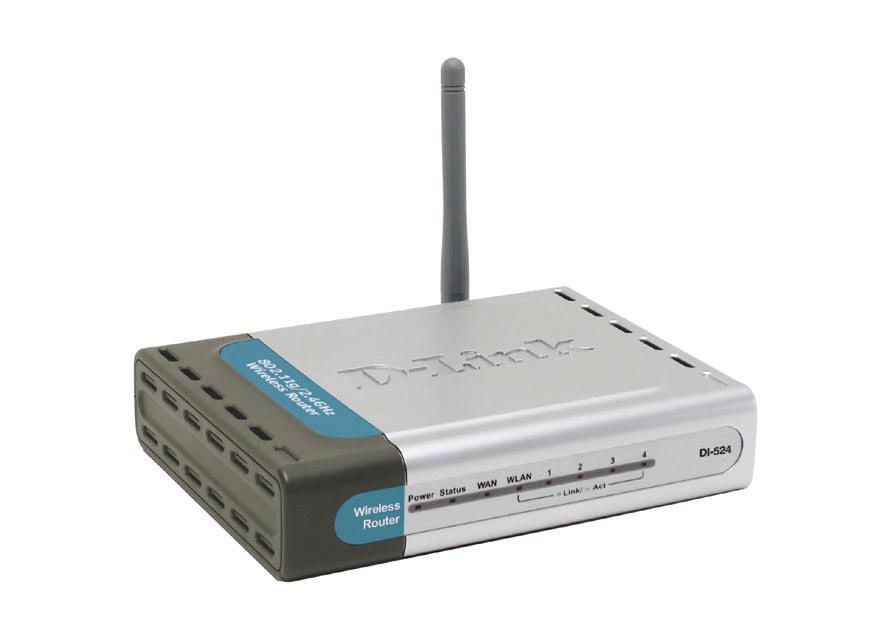
  • How to Reset the D-Link DI-524 Wireless Router

    How to Reset the D-Link DI-524 Wireless Router

    Some time ago I wrote a post titled Securing D-Link DI-524 Wireless Router. In that post I outlined the steps needed to secure that particular wireless router.

    More recently I wrote another post title How to Reset the Linksys WRT54G Wireless-G Router and decided to write a similar post on reseting the DI-524 router.

    Reset Button

    Note:

    Reseting the router to the factory defaults will delete any changes you have made to the router, including any security settings. This should be used as a last resort.

    The steps involved in reseting the router is simply pressing a button located on the router. The image below (courtesy of D-Link) shows where the button is located.

    Reset Button Location
    Location of the D-Link DI-524 Reset Button

    To reset your router, use the following steps:

    1. Press the reset button for 10 seconds. You can use a small object, such as a paper clip to hold down the button.
    2. Do not power off the unit while the router is being reset.

      The unit should now reboot, and once the WLAN light stops blinking the router should be reset.

    3. Open up your Web browser and enter 192.168.0.1 in the address bar.
    4. For the login, enter admin as the ID and leave the password blank.

    The router has now been reset. Follow the steps in Securing D-Link DI-524 Wireless Router to secure your router.

    Summary

    This post has provided the instructions you can use to reset your D-Link DI-524 wireless router. If you are having problems with your router, try reseting the router to the factory defaults, and then make the changes again and see if the router starts working.