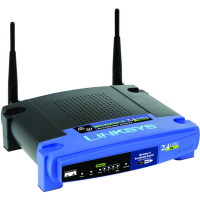
How to Reset the Linksys WRT54G Wireless Router

By Paul | Jan 23, 2008

Once of the most popular pages on Technically Easy is the post titled Securing Linksys WRT54G Wireless Router. In that post I outlined the steps needed to secure that particular wireless router.

The one problem I didn’t mention is how to reset the router back to the factory defaults. You may need to do this if you forget your router’s password or made a mistake and you can’t connect to the router. In this post I’ll outline two methods you can follow to reset your Linksys WRT54G wirless router.

Note:

Reseting the router to the factory defaults will delete any changes you have made to the router, including any security settings. This should be used as a last resort.

Reset Button

The first method involves simply pressing a button located on the back of the router. The image below (courtesy of Linksys) shows where the button is located.

Reset Button Location

To reset your router, use the following steps:

  1. Press the reset button for 30 seconds.
  2. The settings should now be returned to the factory default settings, meaning any changes you had made would be deleted.

  3. Open up your Web browser and enter 192.168.1.1 in the address bar.
  4. For the login, leave a blank ID and enter admin as the password.

The router has now been reset. Follow the steps in Securing Linksys WRT54G Wireless Router to secure your router.

Through the Web Administration Pages

The second method involves logging into the Web administration pages of the router. Use the following steps to reset the router using this method:

  1. Open your Web browser and enter the IP address of your router. By default, the address is 192.168.1.1.
  2. Enter your user ID And password when prompted. Hopefully this has been changed, but if it hasn’t, the default is no ID and admin as the password.
  3. At the top of the Web page, click Administration and then Factory Defaults.
  4. Beside Restore Factory Defaults, click Yes.
  5. Now click the Save Settings button at the bottom of the Web page.

Your WRT54G wireless router should now be reset to the factory defaults. Ensure you follow the steps outline in Securing Linksys WRT54G Wireless Router to secure your router.

Summary

This post has provided two methods you can use to reset your Linksys WRT54G wireless router. If you are having problems with your router, try reseting the router to the factory defaults, and then make the changes again and see if the router starts working again.

With adsl routers around, it is not hard to believe that televisions are over for good. We may find some use for dvd players in setting up our home theater systems though. Today either there is, or there is no flat panel tv, no other way round.

Share and Enjoy:
  • Digg
  • StumbleUpon
  • Sphinn
  • del.icio.us
  • Facebook
  • Mixx
  • Google
19 Comments so far
  1. Anonymous August 11, 2008 11:23 am

    I reset my router, now I get a Westell setup page and not the normal black and blue Linksys page when in input 192.168.1.1

  2. Paul August 11, 2008 12:52 pm

    Looks like you are getting your modem’s setup page and not your router’s. Ensure that you have connected the router to the modem correctly, and that you have connected to the router wirelessly.

    The best way is to use a network cable and connect to the router to set it up, and then setup the wireless connection on your PC.

  3. Clint Eagar August 31, 2008 6:53 pm

    Thanks. I really need these settings.

  4. Jonathan Cox September 5, 2008 1:35 pm

    Hi there. I am unable to access my Linksys router. When I reset and use the admin password, it comes back with Realm Level 15 access. Can you please help me!!? Thanks.

  5. Paul September 6, 2008 11:59 am

    @Jonathan Cox: What ID and password are you using to log in to your router?

  6. Chris S September 9, 2008 12:34 am

    Does the Linksys need to be plugged in or unplugged while holding the reset button? Does it matter?

    -C

  7. Paul September 9, 2008 8:02 am

    I believe the router needs to be plugged in.

  8. Simant September 12, 2008 1:02 am

    cant excess my wireless router and have searched ur whole website found nothing cant we chat with online technician to sort this out.

  9. Bernie September 14, 2008 9:57 pm

    Your reset procedure worked perfectly for me. Thanks.

  10. Mitch September 19, 2008 3:55 pm

    I held the reset button for 30 seconds, but when I access the IP address online and enter the admin under password, it still does not allow me to access the administration page. Any pointers for me with this problem? Thanks!

  11. Paul September 20, 2008 8:56 am

    @Mitch: What id and password are you using to access the administration page?

  12. sean September 30, 2008 10:02 am

    hi, i reset the router through the admin page and everything went well, but i still cant connect, both my laptops found the connection and connected but would not go online.

  13. nick October 1, 2008 12:05 am

    i tried the reset procedure 4 times now i still get the level 15 access. i tried admin as id and admin as password and i tried just admin as id no password
    and i tried no id and password admin. nothing any help?

  14. dave November 7, 2008 2:36 am

    How many times can take to reset the linksys wireless router? and it is required to turn off the wireless router before to reset? what happened if the wireless is turned on then it tried to push the reset button?

  15. Paul November 7, 2008 1:28 pm

    The router should be on when you push the reset button. You can push it as many times as you want, but it only takes one time to reset the router.

  16. Sheridan November 9, 2008 5:54 am

    Hi, I am unable to access the ip address page. It just comes up with an error message when I type in 192.163.1.1.

    Other web sites say that you have to change your ip address to 192.163.1.2,although this also does not work.

    I have also tried resetting, no joy!

    My internet is working fine, I just need to secure my wireless connection on the ip address site.

    Any suggestions?

  17. Paul November 9, 2008 11:25 am

    @Sheridan: Click “Start Menu->Run” and type “cmd”. At the DOS prompt, type “ipconfig”. The IP address listed next to “Default Gateway” is the IP address you enter into your browser.

  18. Jim November 10, 2008 11:32 am

    Hi,
    I purchased a new laptop which would not connect to my wireless connection. I played around on my desktop and managed to screw everything up.
    I have been on the phone with Comcast who cannot help whatsoever.
    I have re-installed Linksys but to no avail.
    I have reset it also.
    With the ethernet cable or USB straight from my modem into PC I can connect to the internet but not through the router.
    Then the ethernet cable stopped working.
    I get a dial -up box but when I press “connect” it informs me it is connecting via WAN miniport (PPPOE).
    I’ve changed it to “never dialup”
    Under the broadband connection properties it asks for a Service Name.
    I tried putting in “www.comcast.net” but to no avail.
    What am I doing wrong?
    I’ll worry about the laptop connection later.

  19. Walker November 17, 2008 3:20 pm

    Try using 192.168.1.1 not 192.163.1.1 …. And jim reset the router to factory defaults a lot of pranksters like to screw with the router setting and return them

Leave a Comment

If you would like to make a comment, please fill out the form below.

Name (required)

Email (required)

Website

Comments

© 2007-2008 Technically Easy. Blog design by Daily Blog Tips Themes. Privacy Policy

Bad Behavior has blocked 520 access attempts in the last 7 days.