Are you a victim of phone theft? Whether you’re worried about the data the phone holds or its value, having your phone stolen is always frustrating. Still, losing your phone doesn’t have to be a terrible experience.
It takes a few seconds for your phone to disappear. You forget it on the store’s counter and the next customer simply puts it in his pocket. Someone bumps into you while you’re walking and lifts it out of your pocket. The examples are limitless, but it’s also possible to find Android phones if you know how to do it.
So, if your phone is missing, you don’t have to panic. There are several options that can get you your phone back.
Prepare yourself
As soon as you buy your new Android phone, prepare for the unfortunate event of someone stealing it or you losing it. I am Frank Thompson, a technology and small business provider of help with business planning for owners. This is what I always tell my clients: People say that it’s better to be early than to be too late. This applies to technology, too. Good tech companies implement methods that will help you recover the phone, but it is your responsibility as a customer to make sure that you can use those options when the time comes.
Here are some tips that will help you prepare yourself for such situations:
- Turn on the fingerprint and passcode authentication. Don’t just rely on face authentication (it can be tricked simply by using your photo).
- Turn on Google’s ‘Find my device’ in your Android device manager to be able to erase and lock the phone as soon as you lose it. Check if this feature is enabled in Security and Location > Find My Device.
- If you’re using a Samsung phone, enable the Samsung’s ‘Find my mobile’ service, too. This is an extra precaution that you should definitely have.
How do I locate my phone?
If you’ve already lost your phone or had it stolen, there are a couple of things you can do on Android to track it.
Use the ‘Find my device’ feature
Most phones have this option enabled, so even if you didn’t do it before it got stolen, odds are that you can still track it. Access this page immediately when you notice that your phone is gone. Once you do, sign in to the Google account that you linked to the phone.
You can access this on your computer or download their app from the Play Store from another device. Once you do it, Google will start locating your phone. Surely, it would have to be online on for this to work. If it’s not, Google will inform you as soon as the phone is online.
As soon as the app or site finds your phone, you can use one of their options: erase the device data, lock it down, or make it play a sound so that you can locate it in your home.
If you choose to secure the device, you can choose the message that will appear on the lock screen. You can also sign out of the account, but continue to locate the phone.
However, if you hope to find the phone, don’t erase the device. This is your very last choice if nothing else works.
Use your smart watch
Many people today have a smart watch that they pair with their phone. If you have your watch but not your phone, you can use it to find it. The watch will look for your phone and tell you about its location. However, if you plan to use the Bluetooth connectivity, this won’t really work unless the thief is nearby or your phone has been lost in a location that’s within the Bluetooth range.

Use Samsung’s Find My Mobile Service
This applies only if you own a Samsung phone. Their special feature for tracking phones can be really helpful if you’ve turned it on. You can use it to locate the phone once it’s lost or stolen. To use this service, visit this website.
Report the phone as stolen
This rarely works, but who knows? The police might be able to find your phone if you report it fast. And if it’s covered by insurance, you definitely need to do this to claim your money.
To report a phone theft, you need the IMEI number. You can find it on the box or in the phone’s settings menu. Write it down as soon as you buy the phone. They’ll also need your phone’s model, version, brand, color, as well as your phone number, chosen mobile network, and some information about the theft such as date and location.
Out of all these things, the IMEI is the most important. Without it, you might never find your phone, but you’re also not entitled to the insurance money.
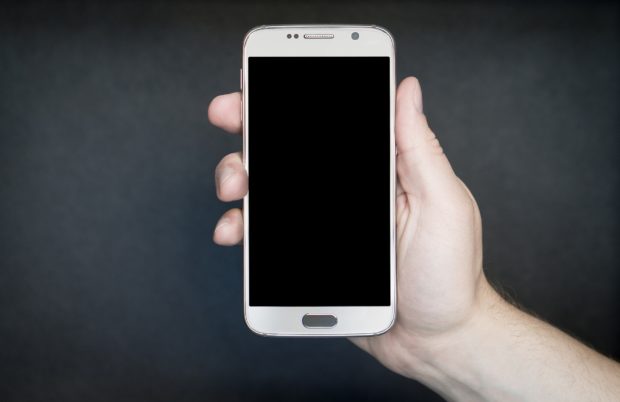
What to do if you can’t locate your smartphone
Have you tried everything and failed? If you have, there are three things you should do.
Firstly, file an insurance claim and report your smartphone as stolen. This should give you a refund and it will blacklist the device so that no one else can use it. It’s not ideal, but it’s definitely comforting to know that the thief risked it for nothing.
Secondly, you can wipe the data on the Find My Device website. You don’t want the thief to be able to access your phone’s information.
Finally, disable the cell phone service. Otherwise, you’ll end up paying huge phone bills if the thief decides to use the phone after stealing it. It’s a strange thing to consider, but it has happened plenty of times.
Conclusion
I hope that these steps help you find your lost or stolen phone. The situation is frustrating and stressful, but if you’re able to locate your phone, that means that you might be able to recover it. Still, remember that you shouldn’t confront the thieves on your own. If you find their location, call the police.
Unfortunately, the tricks above don’t always work. Thieves know their way around these, so you might never get your phone back. That’s why it is smart to get insurance and enable the features above so that you can at least get some refund and be able to erase your personal data.
Author’s Bio
Frank Thompson, a business marketing expect and a financial advisors, has recently decided to share his wisdom with people online. Ever since, his wise words have been published on multiple websites online. With his help and guidance, hundreds of new small businesses have developed a better financial and marketing strategy.