Search results for: “label/Web Site – Review”

  • Modernizing Conference Calls

    Modernizing Conference Calls

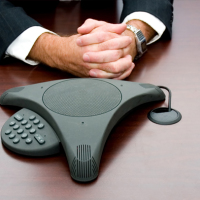
    Many of us remain stuck in the conventional business management methods despite the innovations that have presented themselves in the 21st century. We are still held back by the things we have grown accustomed to and by the fear of venturing into the unknown. However, isn’t taking risks what businessmen and women are supposed to do?

    This is particularly true in the field of conference calling. Advancements in conference calling tools have been tremendous in the recent years, and the market is abounding with choices that will suit every business, regardless of the industry they belong to. Henceforth, it isn’t enough that you have integrated conference calling to your daily work scene. The tools have to be upgraded, and the methods refreshed in order for you to achieve successful virtual meetings.

    First and foremost, let us again define the purpose of conference calls. They were created to simplify the process of communication between people who are geographically separated. Ease, convenience, and productivity are its supposed targets, and you can better acquire those with the help of the latest technology.

    (more…)

  • iPhone & iPad Basic Technology

    iPhone & iPad Basic Technology

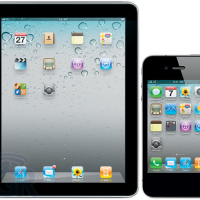
    Apple is an American based international corporation know for it’s innovative communication based designs that range from various consumer electronics including phones, computer software, personal computers, and portable media devices. The Macintosh line of computers has been Apple’s most prosperous hardware designs, and have been followed up by other innovative products such as the iPhone, the iPad and various other technologies. The iPhone and iPad has played major roles in the advancement of next generation communication with creative technology.

    (more…)

  • Goodbye Keyboard, Goodbye Mouse

    Goodbye Keyboard, Goodbye Mouse

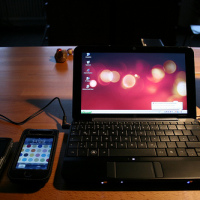
    It’s gonna happen eventually…but when? When are we going to stop using these rudimentary tools – the computer keyboard and mouse. Just look at them. They look like they are straight out of the early 1900’s and well…they are.

    At least, the keyboard is. The Keyboard has its roots in typewriter technology which was first in use in the late 1800s and early 1900s. Video terminals for computing along with keyboards were used in the 1970s. The mouse was first used for personal computers around 1984.

    So here we are almost 30 years later and technology hasn’t changed a whole lot for computer input. Sure – I’ll admit that keyboard and mouse technology has changed a bit with optical mice, wireless keyboards and other minor advancements in technology. But I’m still punching keys to write this article and I’ll roll my mouse around my desk and click the buttons to post the article to this website.

    (more…)

  • How Virtual Private Networks Can Protect Your Mobile Device

    How Virtual Private Networks Can Protect Your Mobile Device

    Needing a safe way to communicate through the World Wide Web has never been more crucial. You no longer need a computer to log on. Your handheld mobile device can fit in your pocket and go pretty much everywhere with you, which means you’re that much more vulnerable to hackers since you’re spending more time on these networks. There are several ways to safeguard yourself, however, and here’s a good one to read up on: VPNs.

    (more…)

  • How to Remove Duplicate Items from ‘Sent Items’ Folder in Outlook?

    How to Remove Duplicate Items from ‘Sent Items’ Folder in Outlook?

    Outlook is a place where you create your to-do list, maintain calendar of events, and access your work emails, and if you want your personal emails like email messages of Gmail there, then you need not to worry. Outlook is a versatile email client and with various other useful features, it facilitates you to set up your Gmail account in Outlook very easily. After setting up your Gmail profile in Outlook, you can access all incoming and outgoing emails in its web interface as well because they are also stored and archived there. However, this feature of Outlook at times creates troubles when you start getting duplicate emails in “Sent Items” folder.

    This situation occurs as you are sending emails via SMTP server in Gmail and configured Outlook in a way that it saves the copy of every sent item. Since emails routed via SMTP server are saved in the ‘Sent Items’ folder and as you have checked the option to save the copy of sent item in Outlook, thus a copy of every sent email is saved by Gmail and other by Outlook. However, neither the recipient nor the web interface of the Gmail gets two copies of this sent item.

    Best way to work around such situations is sending emails through the SMTP server of Outlook (i.e. email client) instead via SMTP server of Gmail. Other way could be disabling the option to save a copy of sent items in Gmail account.

    (more…)

  • How to Run Google Apps on Kindle Fire without Root

    How to Run Google Apps on Kindle Fire without Root

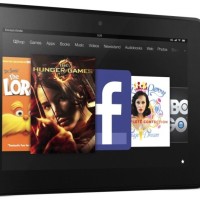
    Google has long been the go-to website for almost everything on the web. Their outstanding services like Maps and Gmail have become indispensable for quite a few of us. We like their simple layout, functionality and, to be honest, we’re used to them by now!

    Which is why we’re so frustrated when we can’t access these functions from other devices. They form a small part of our lives and we’ve come to depend on them – whether we’re lost, need to share a document with the office or simply check our e-mail.

    Another indispensable gadget for a lot of us is now the e-reader. As more and more people switch to an electronic reading experience, the e-reader is the must-have for any serious techy bookworm. Kindle Fire has become one of the most popular e-readers on the market. It combines excellent performance with great looks and all for under two hundred pounds.

    (more…)

  • Top 5 Touch Enabled Windows 8 Laptops

    Top 5 Touch Enabled Windows 8 Laptops

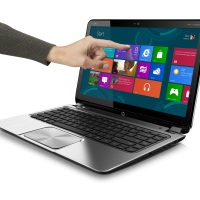
    Windows 8 is all about touch; it’s the next big thing in technology (if you care to ignore the incredibly awesome retina displays and the super-fast processors that Apple brings to its line of products) and many users have taken to the new way of working on computers. The keyboard remains but the screens are now touch-enabled.

    Depending on what you are doing on the computer, you now have more options than ever. There are many users who swear by the responsive touch-screens that somehow found their way from smartphones to tablets and now straight to laptop screens.

    While we wonder what else would get a touch screen, here are some of the best touch-enabled Windows 8-loaded laptops available today.

    (more…)

  • Roulette at Home is now a Social Event

    Roulette at Home is now a Social Event

    One of the principle appeals of casino roulette was the social element. Perhaps more than any other game, roulette is associated with the tux’n’tailed throngs surrounding the table, eyes on the high-roller about to win – or blow – a fortune.

    The earliest web versions of the game lacked that lustre. Spinning digital wheels created a virtual vortex that sucked all the glamour out of a once-great game. Luckily for restless web gamers, live roulette broadcast directly to your TV screen was just around the corner…

    (more…)