Search results for: “label/Web Site – Review”

  • New WordPress Theme – Slow Performance

    New WordPress Theme – Slow Performance

    Well I did it again. Not being happy with my last theme, I decided to start a new theme from scratch. The good news was that I was able to reuse some of the PHP code from the last theme, so I saved some typing. I’m happy with how this theme turned out, so I’ll keep it for a while.

    One issue I did notice was that this theme became slow after I applied it to Technically Easy. I couldn’t understand why, as the amount of code is actually less than my previous theme. Upon further investigation, I was able to determine a problem, which was unrelated to my theme, and was able to find a solution.

    (more…)

  • Internet Connection Slow in Windows 7

    Internet Connection Slow in Windows 7

    I like tinkering with my operating systems. I change many settings from their defaults, and sometimes the settings improve things, while other times it may break something. After I recently began exploring Windows 7, I began tinkering with some connection settings to see what they do.

    Unfortunately, I had changed several settings and then realized that my broadband Internet had slowed down to a crawl. My highspeed became dialup speed. In order to solve the problem I began to undo some of the changes until I found the culprit. I eventually found the problem, which I explain in this post.

    (more…)

  • WordPress Cache Plugin – W3 Total Cache

    WordPress Cache Plugin – W3 Total Cache

    A few months ago I updated the WP Super Cache plugin on Technically Easy and ran into a major issue. After updating, I didn’t check my blog to ensure that it was still up and running. The next day I logged into Technically Easy, and then attempted to view the blog. Sure enough, the blog wasn’t up – all I got was a blank screen. It had been down all night. Not realizing the problem at first, I began to think about what changes I had made.

    The only thing I could think of was the update to the WP Super Cache plugin. I immediately disabled that plugin and recheck my blog. It appeared in my web browser instantly. The update to the plugin had prevent my blog from loading. From that point until a few weeks ago I hadn’t been using a cache plugin. I decided to once again look at plugins to cache my blog, but I wanted to see what other cache plugins existed before retrying WP Super Cache. I managed to find another plugin, and am currently using it on Technically Easy.

    (more…)

  • How to Secure the D-Link WBR-1310 Wireless G Router

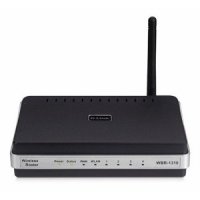
    How to Secure the D-Link WBR-1310 Wireless G Router

    This article will explain how to secure the D-link WBR-1310 Wireless G router. It is important, regardless of which wireless router you use, to secure the router to ensure that unauthorized individuals can’t access your Internet connection, and local network.

    To prevent someone from accessing your wireless router, it is important to properly secure it. By default, wireless routers aren’t sold with security enabled, to allow you to easily connect to them. The steps outlined in this article pertain to the D-Link WBR-1310 wireless router.

    (more…)

  • 6 Tips to Secure Your Wireless Ethernet Network

    6 Tips to Secure Your Wireless Ethernet Network

    Many people now use a wireless Ethernet network to connect to the Internet, and it is important to understand how to secure your wireless ethernet network. It makes it very convenient when you are not tied down by a physical cable, especially if your primary computer is a laptop. Unlike traditional, hard-wired connections, a wireless network connection requires more security to prevent unwanted access.

    While the steps you take to setup the security may be different because of the hardware that is used, for the most part the settings you use to secure your wireless Ethernet connection are the same. Let’s look at what you need to do to keep your connection secured.

    (more…)

  • Why the Length of the WPA Passphrase is Important

    Why the Length of the WPA Passphrase is Important

    One of the most common issues that my visitors contact me about is that they have difficulty saving the passphrase for their WRT54G wireless router when securing the router with WPA. Many times the problem is resolved once they use Internet Explorer instead of another web browser. Other times, however, switching browsers may not even correct the problem.

    With web browsers such as Firefox and Chrome, you have the ability to install add-ins to change many settings and functions within the browser. At times, certain add-ins can interfere with the router’s administrative pages, resulting in settings not being saved or message boxes from appearing. A recent commenter in my explaining how to secure the WRT54G wireless router pointed out that there is a minimum passphrase length, but many people may not receive a popup message, which can lead to confusion and issues. For the WRT54G, the minimum length is 8 characters , and the maximum is 63 characters. When it comes to a passphrase, you should definitely go longer than the minimum of 8 characters. Let’s look at why the passphrase, and its length, is important when securing a wireless router.

    (more…)

  • Staying Safe By Understanding Desktop Security

    Staying Safe By Understanding Desktop Security

    If you are just getting started with the use of a home computer, you have no doubt heard of the various types of malicious software that can be used to infiltrate your system. This type of unwanted programming is commonly known as malware, and is used by unscrupulous individuals trying to gain access to information stored on your computer, mostly for the purpose of sending you bothersome amounts of advertising. In other cases however, it can be an attempt to steal your personal information. Desktop security is therefore a priority.

    Exactly What Is Malware?

    Lock

    Malware is an abbreviated version of “malicious software”, and refers to such infectious programs as spyware, adware, tracking cookies, and computer viruses. Spyware is used to record your internet connections activity and can actually direct your web connection to another computer without your knowledge. Tracking cookies record your web browsing history and can be used to put you on ridiculous e-mail lists, resulting in a large volume of incoming spam. Viruses can introduce keylogger commands that record every keystroke you make, including the entering of passwords and credit card numbers. They can also freeze your system after commanding your computer to upload your documents to another system.

    Antivirus Programming Is Important

    If you purchase your computer in new condition from a retailer, it will often come with a subscription or free trial offered by a computer security company. These subscriptions allow you to run security scans on a schedule and personalize other settings that check for various types of malware. These companies regularly update their information concerning new viruses and other forms of malware, and relay that information to your computer so that it is constantly protected. If your computer purchase does not include an antivirus subscription for desktop security, then it is highly suggested that you purchase one, either from a retailer, or in a downloadable form from an internet security company website.

    Other Security Measures You Can Take

    There are a few simple routines you can take to help with desktop security, and these should be done in addition to having an antivirus program installed. Most internet browsers have a special window that you can open up for the purpose of deleting your browsing history or removing all tracking cookies. You can also enable a firewall that will not allow a hacker to transfer your information to his/her computer. Most browsers also contain an optional popup blocker. Popups are usually filled with tracking cookies, as these advertisements are meant to install programming on your computer even if you do not buy anything.

    There’s no need to panic of feel insecure while online. Having an antivirus program coupled with your own maintenance regimen will go a long way towards keeping your computer safe.


  • 3 Best Current Laptops of 2011

    3 Best Current Laptops of 2011

    The lines between PC, laptop, netbook, smartphone, and eReader have all begun to merge over the past two years. Consumers are no longer satisfied with single-task machines and require top quality entertainment, computer processing, long battery life, and complete portability.

    Companies have taken the hint and recreated their outlook on the entire laptop market. Here are the three best laptops coming out in 2011:

    (more…)