Search results for: “label/Web%20Site%20-%20Design”

  • WordPress Error: Allowed Memory Size

    WordPress Error: Allowed Memory Size

    I recently upgraded to the current version of WordPress. I am always weary about upgrading as there are many things that can go wrong. I realize that upgrading WordPress is required for bug and security fixes, but I also realize that all plugins that I use may not be compatible with the latest version.

    That being said, I decided to upgrade when I had time to solve an problems. I waited for some time to see if others have had issues, and when I was satisfied, I performed the upgrade. Once the upgrade had completed, however, I ran into a problem when I accessed my plugins from the admin panel. The problem was related to memory, and it prevent me from viewing the plugins I had installed on my blog. The good news is that the fix was simple, but did take some quick searching to find.


    (more…)

  • Play Classic Games on Your PC

    I am a child of the eighties, and grew up playing many of the early computer games. The games were smaller and simpler back then, and at times, you had to manage everything on your computer, including disk space usage and conventional memory. I started on a 8088 with 20 MB of disk space and 640 KB of RAM. Oh, and a CGA graphics card that could display 4 colours.

    At times, I do enjoy trying to get some of the older games to play on my current computer. Sometimes they work, many times they don’t even want to try to work on XP or Vista. Then again, I’d rather not work on Vista myself. About a year ago I discovered a great site that sells old computer games, that will also play on the current Microsoft operating systems. I purchased one game back then, and I wasn’t disappointed.

    (more…)

  • New WordPress Theme – Slow Performance

    New WordPress Theme – Slow Performance

    Well I did it again. Not being happy with my last theme, I decided to start a new theme from scratch. The good news was that I was able to reuse some of the PHP code from the last theme, so I saved some typing. I’m happy with how this theme turned out, so I’ll keep it for a while.

    One issue I did notice was that this theme became slow after I applied it to Technically Easy. I couldn’t understand why, as the amount of code is actually less than my previous theme. Upon further investigation, I was able to determine a problem, which was unrelated to my theme, and was able to find a solution.

    (more…)

  • Internet Connection Slow in Windows 7

    Internet Connection Slow in Windows 7

    I like tinkering with my operating systems. I change many settings from their defaults, and sometimes the settings improve things, while other times it may break something. After I recently began exploring Windows 7, I began tinkering with some connection settings to see what they do.

    Unfortunately, I had changed several settings and then realized that my broadband Internet had slowed down to a crawl. My highspeed became dialup speed. In order to solve the problem I began to undo some of the changes until I found the culprit. I eventually found the problem, which I explain in this post.

    (more…)

  • Size Does Matter…at Least for Passwords

    Size Does Matter…at Least for Passwords

    I have been thinking and talking more about security in recent weeks. For my regular readers you would have noticed that I have been concentrating on securing Windows 7, but one topic I didn’t discuss was that of passwords.

    It seems everything we do with computers, you will usually need to enter a password at some point. Just think about how many places you need to input a password, such as logging into your computer, a web site, or software that is installed on your computer. With many of these places containing extremely private information, it is important that you use a strong, safe, password to prevent unwanted individuals from accessing your information. Let’s look at what is a strong password to protect your data.

    (more…)

  • WordPress Cache Plugin – W3 Total Cache

    WordPress Cache Plugin – W3 Total Cache

    A few months ago I updated the WP Super Cache plugin on Technically Easy and ran into a major issue. After updating, I didn’t check my blog to ensure that it was still up and running. The next day I logged into Technically Easy, and then attempted to view the blog. Sure enough, the blog wasn’t up – all I got was a blank screen. It had been down all night. Not realizing the problem at first, I began to think about what changes I had made.

    The only thing I could think of was the update to the WP Super Cache plugin. I immediately disabled that plugin and recheck my blog. It appeared in my web browser instantly. The update to the plugin had prevent my blog from loading. From that point until a few weeks ago I hadn’t been using a cache plugin. I decided to once again look at plugins to cache my blog, but I wanted to see what other cache plugins existed before retrying WP Super Cache. I managed to find another plugin, and am currently using it on Technically Easy.

    (more…)

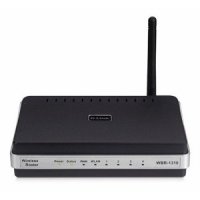
  • How to Secure the D-Link WBR-1310 Wireless G Router

    How to Secure the D-Link WBR-1310 Wireless G Router

    This article will explain how to secure the D-link WBR-1310 Wireless G router. It is important, regardless of which wireless router you use, to secure the router to ensure that unauthorized individuals can’t access your Internet connection, and local network.

    To prevent someone from accessing your wireless router, it is important to properly secure it. By default, wireless routers aren’t sold with security enabled, to allow you to easily connect to them. The steps outlined in this article pertain to the D-Link WBR-1310 wireless router.

    (more…)

  • 6 Tips to Secure Your Wireless Ethernet Network

    6 Tips to Secure Your Wireless Ethernet Network

    Many people now use a wireless Ethernet network to connect to the Internet, and it is important to understand how to secure your wireless ethernet network. It makes it very convenient when you are not tied down by a physical cable, especially if your primary computer is a laptop. Unlike traditional, hard-wired connections, a wireless network connection requires more security to prevent unwanted access.

    While the steps you take to setup the security may be different because of the hardware that is used, for the most part the settings you use to secure your wireless Ethernet connection are the same. Let’s look at what you need to do to keep your connection secured.

    (more…)