Search results for: “label/Web%20Site%20-%20Design”

  • How to Turn Your Computer Into a Full-Fledged Karaoke Machine

    How to Turn Your Computer Into a Full-Fledged Karaoke Machine

    Karaoke is an incredible wonderland, where you may feel like a real star while singing your favorite songs. Karaoke can make any of your home parties or celebrations rocking, delivering unmatched excitement to your guests. As you will surely agree, there are very few other entertainment activities that can bring as much pleasure as karaoke singing does. It is one of the most popular pastimes for people of any age and lifestyle all over the Globe. It won’t be a lie to tell that almost everyone likes karaoke!

    If you are an ardent karaoke fan, then there are high chances that you attend frequently local karaoke clubs to enjoy your favorite pastime and express your singing passion. You may be surprised, but today it is absolutely possible to turn any home computer or laptop with even basic functionality into a full-fledged karaoke machine to enjoy an ultimate karaoke pleasure and experience just within the comfort of your own home.

    Actually, recent computer software advancements allow to turn computer karaoke from being just an idea into the reality. Moving karaoke entertainment to the privacy of your own home also allows you to save a fortune on going to karaoke clubs, where you typically have to sing and listen to the same cloying songs over and over again.

    (more…)

  • Internet Addiction – Pros and Cons

    Internet Addiction – Pros and Cons

    We all spend a lot of time surfing the web. It can simplify finding things, getting information from trusted sources, and where your kids are concerned it helps with education, completing their school work, performing research, accessing tutoring and study clubs and connecting with school study partners online. There are certainly times when your kids are not using their internet time for school and with that said it is actually quite difficult to know exactly what your kids are doing online.

    (more…)

  • Still Using 90’s Internet Technology?

    Still Using 90’s Internet Technology?

    When internet usage became common in the late 1990s, the lack of speed was not regarded as such an issue. The whole concept of the world wide web seemed so magical at the time that an image sometimes taking minutes to appear was easy enough to bear. That view quickly changed, not surprisingly, as the Internet evolved and internet broadband began to appear.

    Nowadays, a high speed internet connection is considered, by many, to be as essential a part of their life as electricity and water is. An area that lacks good broadband internet access will often be seen as a blackhole. Because, broadband itself is not always enough – and that’s becoming more the case as increasingly fast speeds are possible.

    (more…)

  • Three Reasons Why Your Next Upgrade Should Be An SSD

    Three Reasons Why Your Next Upgrade Should Be An SSD

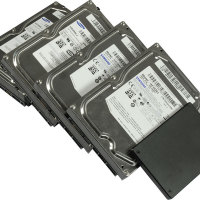
    When our beloved computers start to give us grief by slowing down and struggle to perform the simplest of tasks, many of us have traditionally resigned to the fact that we need to buy a new machine. That was until Solid-state Hard Drives (SSDs) came around.

    You see, the storage inside our computers is often overlooked and taken for granted. As Dong Ngo from CNET puts it, “How many times have we asked ourselves where that Web page we’re viewing (like this one), the movie we’re watching, the song we’re listening to is stored, or even how the iPhone remembers to wake us up at 7 a.m every day?”

    Take that in to consideration and you can start to imagine just how important that one component is. With that in mind, let’s look at three reasons why your next upgrade should be an SSD.

    Reliability

    In context of Dong Ngo’s comments above, reliability could be considered the key benefit of upgrading to an SSD. Where a traditional hard disk drive (HDD) is made up of moving parts and prone to vibrations and physical damage, an SSD isn’t susceptible to mechanical failures because data is stored on microchips. This means that it can withstand tougher conditions without much risk of breaking in to pieces. The lack of moving parts inside SSDs also means that they operate in silence.

    Speed

    This is probably the main reason why most people will make the transformation. Where a HDD has write speeds of 120MBps, a top of the range SSD will write that same file at 500MBps. To put that in perspective, those speed differences translate in to a MacBook Pro’s boot-up time being reduced from 40+ seconds to sub-20 seconds, applications opening in the blink of an eye and significantly faster file-transfer processes.

    Prolonged Product Life

    Because of the significant performance upgrades that the SSD offers, it’s able to prolong the product lifecycle of your existing machine. Even if you own a laptop with a Core 2 Duo processor, the SSD upgrade provides more financial and efficiency value than purchasing a newer model and reduces the amount of effort required in moving files and a brand new set-up.

    The main barrier facing consumers at the moment is the cost associated with SSDs. Although they have dropped in price, a Samsung 840 Pro (256GB) for example sells on Amazon from anywhere between £160-200. In comparison to HDD prices, it is quite expensive and beyond many budgets. Having said that, if your computer is causing you problems and making you consider buying a new one – perhaps an SSD may work out to be the cost-effective option after all.

  • Streaming Mobile Video is Changing TV and Movies Forever

    Streaming Mobile Video is Changing TV and Movies Forever

    TV isn’t just for TV anymore. We still watch content day and night, but the access to our favorite shows doesn’t run exclusively through the living room television anymore. Tablets and smartphones grow in popularity as online streaming services develop apps that allow us to watch our favorite shows and movies on the go. A CNET study discovered that “real-time entertainment” like streaming videos from Netflix or Hulu consists of nearly 66 percent. That means more than half of all Internet consumption is some sort of video entertainment—a huge number when you think about the scale of the Web, and mobile streaming is only becoming a larger part of the picture.

    (more…)

  • Exploring Mobile Printing

    Exploring Mobile Printing

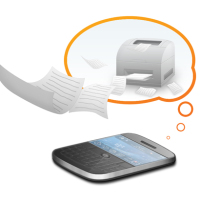
    Most consumers have been under the impression that ever since Apple introduced the AirPrint feature into iOS all problems related to wireless printing may well have been resolved. But, the real story is a little different. This futuristic technology still hasn’t led to the advent of the wireless office and that is backed by a set of reasons.

    As an individual user, you wouldn’t notice the shortcomings as a large company or organization would. It’s amusing to know that AirPrint only supports over 200 printers, which is a big drawback. However, the most crucial requirement that is expected out of mobile printing technology is that many organizations require the printer to be instructed from anywhere on the planet.

    Recent surveys show that the primary reason why people are not availing the mobile printing option is because they don’t have access to a compatible printer. Despite there being numerous apps, both free and paid, offering solutions, there are still limitations in place that restrict freely available wireless printing.

    (more…)

  • Scanning Photos and Negatives Resolution

    I have began archiving the photos and negatives that are conveniently stored away in boxes. It is a great undertaking, but one that I’m sure I’ll enjoy. I describe my organizing method in my post titled Data Archiving Method. The one issue I have had, however, is determining the resolutions I will use for the digital archives.

    There are many questions about resolution with regards to scanning. I haven’t found any conclusive evidence on which resolutions to use, but I have made up my mind as to which ones I will use.

    Photographs

    One of the most debated points with regards to scanning pictures, negatives, and slides is the resolution to use. The general consensus is to print at 300dpi (dots per inch), so what should we be scanning the original in at? The answer to that question is it depends. Let’s take a look at how resolution plays a roll in the printing of a picture.

    Suppose you have a 4×6 photo that you want to scan in and eventually print. You scan the document in at 300dpi with the size in pixels of the picture at 1200×1800. The size is calculate by taking the size of the photo, in this case 4 inches by 6 inches, and multiplying each number by 300, since you are scanning in at 300dpi.

    Now if you want to print the photo at 300dpi you would get a 4×6 photo, which is the same size as the original. If you want to make a larger print of the photo, you can do one of two things: either print at the current resolution by decreasing the 300dpi to something like 180dpi, or rescan the original at a higher resolution.

    If you were to rescan the original at a higher resolution, say 600dpi, you will now have a photo that is 2400×3600 pixels. Dividing both numbers by the print resolution of 300, you can now enlarge the photo to an 8×12.

    Keep in mind, however, that because you are scanning a photo, and not the original negative, you won’t gain much if you continue to increase the resolution. That only helps to enlarge the photo, and not increase the clarity.

    Negatives

    I read somewhere that some think the resolution of a negative is equivalent to a 20-megapixel digital camera. I’m not sure how accurate this statement is, but I can tell you one thing: you can get scan at a much higher resolution and get better prints from scanning negatives than an actual photo. When you do scan negatives, you will definitely need a higher resolution, unless you like really small photos.

    The size of a single 35mm negative is 1.42×0.94 inches. If you scan a negative at 300dpi, you will get an image size of 426×282. Printing this image at 300 will give you a picture the same size as the original negative: 1.42×0.94 inches. That is a really small photo. You will need to scan in the negative at a much higher resolution.

    Many scanners can now scan above 3000dpi. If you plan on scanning hundreds or even thousands of negatives you may want to go with a scan dedicated to slide and negative scanning. I didn’t have the money for one, so I have invested in a flatbed scanner. Dedicated slide and negative scanners can go as high as 4000dpi, or possibly higher, while my flatbed can go up to 4800dpi, although with results not as good as a dedicated scanner.

    If you were to scan a negative in at 3000dpi, you would end up with an image that is 4260×2820 pixels in size. This is equivalent to a 12-megapixel camera. This allows you to print 9×14 inch photograph at 300dpi (4260 divided by 300, and 2820 divided by 300). For most people this will more than suffice for printing.

    If I were to scan at the full 4800dpi, the image size would be 6816×4512, or 31 megapixels. The file size would be monstrous to the point where I wouldn’t be able to easily save many photos because the larger the image files, the more space you are going to need to store it. If you do scan at a high resolution, make sure you have the storage space to accommodate all of your files.

    To help you determine what resolution to use, please check out Scanning and Printing Resolution Calculator. The Web site also provides great tips on scanning for both photos and negatives.

    Summary

    I have read many posts regarding scanning resolution online, and everyone seems to have there own opinion. For me, when I’m archiving my photographs, I’ll scan them in at 600dpi to leave a little room for enlarging. For negatives I will scan them in at 3200 since it is a nice compromise between file size and resolution. I probably won’t be printing any large photos, but it would be nice to have enough overhead just in case I would like to many years in the future.

    In the end, however, scanning resolution will be decided by your requirements, needs and capacity.


  • Wanna Be Android Developer

    Wanna Be Android Developer

    Though the war actions and competition hype between Android and iOS are in full swing, numerous proofs of various nature foresee the end of the game. Besides, the final score will not be in favor of the fruit company. The popularity of mobile platforms is supported by several pillars: popularity within consumers and popularity within developers.

    If consumers do not consider the platform appealing, they will never buy a gadget using that mobile OS. As a result, shipments of devices running the mobile platform fall reducing a company’s revenues. The popularity with developers is of no less importance. If a platform does not seem attractive to developers, they will never write great and fabulous apps, which will lure consumers into buying gadgets rising a company’s sales and revenues.

    (more…)