Search results for: “label/Web%20Site%20-%20Design”

  • Privacy Policy

    If you require any more information or have any questions about our privacy policy, please feel free to contact us by email at admin AT technicallyeasy.net.

    At technicallyeasy.net, the privacy of our visitors is of extreme importance to us. This privacy policy document outlines the types of personal information is received and collected by technicallyeasy.net and how it is used.

    Log Files
    Like many other Web sites, technicallyeasy.net makes use of log files. The information inside the log files includes internet protocol ( IP ) addresses, type of browser, Internet Service Provider ( ISP ), date/time stamp, referring/exit pages, and number of clicks to analyze trends, administer the site, track user’s movement around the site, and gather demographic information. IP addresses, and other such information are not linked to any information that is personally identifiable.

    Cookies and Web Beacons
    technicallyeasy.net does not use cookies.

    Some of our advertising partners may use cookies and web beacons on our site. Our advertising partners include Google Adsense, Linkshare.

    These third-party ad servers or ad networks use technology to the advertisements and links that appear on technicallyeasy.net send directly to your browsers. They automatically receive your IP address when this occurs. Other technologies ( such as cookies, JavaScript, or Web Beacons ) may also be used by the third-party ad networks to measure the effectiveness of their advertisements and / or to personalize the advertising content that you see.

    technicallyeasy.net has no access to or control over these cookies that are used by third-party advertisers.

    Google, as a third party vendor, uses cookies to serve ads on your site. Google’s use of the DART cookie enables it to serve ads to your users based on their visit to your sites and other sites on the Internet. Users may opt out of the use of the DART cookie by visiting the Google ad and content network privacy policy.

    You should consult the respective privacy policies of these third-party ad servers for more detailed information on their practices as well as for instructions about how to opt-out of certain practices. technicallyeasy.net’s privacy policy does not apply to, and we cannot control the activities of, such other advertisers or web sites.

    If you wish to disable cookies, you may do so through your individual browser options. More detailed information about cookie management with specific web browsers can be found at the browsers’ respective websites.

    Paul Salmon is a participant in the Amazon Services LLC Associates Program, an affiliate advertising program designed to provide a means for sites to earn advertising fees by advertising and linking to amazon.com.
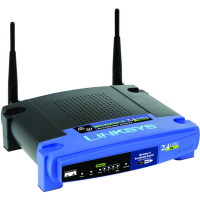
  • How to Reset the Linksys WRT54G Wireless-G Router

    How to Reset the Linksys WRT54G Wireless-G Router

    One of the most popular pages on Technically Easy is the post titled Securing Linksys WRT54G Wireless-G Router. In that post I outlined the steps needed to secure these particular wireless broadband routers to maintain your wireless network security.

    The one problem I didn’t mention is how to reset the router back to the factory defaults. You may need to do this if you forget your router’s password or made a mistake and you can’t connect to the router. In this post I’ll outline two methods you can follow to reset your Linksys WRT54G Wireless-G router.

    Reset Button

    Note:

    Resetting the router to the factory defaults will delete any changes you have made to the router, including any security settings. This should be used as a last resort.

    The first method involves simply pressing a button located on the back of the router. The image below (courtesy of Linksys) shows where the button is located.

    Linksys WRT54G Reset Button Location
    Linksys WRT54G Reset Button Location

    To reset your router, use the following steps:

    1. Press the reset button for 30 seconds.
    2. The settings should now be returned to the factory default settings, meaning any changes you had made would be deleted.

    3. Open up your Web browser and enter “192.168.1.1” in the address bar.
    4. For the login, leave a blank ID and enter “admin” as the password.

    The router has now been reset. Follow the steps in Securing Linksys WRT54G Wireless-G Router to secure your router and for securing a Linksys wireless network.

    Through the Web Administration Pages

    The second method involves logging into the Web administration pages of the router. Use the following steps to reset the router using this method:

    1. Open your Web browser and enter the IP address of your router. By default, the address is “192.168.1.1”.
    2. Enter your user ID And password when prompted. Hopefully this has been changed, but if it hasn’t, the default is no ID and “admin” as the password.
    3. At the top of the Web page, click “Administration” and then “Factory Defaults”.
    4. Beside “Restore Factory Defaults”, click “Yes”.
    5. Now click the “Save Settings” button at the bottom of the Web page.

    Your WRT54G wireless router should now be reset to the factory defaults. Ensure you follow the steps outlined in Securing Linksys WRT54G Wireless-G Router to secure your router and for securing a Linksys wireless network.

    Summary

    This post has provided two methods you can use to reset your Linksys WRT54G Wireless-G router. If you are having problems with your router, try to reset the Linksys WRT54G to the factory defaults, and then make the changes again and see if the router starts working again.

    You should also consider using a VPN once you have reset your router. Over at VPNTeacher.com you can find out how to install and use a VPN on your computer.

  • Performing Searches in Google

    I recently wrote a post titled Using Google Alerts to Track Copies of Your Web Content. In that post I mentioned using Google search results to watch for duplicate copies of your work showing up on other Web sites. The example I used was a common Google search term used by probably many webmasters, but may not be known by the general public.

    In this post I will explain some of the search terms that you can use in Google that can give you interesting results outside of just simple keyword searches.

    (more…)

  • How to Reset the Linksys WRT54GL Wireless-G Router

    How to Reset the Linksys WRT54GL Wireless-G Router

    There may be times where you hare having trouble with your WRT54GL router, which may require you to reset the Linksys WRT54GL wireless-G router. There are two methods of performing such an action, so which method you choose is up to you.

    I recently wrote a post outlining the steps needed to secure a Linksys WRT54GL Wireless-G router. Now I will detail how you go about resetting the router if you do need to revert back to the factory defaults. I will explain the two methods you can use to reset the wireless router.

    (more…)

  • Don’t Keep Your Visitors Waiting: Monitor Your Blog’s Performance

    Don’t Keep Your Visitors Waiting: Monitor Your Blog’s Performance

    I am always concerned with the performance of my blog to the point where I try to test the performance on at least a weekly basis. My quest to make my blog perform at its best led me to use CloudFlare to cache and send my static content.

    There could be any number of reasons why performance for a blog, or website, decreases and many times you may be able to find the problem and fix it. Other times, such as the decrease in performance on your host’s servers, are out of your control besides alerting your host. In this post I’ll explain the tests I perform to test out the performance of my blog so I can find where my blog performance can be tweaked.

    (more…)

  • Incapsula: Increase the Security and Performance of Your Website

    Incapsula: Increase the Security and Performance of Your Website

    I am always looking for ways to increase both the security and performance of my blog, so I decided to have a look at Incapsula. A recent comment was left on my blog that introduced me to the service, and I was also recently invited to try out their service. I have recently been using CloudFlare to improvie my blog’s performance, but I decided to see what Incapsula had to offer.

    On July 14th, I signed up with Incapsula and have been testing out their service for the past two weeks. In this post I will provide some information, stats, and thoughts on the service so you can determine if you wish to use the service for your site or blog.

    (more…)

  • Autodesk To Focus On Clouds Based Design Apps In Near Future

    Autodesk To Focus On Clouds Based Design Apps In Near Future

    Autodesk is a company that is known more for making industry level powerful 3D design tools like AutoCAD over mainstream graphic design apps.

    It does have a few apps that offer designers immense possibilities for making professional level sketches though. Of late, the company has decided to focus on making cloud based apps.

    With time, Cloud computing is becoming popular with various types of internet users, including design professionals.

    As a matter of fact, internet users are only limited by speed of their web access devices to leverage benefits of various cloud based services and apps.

    (more…)

  • Ways to Boost Your Website Positioning Methods

    Ways to Boost Your Website Positioning Methods

    You cannot find any serious technique to explain advance SEO techniques from various SEO services worldwide. It’s very large plus developing for many people to learn exactly how they run, it is usually characterized by employing the condition of witnessing a person’s web pages in the view with Google. Just what exactly cause it to boost is definitely the types of procedures to get inclusion compared with alternatives or extra primary basics that will quietly have a few distinctive gear plus options.

    Fed up of the same kind of website positioning procedures last year? Hence, let us discuss the ways to boost website positioning methods for 2012. This will provide you with extra strategies and ways plus ways to take you certainly better SEO projections.

    (more…)