Search results for: “label/Web Site – Review”

  • Great Web Sites for New Bloggers

    When I created Technically Easy I was new to blogging and had no idea what was involved in generating traffic. As I did my research I came across some Web sites that many bloggers use on a regular basis.

    In this post I provide a few of the free Web sites that you should join to help you manage your blog and generate traffic.

    (more…)

  • Best Sites to Learn Code From Home

    Best Sites to Learn Code From Home

    Whether you’re looking for a new career or simply want to pick up a new skill, teaching yourself code from the comfort of your own couch is easier than it’s ever been before. Learning code can be particularly helpful if you’re going to school for a computer science degree; knowing code can make you more employable over a wider variety of fields. Here are the top sites to learn code from home.

    (more…)

  • Common SEO Mistakes Designers Make

    Common SEO Mistakes Designers Make

    Designers are usually unaware of the effect of their work in a site’s search engine ranking. They tend to ignore SEO basic rules for the sake of aesthetics. This is quite normal, given that their job is to make the site as attractive as possible. But there are some very common SEO mistakes that can be easily avoided, and that might occur even to the greatest SEO expert.

    (more…)

  • Web Hosting Made Simpler – Just the Basics, Ma’am…

    Web Hosting Made Simpler – Just the Basics, Ma’am…

    Choosing a web hosting service provider is no easy task. Even professionals sometimes have a difficult time making a decision. Qualities to consider when choosing a web host include affordability, reliability, tech support, and personal taste. You have to be careful with looking at Top Ten lists because sometimes the results are skewed by fake reviews for advertising and affiliate purposes.

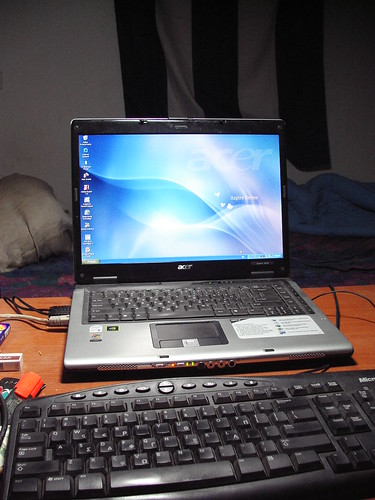
    My formatted laptop

    Different types of hosting are available too, many of which are labeled as business, professional, email, budget, shared, green, cheap, or unlimited hosting. More important than those simplistic, yet often confusing, labels are the actual types of hosting.

    The four main types are Shared Hosting for personal blogs and websites, Virtual Private Server (VPS) Hosting for business and e-commerce websites, Reseller Hosting for those that buy server space and sell to their own customers, and Dedicated Server Hosting for large portals and enterprise websites. With Shared Hosting, there are two main types: Linux (or Unix) based and Windows based.

    The reasons for needing a web host will dictate the type that you’ll need. If you’re just starting out and want a small website, go with Shared Hosting. If you’re the CEO of a large corporation, go with a Dedicated Server.

    Affordability

    Price is certainly an important aspect to consider when choosing a web host, but it shouldn’t be the deciding factor. Any hosting service that charges less than $10 a month is considered by most to be affordable. Many services offer monthly fees ranging from $2 to $6, especially when offered in conjunction with a special offer. They often offer sales and special discounts. Many also offer introductory rates. Don’t go with the cheapest offer though. Remember that you get what you pay for. The three ranges are $5 and under, $5-10, and $10 and over.

    Reliability

    A web hosting provider is only as good as the services they offer. If the sites you create are constantly crashing or you don’t have access to make updates, the that provider is considered to have a considerable amount of down time. The best providers have ratings of 99% reliability or better.

    Tech Support

    If the customer service department of your current provider doesn’t speak English, it might be time to find another provider. A good customer service department will be available via telephone or e-mail 24/7. They should be able to answer any question and solve any problem. Unfortunately, it is difficult to judge this aspect of a company before signing on with them. Make sure a phone number or contact info is listed.

    Personal Taste

    This is where even more research comes into play. Search the web for as many Top Ten reviews as you can find. Look for overlapping company names then choose your own top ten and go to their websites. See how you like it. Is the site easy to move around in? Do they have a lot of advertising? Does that bother you? Can you find any contact info? Are the prices within your range? Is the layout nice? Do they provide examples or customer testimonials? Narrow it down to your top three choices, then go with your gut instinct.

    This TOP 15 list is a compilation from several other sites’ top 10 lists:

    1. In Motion Hosting (Dedicated, VPS, Linux)
    2. Web Hosting Hub (Linux)
    3. Web Hosting Pad (Linux)
    4. iPage (Linux)
    5. Blue Host (Reseller)
    6. Just Host (Reseller)
    7. Host Gator (Dedicated, Reseller)
    8. Go Daddy (Linux)
    9. 247 Host (Dedicated, Reseller)
    10. Fat Cow (Linux)
    11. Green Geeks (Linux)
    12. Win Host (Windows)
    13. My Hosting (Windows)
    14. Arvixe (Windows, Reseller)
    15. Host Ahead (Windows)

    If you need more help, do a web search for “web host ratings” and choose a site to visit. Good luck and happy hosting!

  • Understanding Multi-Carrier Shipping APIs

    Understanding Multi-Carrier Shipping APIs

    If you are running a business and use an eCommerce model, you ship your customers products. Most companies do that these days, though some still use only brick-and-mortar store locations. Either option can work for you if you consistently come out with great products and have a strong market presence.

    You should always look into technology that can help your business succeed. We will talk about one technology form in this article you should know about if you’re not using it yet. APIs have existed for some time, but some business owners might not necessarily understand their potential.

    What Exactly is an API?

    API stands for application programming interface. It is a way to connect computer or computer programs. The software for each device or program communicates with each other using a simple language that they can all understand.

    You might also sometimes hear the term API specification. That is a standard or document that describes how to build one of these connections.

    What is a Multi-Carrier Shipping API?

    Automating your shipping is a great thing for a company to do. When you do it, it can save you both time and money.

    You can look into companies that sell or rent shipping APIs as ongoing services. It’s similar to SaaS, or software as a service. You can automate many shipping aspects and help your company run smoother.

    Having one API for 81 carriers or more is excellent if you can do it. The more carriers you can include as part of your shipping API, the easier it is to attract new customers. Your potential customers want easy shipping, and implementing this technology is a way you can provide that for them.

    How a Multi-Carrier Shipping API Works

    Say that you have a business website where potential customers can find all your products available for sale. They know they can order those products and get them shipped to their residences anywhere around the country.

    If you have a multi-carrier shipping API and someone puts in an order, that API instantly goes to work. It communicates seamlessly with whatever parcel service delivers to that part of the country.

    The API can communicate with the US postal service, UPS, FedEx, DHL, or any of the others you might know and recognize. You can see the new orders as they come in at a central hub that tells you everything about each shipment you need to know.

    You’ll see who placed the order and when they did it. You’ll see what carrier will pick up the package and drop it off. You can see the expected drop-off time and how much postage that company charged you, which you can then pass on to the customer as part of the purchase price.

    What Else Can a Multi-Carrier Shipping API Do?

    Multi-carrier shipping APIs can do a lot more than that, though. You might look for ones that can automatically generate shipping labels for you with bar codes on them that the carrier can scan to track the package’s location. You can get one that integrates and communicates with popular shopping apps like Shopify, BigCommerce, and WooCommerce.

    You can find one that you can set up within minutes if you’re reasonably tech-savvy. If you don’t handle this part of the business so much, that’s fine. You can get your IT department to do it if you have one. If not, you might contact an IT freelancer who can set up the API for you.

    You can get one that comes with 24/7 live technical support if you ever have a shipping issue you need to address. Your API can also handle international shipping if you’re ready to make that leap. If your products catch on very well in the US, you’ll probably want to investigate foreign markets if you feel like these items have worldwide demand or potential.

    You can use the API to look at shipping manifests whenever necessary. You can use it to cancel a label if a customer changes their mind before you ship something to them.

    Usually, the more you learn about shipping automation with APIs, the more likely you will want to do it. If you don’t automate your shipping with the proper API, you’ll need to spend a lot more time working on the shipping process.

    With the proper API in place, you won’t need as many employees, so you’ll save money on your payroll. You can then allocate those funds elsewhere within the business.

  • 33 Tips for Selling Items on eBay

    33 Tips for Selling Items on eBay

    eBay provides all the tools necessary to sell or auction of items for either an individual or a business. While it has been around for many years, eBay still remains near the top for selling items on the Web.

    While it may seem like an item can sell pretty quickly on eBay, you will face some competition from others that may be selling the same or similar items. To help you sell your items quickly, and for the most money, here are 33 tips for selling items on eBay.
    33 Tips for Selling Items on eBay

    Listing the item

    1. Follow eBay’s rules on listings. eBay has rules for listings that you will need to follow. If you don’t adhere to the rules your may find your item removed from eBay or even your account being revoked.

    2. Use the right keywords in your listing. Keywords are the key to appearing in both eBay’s and the search engines’ search results. While you shouldn’t get too crazy with your listing title, ensure that you include the manufacturer, item type, size, and color in the description.

    3. Don’t use very large words. When describing the item, try to write at an 8th grade level to allow anyone to understand the item. If you use large, complex words that some may not know, you may lose potential customers.

    4. Do your reasearch. With the vast amount of information on the Internet it is important to understand exactly what your are selling and how much it is actually worth. While everyone wants to make money, but if you ask too much for an item then it may not sell. On the flip side, if you ask too little, then you are short-changing yourself.

    5. Take it as constructive criticism. When listing items on eBay, you will receive feedback – both positive and negative. The key is to take any feedback as constructive as possible. When you reply, be courteous and try to read between the lines of all the negativity and make changes to your listings, if possible.

    6. Be as honest as possible. While you may not enjoy adding details about any defects or flaws with your item, it is important to be as honest about the item to potential buyers. It may help to even include photos of the flaws to illustrate your point. This will help buyers understand exactly what they are buying, as well, as perhaps build up reputation for future purchases.

    7. Make your listing look professional. Take the time to ensure your listing looks as good as possible. This includes a clear, well-written description, and good photos. Treat your listing as a business – especially if your business relies on selling items on eBay – and get people to trust you.

    8. Choose optimal start and end times. According to statistics, most people will be buying on eBay in the evening hours, so it would be wise to start your auction at night. Also, ending your auction at night is also beneficial as that will be when most people will be bidding.

    9. Don’t inflate the shipping costs. I can’t tell you how many times I have seen cheap items that cost huge amounts to ship. Don’t list your items for cheap and expect to cover the costs with shipping. This is dishonest, and will get people to distrust you very quickly.

    10. Provide clear return policies. Regardless of the product, defects and issues will happen. Ensure that you clearly indicate any return policy, if applicable, in the listing so the bidder knows exactly what to expect if there is a problem with the product.

    11. Practice good customer service. The more you list on eBay the more questions or issues could come up. It is important to respond to any question from bidders’ in a timely and courteous manner. Also, if issues in the product do come up, ensure you honor the return policy that you have communicated in your listing.

    12. Accept PayPal as payment. While some people may be against using PayPal, when it comes to eBay almost everyone uses PayPal for sending and receiving money. PayPal adds more piece-of-mind to a buyer as they don’t need to worry about sending credit card information to the seller. Plus, using PayPal on eBay allows the buyer to pay for the item in only a few clicks.

    13. Encourage feedback from the buyer. eBay is built on reputation and having buyers record positive feedback will go a long way to establishing your eBay account as trustworthy. Trust is everything when selling items on eBay.

    Taking pictures of the item

    Taking pictures of the item

    14. Take the time for better photos. When taking photos of your items, don’t just pull out your smartphone and snap a photo. Take the time to properly display your item, and take the best photo possible. Buyers will usually view items that have better photos.

    15. Use fill-flash when possible. If you take photos of an item with direct, harsh light, such as outside, then turn on the flash on your camera to fill in the shadow areas. This will reduce the dark shadows and provide more details to your item.

    16. Use a digital camera. While smartphones have become popular cameras because of their convenience, a digital camera still provides the best way of taking photos. With digital cameras you can control pretty much all photograph settings, which gives you complete freedom over the final photo.

    17. Use a tripod. For the best photos possible, always use a tripod when taking pictures of your objects. This will ensure that the item will be sharp in the photo, helping to create the best photo possible.

    18. Use the lowest ISO setting. While a higher ISO setting allows you to take photos with less light, when it comes to the items you list on eBay, you want the best quality photo possible. A lower ISO setting will produce much less noise, better colors and sharper images. Since you should be using a tripod, using the lowest ISO setting on your camera is possible.

    19 Take photos of items against a plain background. When taking photos of the items, don’t use a busy or distracting background. For many small items, a simple white or black piece of cardboard will work really well in keepin the focus on the item.

    20. Zoom in on the item. If the item has intricate details, take close-up photos of the item to provide the buyer with a good view of the various detail. You may also want to take close-ups of any defects of the item to provide more information to the buyer so they have a better understanding of what you were describing in the listing.

    21. Adjust the white balance. For items that are color-specific, don’t just use the auto white balance on the camera as the colors of the item may not be accurate. It would be better to understand how to set the custom white balance on your camera to get the colors as accurate as possible.

    22. Learn how to take photos of your items. Tips can only go so far when it comes to taking photos, so learning and understanding how to take pictures is important. For those that are beginners, I recommend Scott Kelby’s Digital Photography Boxed Set. The books are written with beginner’s in mind so it is easy to understand and provides information on taking many different types of pictures.
    Shipping the item

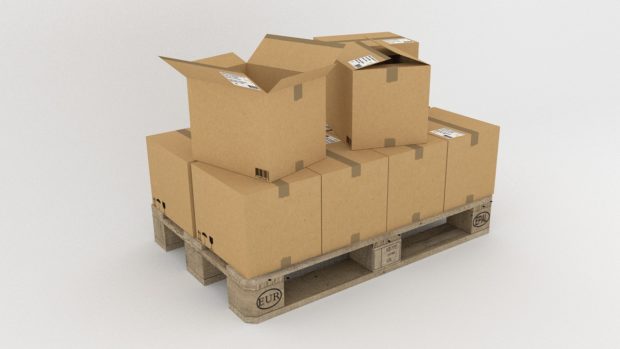
    Shipping the item

    23. Ship the item quickly. It is important to reduce the amount of time for a bidder to receive the item. While you may not have total control over the item in transit, but you can ensure that you send the item out for delivery as quick as possible. Waiting a few days to ship an item can cause an item to be late for delivery if the bidder wants the item before a specific date.

    24. Have shipping supplies on hand. One way to help ship the item quickly is to have the shipping supplies available before the item is even sold. This ensures that you can package the item as quickly as possible and have it sent out for shipping.

    25. Take pride in your packaging. When packaging a product, ensure that you use good, strong packaging material to avoid anything from opening during transit. Package the item to ensure that it can’t easily move around and break while it is being shipped and then also provide a packing slip. You may want to even order custom shipping boxes to brand your boxes.

    26. Print out the shipping labels from home. eBay provides a convenient way to print out the shipping labels from home. In addition to the shipping label, eBay also allows you to print out the custom forms right at home.

    27 Provide insurance for valuable items. If the item you have sold is valuable, provide shipping insurance, if possible. This will give the buyer piece of mind that the item they just purchased is covered in case there is an issue during shipping.

    28. Provide tracking information. If at all possible, provide tracking information to the bidder so they can find out where their package is located and the possible date of the package arrival.

    29. Generate repeat business on eBay. Include a business card or a thank you note in the package to help remind the buyer where they bought the item and who shipped it quickly.

    30. Use delivery confirmation on the package. While you don’t like to think buyers are unscrupulous, but the reality is that there will be some buyers that are like that. By using delivery confirmation, you can be sure that the buyer has received the package to avoid the buyer claiming that they didn’t receive the package.

    31. Use signature confirmation for valuable items. For items that are more than $250 you should use signature confirmation, especially if the item was paid using PayPal. The reason for this is that the buyer can claim the item was never received and PayPal will reimburse the money to the buyer.

    32. Reuse packaging material. If you are an occasional eBay seller, and don’t have a business on eBay, you should save packaging material (boxes, bubble wrap, etc.) from online orders you receive online. This will save you some money and possible time where you don’t have to go out and buy packaging material.

    One final tip:

    33. Have fun! You should keep a positive attitude about selling items on eBay and enjoy the process. If you have fun selling items, and hopefully making money too, then it will show in how you list your items and reply to bidders and buyers.


  • 5 Productivity Tools You Must Use at Work

    5 Productivity Tools You Must Use at Work

    In recent times, life has become fast paced and it constantly demands us to be on our toes round the clock with full energy and focus. With increased workloads, we are putting more pressure on ourselves to manage more tasks, get more done and deliver results in less time. This pressure driven lifestyle is not just putting our productivity at stake, but also increasing more stress in life.

    If your goal is to be productive then you need to have the right tools to make it happen. There are various tools and workzone software available to you, but choosing the wrong ones could lead to more wastage of time.

    Your productivity tools must be those that will help you in your work, and you must know how they function and how you can make the most out of them.

    So whether you are an entrepreneur, a freelancer or an established business, here are some of my favorite tools that I recommend you give a try.

    1. Google Drive

    Google Drive is an excellent tool and is readily used at work. It lets you store data, share and upload content and also allows you to easily share a file with clients and colleagues at work who might be collaborating with you on a project without the need for several emails.

    Google Drive works perfectly for files that are too large to share via email. The first 5 GB can be enjoyed for free, and then there’s an option to upgrade to 25 GB. Once a spreadsheet or document is created or uploaded and shared, people who have access to the content can edit the documents simultaneously.

    2. Asana

    Asana allows you to effortlessly track all the tasks you have assigned to your team or the tasks that have been assigned to you, all of them in one place. Asana helps you assign deadlines to deliver results on time, attach files, create notes, share files, view tasks, arrange tasks by priority and send daily alerts for pending to-dos. This tool is very useful for tracking progress and ensuring that your clients get the best results.

    3. Minterapp

    Do you ever ponder about how much time you spend on writing and answering emails at work and how much time you take to create a report? Why most of the important tasks are not completed in the given time? Well, then Minterapp should be your pick because it can help you manage and organize your time more efficiently.

    This tool is best for tracking time spent on numerous tasks. It creates a list of tasks that are to be completed, and allows you to allocate a time slot to finish each of them.

    The moment you click the start button, the progress bar begins to run and it notifies you by sending an alert when your time is up. If you want to stop your work to take a short breather, the timer can be paused and then restarted again. The tool also helps you in billing your clients, and creating professional invoices.

    4. AirG

    A logo maker is a professional logo design tool designed by AirG that can help you create powerful branding for your business in a matter of minutes.

    With 6000+ shapes, icons and symbols arranged by category, this tool is used by professional designers and beginners alike to create beautiful logos, with its great collection of inbuilt functionality. Whatever branding you want to create, be it a logo, sticker or label, this easy-to-use app will help you create one in no time.

    5. Evernote

    Evernote provides you tools you need to keep your work smoothly organized. It offers you features that help you collect, write and capture ideas as notes, checklists, and to-dos.

    Take notes in multiple formats including texts, photos, audios, web clippings, videos, PDF and more. Use camera capture to easily scan and comment on a piece of paper, including printed documents and business cards, and keep receipts, bills and invoices organized. Use Evernote as a digital notepad for every thought that comes to you.

    Conclusion

    Being productive in the 21st century is about using tools and apps to get important things done in your life and work. These 5 productivity tools will help you make better use of your brief time. This list is by no means exhaustive, but will definitely help you get started.

  • Keeping Your Technologies Safe

    Keeping Your Technologies Safe

    Now, I’m sure that we’re all too aware of how to keep our technologies safe when it comes to keeping them from thieves. But, how many of you know how to keep them safe from breakdowns and electrical faults?

    Take a look around your home; I bet it’s littered with dozens of electrical appliances – from the home computer, and the laptop, to the landline phone and your mobile phone. And, it seems that on a day-to-day basis, that we don’t hold a second thought for these items. Why? Because, quite simply, we take them for granted. Until they break down, that is…

    We all know that technological items have a high chance of breaking down, whether it be that the home PC starts to overheat, or that your laptop charger decides it doesn’t want to charge – but it’s when they decide to stop working that it can often cause havoc in a household. But, I’m not just talking about in terms of leaving you unable to check your emails, or not being able to surf the Internet, here. Because, when these everyday technological electrical appliances start to get problems, they can lead to far bigger problems – such as electrical faults, which could potentially lead to fires.

    And, as I’m sure we’d all like to make sure we stay as safe from problems such as these as possible, here are a few ways you can do so.

    (more…)