Search results for: “label/Networking”

  • Network Glossary of Terms

    I have written several posts regarding networking your home computers to the Internet. With more and more people using broadband as their Internet connection, it is becoming more common to see home LANs to allow multiple computers to connect to one Internet connection. To setup a network, it is also important to understand some of the terminology used so you have a better understanding of what is involved in establishing a home LAN.

    In this post I will provide a glossary of networking terms (alphabetically) that you will see when creating a home network. This will be helpful when you configure your router but are unsure of a specific networking term.

    Networking Terminology

    AES – An acronym for Advanced Encryption Standard. A symmetric encryption algorithm used to protect data. This is aimed at replacing DES. It is one of the encryption options for a wireless network when WPA or WPA2 is used.

    DHCP – An acronym for Dynamic Host Configuration Protocol. This is a communications protocol that allows network administrators manage and automate the assignment of IP addresses through a network. Every time a device connects to the network with DHCP it can be assigned a different address.

    DNS – An acronym for Domain Name System. This is a system that translates the Internet domain names into their respective IP addresses. This information is usually stored in a database and a service will then lookup the IP address for a specific domain name. When an address is type in a Web browser, a DNS lookup is performed to find the actual IP address.

    Gateway – A network point that acts as the entrance to another network. The router acts as the gateway to your local network, when you access the Internet through the router.

    IP Address – Short name for Internet Protocol Address. This is a series of four numbers separated by dots, for example 192.168.1.1. Every computer connected to a network has its own unique IP address.

    LAN – An acronym for Local Area Network. This is a network that covers a small, local area such as a home or office. A LAN network can be configured to transfer data at a high rate of speed.

    SSID – An acronym for Service Set Identifier. A unique keyword of up to 32 characters (letters or numbers) that a wireless network card can connect to. For home users, this identifier can be set within a wireless router. This SSID of a wireless network can be broadcast to all computers within range of the signal to allow the computers to connect to the network.

    TKIP – An acronym for Temporal Key Integrity Protocol. A security protocol designed to replace WEP on wireless networks without replacing legacy hardware. If can select TKIP when you specify WPA within your wireless router.

    WAN – An acronym for Wide Area Network. Unlike a LAN, a WAN covers a much larger geographical area, and is usually comprised of one or more LANs.

    WEP – An acronym for Wired Equivalency Protocol. A security protocol that provides a minimal level of security for a wireless network. It has flaws that skilled hackers can exploit. Use WPA if both your router and computers of capable of using it.

    WPA – An acronym for Wi-Fi Protected Access. This is a replacement data encryption method that replaces the much weak WEP protocol. It is an improvement over WEP because it uses dynamic keys when encrypting the data. This is done by utilizing TKIP to encrypt the data.

  • Spread the Word: Generating Interest in Your New Business

    Spread the Word: Generating Interest in Your New Business

    Starting a new business can be tough. What can be even tougher is getting people to pay attention to it once you’re up and running. In the digital age, word of mouth moves fast and trends spread like a wind-driven wildfire. The tricky part is generating the spark in the first place.

    So, how do you get the word out? If you’re saving money with reasonable hosting prices, you can also use a number of inexpensive methods to get your business noticed. These tips will help you begin generating interest in your new business to spread the word.

    Think ahead and budget for advertising

    Have you created a budget for your advertising or public outreach? If so, you are already ahead of the game in comparison to other fledgling businesses. However, most young companies prefer to put off advertising until they can afford it. This really depends on your goals and your financial obligations.

    That being said, having the cash on hand to invest in an advertising strategy is a huge help in spreading the word about your company. Common strategies include paying for ads in the local newspaper or pay-per-click advertisements on popular search engines.

    Social media is a powerful tool

    When you’re starting a small business, there won’t be a lot of extra money. As a result, advertising can be last on the list budget-wise. Social media platforms sometimes offer deals or limited-time discounts on promotions and advertisements from your business. These are usually month to month arrangements. That way, when you decide you’ve gotten everything you can out of the deal, you can cancel it.

    Engagement Builds Followings

    Speaking of social media, one of the best ways to spread the word is to be active and engaged. When you get feedback from customers, whether it’s negative or positive, responding to them helps build your brand. Existing customers like being able to communicate directly and new customers will see how much you care about customer satisfaction. This can also serve as damage control if a customer is unhappy. Being responsive and proactive can nip problems in the bud before bad press can propagate and harm your business—particularly when it’s just getting started.

    Cross-promotion and networking

    Networking with other small businesses can reveal cross-promotion possibilities, in which you can help one another generate business. With cross promotion, complementary organizations agree to promote one another in social media and on their websites. A jewelry company can promote your brand of silver polish, just as a sporting goods store can offer discounts for outdoor activities. Finding a symbiotic business willing to exchange promotions may take some time and effort—but it’s always worth it when it works.

    Word of mouth is a powerful Tool

    Having a solid product or a service people can count on is just as important as getting your brand out there. If what you’re providing is of high quality, satisfied customers will tell others what made them so happy. While social media, networking, and publicity are all key to generating interest in your new business, providing people with something they need and doing it well is what will tip the scales in your favor.

  • Social Media Security Basics [Infographic]

    Social Media Security Basics [Infographic]

    We’re all pretty attached to our favorite social networking sites. Social media extends beyond merely connecting with old friends; companies everywhere are embracing the social sphere as a valuable marketing tool.

    But with all that time spent on online socialization, what are the impacts on security? Viruses, malware and scams are running rampid on the Web, targeting social media users more than ever before making understanding social media security very important. Even well-known celebrities and organizations have had their accounts hacked, such as Dalai Lama – yes, the Dalai Lama – Lance Armstrong and even Fox News.

    One of the best features of social networking is its viral nature, especially for organizations who are trying to spread word about their products and services. But this same viral nature is the fuel that spreads malware and other corrupt files across thousands of users.

    In fact, social sites are now the primary channels for malware. We’ve put together an infographic covering the security risks of social networking with tips on protecting yourself. Check it out below.

    Infographic - Social Media Security Basics

    This infographic was developed by Veracode, providers of the world’s leading Application Risk Management Platform.

  • How To Increase Your Wireless Range With A Wireless Repeater

    How To Increase Your Wireless Range With A Wireless Repeater

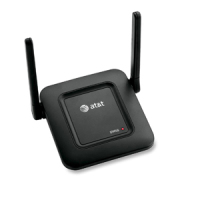
    If you want to extend the signal range of your wireless computer network, a wireless repeater is the ideal option. Boosting your wireless signals can increase your system speed and amp up its performance on the Internet. A weak signal can cause a number of problems within your network. With a signal extender, you can avoid losing an internet connection in certain parts of your home.

    (more…)

  • Entrecard – The Good and Bad

    Some time ago, I joined Entrecard, which allows you to advertise your blog’s business card (a 125×125 pixel image) on other blogs. You do this by earning Entrecard credits, and then spending those credits advertising on other blogs.

    Recently, there has been talk about whether Entrecard is good to join, and whether traffic generated from it is good or bad traffic. Just as with other new ventures, Entrecard has both good and bad points that I will outline in this post.

    (more…)

  • The 5 Most Popular Twitter Applications Around

    The 5 Most Popular Twitter Applications Around

    Are you new to Twitter? Have you simply been signing onto the Twitter website to check your tweets or tweet about something new? You’re missing out on the amazing world of applications for Twitter: applications developed by outside parties to improve your Twitter experience and connectivity. Settle back as we walk you through some of the most popular Twitter applications around.

    (more…)

  • Safely Store Photographs on an External Hard Drive

    Safely Store Photographs on an External Hard Drive

    Photography has long been a passion of mine.

    Not so long ago I would spend hours tinkering around in a makeshift darkroom, processing reels and reels of Ilford HP5 films, developing numerous black and white photographs many of which adorned the walls of both my home and those of my family.

    (more…)

  • Understanding Multi-Carrier Shipping APIs

    Understanding Multi-Carrier Shipping APIs

    If you are running a business and use an eCommerce model, you ship your customers products. Most companies do that these days, though some still use only brick-and-mortar store locations. Either option can work for you if you consistently come out with great products and have a strong market presence.

    You should always look into technology that can help your business succeed. We will talk about one technology form in this article you should know about if you’re not using it yet. APIs have existed for some time, but some business owners might not necessarily understand their potential.

    What Exactly is an API?

    API stands for application programming interface. It is a way to connect computer or computer programs. The software for each device or program communicates with each other using a simple language that they can all understand.

    You might also sometimes hear the term API specification. That is a standard or document that describes how to build one of these connections.

    What is a Multi-Carrier Shipping API?

    Automating your shipping is a great thing for a company to do. When you do it, it can save you both time and money.

    You can look into companies that sell or rent shipping APIs as ongoing services. It’s similar to SaaS, or software as a service. You can automate many shipping aspects and help your company run smoother.

    Having one API for 81 carriers or more is excellent if you can do it. The more carriers you can include as part of your shipping API, the easier it is to attract new customers. Your potential customers want easy shipping, and implementing this technology is a way you can provide that for them.

    How a Multi-Carrier Shipping API Works

    Say that you have a business website where potential customers can find all your products available for sale. They know they can order those products and get them shipped to their residences anywhere around the country.

    If you have a multi-carrier shipping API and someone puts in an order, that API instantly goes to work. It communicates seamlessly with whatever parcel service delivers to that part of the country.

    The API can communicate with the US postal service, UPS, FedEx, DHL, or any of the others you might know and recognize. You can see the new orders as they come in at a central hub that tells you everything about each shipment you need to know.

    You’ll see who placed the order and when they did it. You’ll see what carrier will pick up the package and drop it off. You can see the expected drop-off time and how much postage that company charged you, which you can then pass on to the customer as part of the purchase price.

    What Else Can a Multi-Carrier Shipping API Do?

    Multi-carrier shipping APIs can do a lot more than that, though. You might look for ones that can automatically generate shipping labels for you with bar codes on them that the carrier can scan to track the package’s location. You can get one that integrates and communicates with popular shopping apps like Shopify, BigCommerce, and WooCommerce.

    You can find one that you can set up within minutes if you’re reasonably tech-savvy. If you don’t handle this part of the business so much, that’s fine. You can get your IT department to do it if you have one. If not, you might contact an IT freelancer who can set up the API for you.

    You can get one that comes with 24/7 live technical support if you ever have a shipping issue you need to address. Your API can also handle international shipping if you’re ready to make that leap. If your products catch on very well in the US, you’ll probably want to investigate foreign markets if you feel like these items have worldwide demand or potential.

    You can use the API to look at shipping manifests whenever necessary. You can use it to cancel a label if a customer changes their mind before you ship something to them.

    Usually, the more you learn about shipping automation with APIs, the more likely you will want to do it. If you don’t automate your shipping with the proper API, you’ll need to spend a lot more time working on the shipping process.

    With the proper API in place, you won’t need as many employees, so you’ll save money on your payroll. You can then allocate those funds elsewhere within the business.