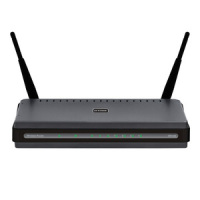
While it may seem like a pain at times to connect a wireless device to your wireless network, there are very good reasons why you should take the necessary steps to ensure that your network is secure. Some people may choose to keep their network unsecured, but they are unaware of the consequences of allowing anyone to connect.
Wired networks are different because in order to connect to a wired network, you would need to physically connect a cable from your computer to the router in order to join the network. With wireless networks, anyone within range of your router can join and use your wireless network if it isn’t secure.

Reasons Why You Should Secure Your Wireless Network
A few years ago it was quite common to turn on my laptop, log in and check out the available wireless networks within my own home. At the time, many of those networks were unsecured, and I could connect to any one of those networks without any problems. Today, however, all networks that I can see from my home are all secured, although some are still using the older WEP security type.
That just goes to show you how the average wireless network user has come to realize how important it is to secure their home network. If you haven’t done so, then you should do it immediately. The reasons are outlined below:
- Anything that happens online can be traced back to you. You ISP (Internet Service Provider) assigns an IP address to you that you use when connecting online. All data that you request online is sent to your unique IP address. When using your router, the IP address is assigned to your router, and then your router assigns internal IP addresses to any computer that is connected to the router. If someone who you don’t know connects to your router, and then does something illegal, such as hacking, malware-related, or worse, law enforcement can will track the IP address right back to your wireless router. This can have serious consequences for you if this does happen.
- Providing access to local resources. When someone is connected to your router, they may be able to access to your local computers since they have gained access to the local area network managed by your router. If you haven’t secured your individual computers or local network properly, this can have drastic consequences. Unauthorized users can view and copy personal data (think identity theft), install malware, or other malicious actions.
- Increase bandwidth usage. Most ISPs provide a set amount of bandwidth from data transfer to and from the Internet. Many times if you were to go over that limit you would be charged a specific amount per gigabyte. If someone were to connect to your wireless network and begin to download full-length movies, then the amount of allowable bandwidth would be used up pretty quickly. You will then be on the hook for any additional usage about the stated bandwidth from your provider.
There are other reasons why you should secure your wireless network, but these three should give you an idea of the urgency of securing your network. It doesn’t take long to secure your wireless network, and doing so will help avoid many headaches in the future.