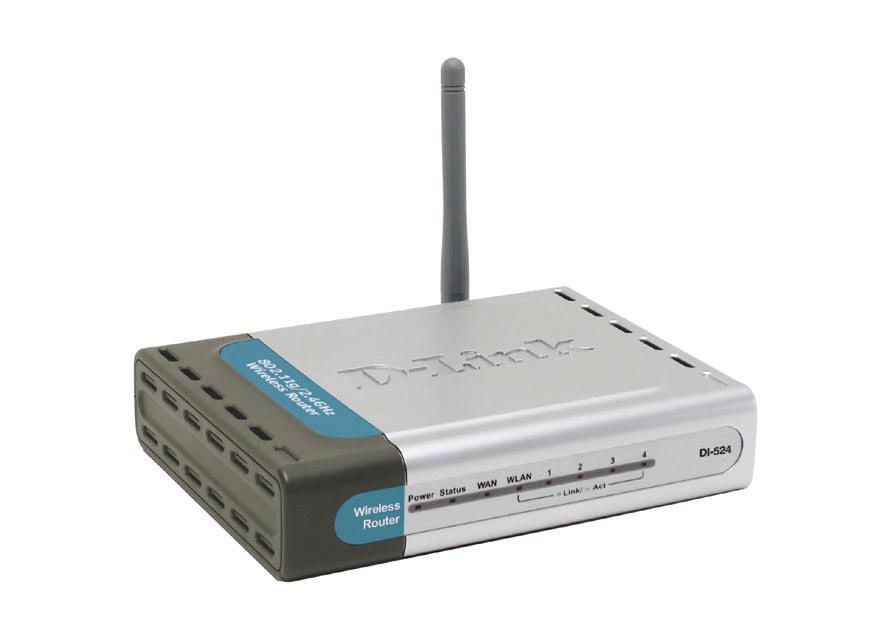
You are currently browsing comments. If you would like to return to the full story, you can read the full entry here: “How to Reset the D-Link DI-524 Wireless Router”.
Related posts:
- How to Reset the D-Link DIR-628 Wireless Router
A few posts ago I wrote a post titled Securing the D-Link DIR-628 Wireless Router. In that post I outlined the steps needed to secure that particular wireless router. Securing... - How to Reset the Linksys WRT54GL Wireless-G Router
The most popular posts on Technically Easy involve wireless routers. The two that seem to generate the most attention are the posts explaining how to reset a particular wireless router.... - How to Reset the Linksys WRT160N Wireless-N Router
Learning to reset the Linksys WRT160N wireless-N router is important if you currently change the settings within the administrative pages. The reason it is important is because one wrong setting... - Securing the D-link DI-524 Wireless Router
I recently created a post titled Securing Linksys WRT54G Wireless-G router in which I provided step-by-step instructions on securing the WRT54G router. The Linksys WRT54G Wireless-G router is a popular... - Securing the D-Link DIR-628 Wireless Router
I have written a few guides about securing a wireless router. All the guides in the past were for 802.11g routers, so the routers have been around for many years,...


Hi.
I am trying to reset my DI 524, I’ve pressed the reset button several times (for as long as a minute probably) and the WLAN light never stops blinking. I can get on the internet through it, so it must not have a password on it, but when I go to 192.168.0.1 and leave it as admin, and just hit “Log in” it says http://192.168.0.1 Invalid password, please try again.” It doesn’t seem to have a password on it though! I don’t know what to try next, any ideas?
Thanks
The password to log into the administrative pages doesn’t prevent you from accessing the Internet. It looks like you need a password to connect to the admin pages, but you may or may not need a WPA/WEP passcode to connect to the Internet. Many times if you have previously setup the wireless network on your computer, you won’t be prompted to reenter the passcode.
For the reset button, does the lights on the router change when you hold it down. If not, then you may not be pressing the button in all the way.
also, i am on a mac, if it makes a difference. i was able to log in as “user” but then didn’t have sufficient privileges to change the password. i have now exhausted my technology abilities.
The user that you logged in as, does it have admin privileges? Was the user ID admin?
Hi, sorry it took me a while to get back to this. no, i was logged in as user, since i couldn’t get in as admin. it didn’t have privileges to change the password. i think it may just be broken, at least as far as resetting goes. thanks again.
Hey, i’ve recently got a new computer to replace my old one, which is hooked up to the wireless router and modem. Do have to reset the router in order to make the new pc the main internet provider. If so, can you please help me.
You shouldn’t have to reset the router, as your new computer will just be assigned a new IP address by the router. If you have enabled MAC address filtering in the router, then you would need to update the MAC list with the MAC address from your new computer.
If you are having problems connecting, you can try disconnecting the power from the modem and router and wait about 30 seconds. After that, plugin in the modem and wait for it to finish powering up. Once the modem is up, reconnect the power to the router.
It worked for me!!!!
Awesome dude!!!!
I have been resetting my D-link 15 times, the ip address never opens and keep getting error. I do not even my conenction on wireless list. It is not broadcasting either.
I am throwing away this piece of junk DLINK router. I have had isses with Dlink few other times in office as well so I changed it to seomthign else more reliable.
Thanks a lot great info.
Hello!!
i can only reset the password for admin user?
i’m lost the password for admin user and i need preserve the current configuration
I just got a DL-524 from my brother. It came without any instructions. Where can I get a manual/instructions so I can set it up?
I couldn’t find anything for a DL-524 router. If you mean the DI-524, then you can find all product information, including manuals, at http://www.dlink.com/products/?pid=DI-524&tab=3
My modem’s connected to my router and my pc’s connected to my router. Everything works fine yesterday, both my pc and laptop could connect to internet. Today, my pc still works fine but my laptop suddenly cannot connect to the internet. The access signal at the bottom right says “Local Only”. What does this mean? Is there something wrong with my router and do I need to reset it?
I have the same issue from time to time. The best method I found of correcting the problem is to unplug the power from the router for 10 seconds, and the plug it back in. Once it boots you should be able to reconnect with your laptop.
Because you aren’t performing a hard reset this way, all your settings will still be saved.
Hi,
I’ve tried resetting my router however the WAN light does not stop flashing… i also tired accessing 192.168.0.1 however nothing came up, no page prompting me to type in my ID..etc
Can anyone assist?
Thanks