Search results for: “label/Web Site – Review”

  • Blogger to WordPress – Part 2

    Blogger to WordPress – Part 2

    This post will continue the steps that I took to convert my Blogger blog to a WordPress blog. In Blogger to WordPress – Part 1 I talked about installing WordPress on your local machine. This was done to help you learn WordPress and practice importing your Blogger data.

    In this part I will talk about domain names and hosts, what they are and how they will be used during the conversion.

    (more…)

  • Blogger to WordPress – Part 3

    Blogger to WordPress – Part 3

    In the first part I discussed installing WordPress on your local machine, and importing your Blogger posts into WordPress. From there, I talked about purchasing a domain name, and a host in part 2 of this series.

    If you have been looking at WordPress on your local machine you have probably come across plugins and themes. You may have figured out what they are, but if you haven’t, I will discuss them in this post.
    (more…)

  • 5 Ways to Build Traffic With Infographics

    5 Ways to Build Traffic With Infographics

    If you haven’t heard about infographics yet, you have quite a lot of catching up to do. Infographics are graphic representations of information. They can be short and simple or long and detailed, but no matter which way you slice it, an infographic is a must-have tool in your online marketing arsenal.

    (more…)

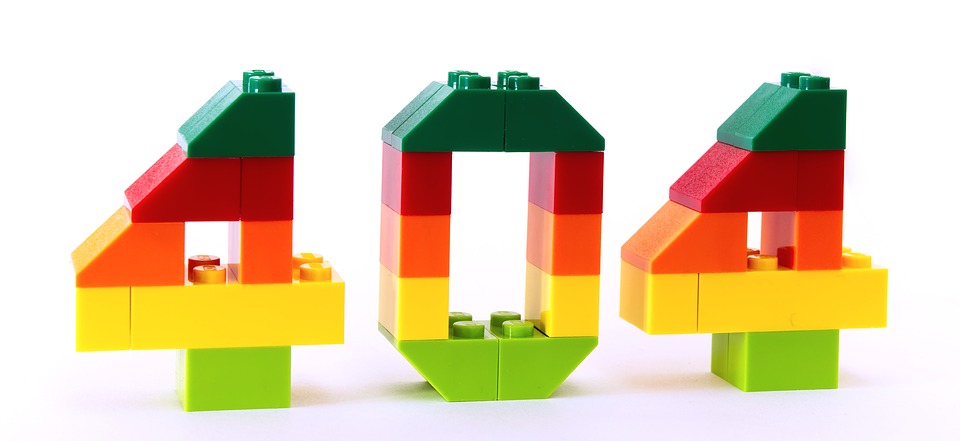
  • All You Need to Know About Designing a Customer Friendly 404 Page

    All You Need to Know About Designing a Customer Friendly 404 Page

    404 pages are the most undervalued element of website designing. Nobody likes to see the “page not found” message while searching for a product or information on a website. This type of inconvenience may drive away the regular visitors of your website as well as your new clients with dissatisfaction.

    But it does not have to be this way.

    You can turn this inconvenience into a pleasant experience by designing your 404 page in an aesthetic manner.

    The main purpose of the ‘404 page’ is to navigate the user and point him or her where to go next. This can be done in a creative way which will ultimately allow you to retain your visitors.

    Although, you should keep in mind that 404 errors could occur to any websites due to some technical errors. It would be wise if you prepare yourself in case such occasion arises.

    What is a 404 error?

    In the 21st century, most of us have already seen a 404 error page sometimes in our life. When you click on a link and that takes you to a 404 error page, it means, the current page you are looking for does not exist anymore or the server hosting that page might be down for the moment.

    A 404 error page usually shows the visitor a message such as these: ‘HTTP 404 Not Found’, ‘404 Not Found Error’, ‘the page cannot be found’ or ‘The requested URL was not found on this server’, or other messages.

    These messages could appear in two ways, either on a generic 404 page or on a custom 404 page. While generic pages pay no attention to designing, customs pages can be made to reduce visitors’ dissatisfaction and encourage them to check other pages of the website.

    What to do?

    When a visitor to your website does receive a 404 page, you should help the visitor find a more relevant page, or make your visitor’s visit more pleasant. Here are several ways you can do that.

    Show a 404 page that can exhibit the personality of your business

    If you are an interior decorator and you provide the service of coloring and decorating your customer’s home, then you can show an image of a beautiful colored wall with modern patterns. Make sure your image looks professional.

    That way, a potential customer who may land on the 404 error page, will not get irritated when he looks at the sample work you have done on someone’s home.

    You may show things that are pleasant to look at and arouse a minimum amount of curiosity. Off course, make sure they are related to the service you are providing. You can also hire additional help from http://www.lasvegaswebdesignco.com/ to appear more professional.

    Be friendly

    Instead of showing a message that almost looks robotic, you should use words with a human touch. For example, ‘OOPS’, ‘Yikes’ or an apologetic ‘Sorry’,proves that there is a human brain behind the page.

    Usability

    When the users land on an error page, they will eventually want to head back to the home page or leave the web site. You could provide a link to your homepage so that instead of leaving the site; they can go back to the homepage and find something else that suits their requirement.

    You can also provide a search bar on the 404 page for their ease. Don’t forget to provide a contact link as well, so that the user can report the broken link to you.

    Conclusion

    Recent statistics have shown that engaging 404 pages could captivate a large amount of web traffic. It also has shown that simplicity and usability are the most two important factors for creating eye-catching 404 pages.

    So, keep the aforementioned points in mind while designing.

  • Virtual Private Servers & Private Cloud: What is the Difference?

    Virtual Private Servers & Private Cloud: What is the Difference?

    The technological differences between Virtual Private Servers and Private Cloud have caused quite some confusion in the IT industry.

    The lack of awareness about these two web hosting technologies contributes to the confusion.

    However, before we explain the major differentiating factors, first, let us give you a brief about both.

    Introduction to Virtual Private Server

    Also known as, Virtual Dedicated Server (VDS) a Virtual Private Server (VPS) appears as a dedicated server.

    However, it is installed on a computer that serves multiple websites. Interestingly, a single computer can play host to several virtual servers, with each one having its own operating system that runs the hosting software for any user.

    Also, each server can be individually rebooted and booted.

    Introduction to Private Cloud

    Also known as Virtual Machine (VM) or IaaS (Infrastructure as a Service), Private Cloud is also based on Virtualization and comes with many advantages.

    Presently, it is termed as one of the most top-of-the-line website hosting solutions available.

    Also, this technology has already been adopted at a rapid pace in a short time. Any website hosted on the Cloud is highly available, meaning the hosting resources of each website is imitated on every Cloud server in the bunch.

    To put in simple words, website hosting services like SFTP, SSH, FTP and mail services, etc. are run on many different servers concurrently through Cloud.

    Difference Between Virtual Private Server and Private Cloud

    Feature Virtual Private Server Private Cloud
    Server Setup It is a single physical server that is split between restricted number of users. With a similar hosting set-up like Shared server, it also has many user accounts located on the same server. Private Cloud, uses disseminated resources across several physical servers. This allows a seamless transition to other connected servers in the network in case of hardware failure or any other major issue.
    Location of the Hardware VPS is usually hosted at off-site, third-party web hosting provider. Private Cloud is situated in the data center or site the user owns. However, some Cloud providers also offer hosted private clouds to their users.
    Scalability With VPS, the user could upgrade to any service manually or can also send in a support ticket to the service provider. Private Cloud control panels are built keeping in mind deployment and quick provisioning. With just a few clicks through the admin panel, the user can get a new database, Virtual Server or any other resource.
    Cost VPS is less expensive than dedicated server hosting. So, if someone is low on budget, VPS is the sure shot answer for them. In terms of hardware, a Private Cloud is more expensive than VPS as the user needs to shoulder the cost of maintenance, set-up, installation, and cost of the hardware.

    How to Make the Selection between VPS & Private Cloud

    Server Model Main Advantages Best Suited for Pricing
    Virtual Private Server Cost efficient and has a broad range of pre-configured servers. Predictable traffic websites Hourly (rare) or Monthly
    Cloud Server Freely scalable server and advanced automated redundancy. Anything and Everything Hourly as per the use

    We hope the comparison and points mentioned above have helped clarify the differences between the Private Cloud and Virtual Private Servers.

    Private Cloud has come a long way and become a superior choice in almost all use cases.

    However, to sum it up, the choice between the two is a matter of preference and depends on the needs and budget of the user.

  • When to Use GIF and JPEG Format

    I have written several posts on image formats, their advantages and disadvantages. The one thing I haven’t really discussed is when to use a particular format over another. Depending on that type of image you have will determine which format you should choose. Most people may just choose JPEG, however, there are many times GIF may be more suitable.

    I will explain when to use either GIF or JPEG with images using examples and comparisons between the two formats. Hopefully this post will help you make a more educated decision.

    (more…)

  • The PNG Image Format

    I have written posts about the JPEG and TIFF file format, including the advantages and disadvantages of each. Digital cameras use the JPEG format because of it’s small size, so you can store more photos on a memory card. The downside to the JPEG is that is is lossy compression, so you lose some data with each save.

    An alternative to the JPEG file format is the TIFF format. While you won’t lose any informatoin with the TIFF format, you will require a lot of disk storage as each file can be quite large. For those looking for another alternative, you can try using the PNG format, which is a nice compromise between the two previous image types.
    (more…)

  • Creating Printable Post Pages in WordPress

    Creating Printable Post Pages in WordPress

    Some time ago I created a post titled How to Create Printable Web Pages where I talk about using two CSS style sheets for a web site: 1 for the screen display and one for printing. I used the two style sheets when Technically Easy was on Blogger, but since then I never created a print-only CSS style sheet.

    Since this blog is comprised of many tutorials and how-to guides, I decided I should provide the ability for a visitor to print a post without the sidebar, navigation bar and RSS subscription area taking up space on the printed page. As I thought about it, I figured I could provide a more flexible solution than just creating a print-only style sheet, so this post will explain how I manage to create a printable version of each post.

    (more…)