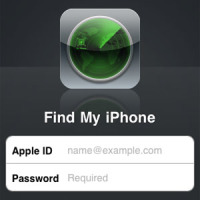
Steps to Activate ‘Find My iPhone’ for iOS 4

Most Apple products are expensive and valuable. It’s not for the technology alone that people buy it, it tends to represent something greater, an acquisition. People tend to get emotionally attached to their iPads, iPods and iPhones more than they ever have been with their other gadgets.

Perhaps it has something to do with the fact that it is an Apple product. Perhaps you’ve saved for a while to be able to buy it. Maybe it’s all the information you’ve got stored on it, and all the connections you’ve made with the Apple Cloud, or even the sleek design.


Find My iPhone

Or perhaps you’re just possessive about your stuff. Whatever it is, losing a phone or any gadget, especially one by Apple, is a troublesome, irritating thing, which can not only separate you from the treasure trove of all the information you own, but can be inconvenient on many other levels too.

Which is why, Apple has only recently rolled out the ‘Find my iPhone’ feature free for the iOS 4. If you’ve been looking for your iPhone in your bag and suddenly realize that you’ve carelessly dropped it somewhere or if, while sitting casually at a café, you realize someone has walked away with your bag and your iPhone with it, then you can use this feature to locate it.

It works on GPS so all you need to do is get to a computer, and you’ll soon be able to track the missing phone. It has to be activated before you can do it, so the first thing you ought to do when you buy the new iOS is to activate the feature. Here’s how to do it.

  1. Ensure you have the latest updated version of the iOS. Go to iTunes and check for updates, and install the latest before you proceed.
  2. Once the update is installed, click on Settings of the iPhone.
  3. Touch Mail, Contacts, Calendars.
  4. Add an Account and choose MobileMe.
  5. Enter your Apple ID and Password. If you don’t have it, you can create one online for free. If you are a MobileMe subscriber, then you can enter that too.
  6. Switch on Find my iPhone app, and when the permission note comes, click Allow.

Apart from having your iPhone being stolen, you may perhaps just have left it behind somewhere. There are other options for you to locate it, although the map is by far the easiest and the best and most reliable. You can always activate a message which gets displayed on your iPhone screen so a nice person who finds it can return it.

Alternately, you can set a passcode until you locate it with the map. And if you like, you can also use the RemoteWipe feature to delete all your data. Word of warning—you may not be able to track the phone after RemoteWipe. It is strictly last resort for your information privacy.

PG

About Guest Blogger

This post was written by a guest blogger. Their details, if any, are in the post. If you are interested in guest blogging for Technically Easy, please read the guest posting guidelines.

Google+

Macintosh , ,

5 Comments

  1. Posted August 13, 2012 at 10:54 am | Permalink

    What a nice app, it helped me find my iPhone when i lost it when moving into a new house. The most important thing is that it’s inbuilt.Thanks for the post.

  2. Posted July 23, 2012 at 10:01 am | Permalink

    Useful advice, as like you said, half the time you will have probably mislaid the iPhone or iPad somewhere and can locate where it’s at.
    This is a bit off topic, but if you have bought any phone, always keep the box and all the serial numbers associated with the phone. My wife once had her Nokia phone stolen and they were able to lock down the phone remotely from the Nokia main shop.
    Yes, the thieves can probably get round this, but it will annoy and bug them, especially after selling the phone and getting grief back from their black market customers. I personally waited a few days so that they could sell it on and smiled to myself at the grief they must have got when their dodgy customer couldn’t use it lol

  3. Azslyn Cole
    Posted July 17, 2012 at 8:07 am | Permalink

    Thanks for the steps to Activate Find My iPhone for iOS 4. I really want to activate my iphone to iOS4 and I will follow these steps.

  4. Posted July 16, 2012 at 1:22 pm | Permalink

    Great post, Find my iphone is a great app indeed
    Twitter:

  5. Posted July 14, 2012 at 7:49 am | Permalink

    I love blogging, Popular blogs can get thousands of dollars per day . http://www.horizonshop.vn
    Twitter:

Post a Comment

Your email is never published nor shared. Required fields are marked *

*
*

You may use these HTML tags and attributes <a href="" title="" rel=""> <abbr title=""> <acronym title=""> <b> <blockquote cite=""> <cite> <code> <del datetime=""> <em> <i> <q cite=""> <strike> <strong>

This blog uses premium CommentLuv which allows you to put your keywords with your name if you have had 5 approved comments. Use your real name and then @ your keywords (maximum of 3).

Subscribe without commenting

  • About Me

    I am Paul Salmon, an avid technology fanatic who is always learning new things. My goal is to inform and help others with technology.

    With this blog I try to cover various topics on this blog to cover a broad range of topics.

    Read more...

  • Email:

  • Advertise with IZEA Media
  • Sponsors

  • Recent Posts