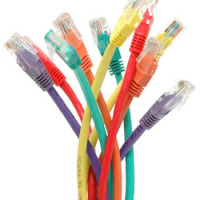
It seems that with every time a new technology comes along, everyone needs to have it and traditional methods get sunned no matter how useful they still are. Although wireless networks are handy for a number of reasons, such as connecting phones and easy access anywhere, there are many advantages of network cabling, hence why schools and businesses still rely on it.
Not only is it good in these sectors but it can be of use for your home networks and connections too!

Should you Use Network Cabling at Home?
If you live in a rented abode or move home often it’s probably more hassle than it’s worth and wireless is the best option. If however, you own your house and plan on staying, then network cabling is worth doing as much as it was getting an arial plugged into your TV and electricity running through the house!
By no means is this a suggestion to replace a wireless network however. Most of us have smartphones that are unable to connect via cable, laptops that make movement/comfort unpractical with a cable connection and possibly want some kind of connection available to guests such as WiFi. What I’m suggesting is the two can sit side by side quite well in one household for dual purposes!
Why Network Cabling?
Security
Wireless networks are available for anyone in range to connect to and getting hacked is always a risk. I have a friend with a son at university who had issues with his wireless about a year ago. The student house he moved into had the same network from the previous owners, and somehow another house on the road knew the WEP key because there was constantly another 3 or 4 devices hooked up at any time! Although it was just students over the road using it for internet access (alas a free one courtesy of his son) and never did anything malicious, it could have been worse if the wrong people had said connection. No matter how secure your home is there is always a chance someone could break in, and the same goes for a wireless network.
Speed
Downloading, streaming, uploading, downloading, streaming, uploading, downloading, etc. The days of the internet being a browsing task are almost as old as dial up connections, and if the average internet user split up their time spent online it might look a lot like the aforementioned. Add to this home consoles strongly based around online connections and households having more than one computer and that’s a lot of internet usage! Wireless can struggle with bandwidth depending on position of the router, the access point, walls and various other factors. A wired network will deliver faster speeds with no signal drop out to anywhere you connect so long as your network is set up efficiently.
Do I Have to do it Myself?
No, of course not! Plenty of companies exist dedicated to network cabling, some for home and some for business. These people are experts and even if you do choose to go ahead and build a network yourself having one on side for help and advice is only going to be of benefit if something goes wrong, won’t work or a question you’re unsure of arises.
What to Consider When Building a Wired Network?
Most importantly, SAFETY!
Not just to be considered when installing the network, but after too. Electrical faults are a major factor in house fire causation so consider every scenario from wiring location to measures in place in the event of a fault.
Where do you want to connect the network?
What rooms are going to need a wireless connection? Do the kids use the internet and have computers in their rooms? Are you going to use a device as a main storage hub for media? Is there a chance a room may not need a connection now but may do in the future?
What do you want to connect to the network?
There’s no point in just assuming you need a connection by the TV without considering what exactly you require the connection(s) for. Most modern TVs and consoles come with a built in Media Centre as standard including streaming services, and you probably want anything that can connect to the internet abled for software updates at the very least.
Also bear in mind that just because you own 2 consoles and a TV that need the internet now it doesn’t mean 3 connections is enough. Wires can fail or become worn over time and constantly moving gadget trends could mean the need for extra connection ports in the future. Three or more extra ports are always for the best.
Layout
Are you going to be tearing walls apart, running wires under the floorboards or along the floor itself hidden by cable tidiers to create your cabled network? Either way a plan of your electricity sources and house layout is essential.
The initial costs of building a cabled network can be quite pricey, so planning what length cables you need can save extra expense and waste. If building your network into a permanent position (EG. inside plaster walls) the above point of considering what rooms you’re connecting and how many ports you need if vital to prevent having to rip all your hard work out for changes later down the line.
Also remember for copper cabling 100 metres (300 feet) is the rough maximum distance for gigabyte internet speeds. Bear this in mind and try to keep cables as straight and short as possible (obviously apply some common sense for movable slack) for best connection results. 300 metres should be more than enough for the average household, although if you are lucky enough to own an estate or mansion it might be worth considering two or more separate networks!
Wireless vs. Cables is an on-going argument discussed on many forums. Some swear that wireless is just as good a connection as cabling if not better and vice versa. My opinion is that many factors can effect internet connections, some obvious and some unsolvable, that the answer is simply; which one will work best for YOU?