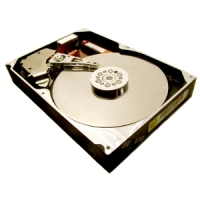
Hard disk of your Windows computer stores all your valuable documents, files, photos, music, videos, movies etc. But, the working hard drive or the hard drive connected to your system is never considered a safe storage for important data. Apart from accidental data deletion or formatting, there are many other situations, such as file system corruption, operating system malfunction, virus infection etc., when the hard drive may fail and all your precious data will become completely inaccessible. However, now there are many Data Recovery Software available in the market, which may help you recover your data from any instance of logical hard drive failures.

Usually, a failed or crashed hard drive shows error messages on the screen, from which you can come to know the reason behind the failure. One of the error messages that you may have received while booting-up the system can be read as below:
No ROM Basic System Halted Error
After encountering the error, the system fails to boot and the data in it gets completely inaccessible. There are many possible causes behind the occurrence of the above error message. Some of them are as below:
- No partition in the drive has been defined as active
- Problems in the system BIOS settings
- Severe corruption to the file system
Solution
In order to resolve the error, you can try the below options:
- Try to boot the computer from your Windows system installation disc. After successfully booting from the disc, run the ‘fdisk’ utility and ensure that the partition with operating system in it must be set ‘active’.
- If the problem still remains, check the BIOS settings and rectify the same, if there is any.
If you still have the error message and the hard drive is failing to boot, then format it and make fresh partitions. After formatting, you can restore the formatted data from any previously saved valid backup. However, if you have not taken any backup, try to recover the data using any reliable hard disk data recovery software.
These data recovery software are developed with highly advanced algorithms to scan through the troubled drives and recover the data back. These software are absolutely read-only and retrieve the data in their original format. Moreover, with graphical user interfaces, the software is easy to use, even without any further assistance.