Most people who have used a computer in the past have probably seen and read a PDF document. Many software and hardware manuals now come in a PDF version, or you can download them from their vendors. For those that don’t know about a PDF document, they are documents that will be displayed the same on any computer.
One popular question is how to create PDF documents from other applications. Microsoft Word is a popular word processing application, but it can’t natively save a PDF document. In this post I will walk you through the steps that will convert any Microsoft Word document to a PDF file for free.
Simple as Printing a Document
If you have ever printed a document from Word, and I’m sure many of you have, then you can create a PDF document. In fact, you use the “Print” option within Word to convert your document to a PDF file.
To convert to a PDF document, use the following steps:
- First you will need the tool that will convert the document. Download PrimoPDF (it’s free) and install it on your computer.
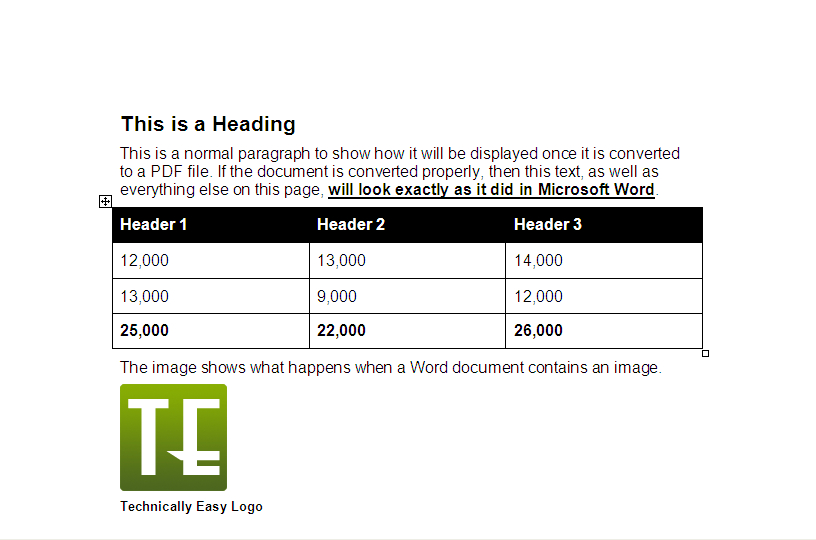
- Next create a Microsoft Word document, or open an existing document that you would like to convert to PDF. The figure below shows an example I will use in this post.
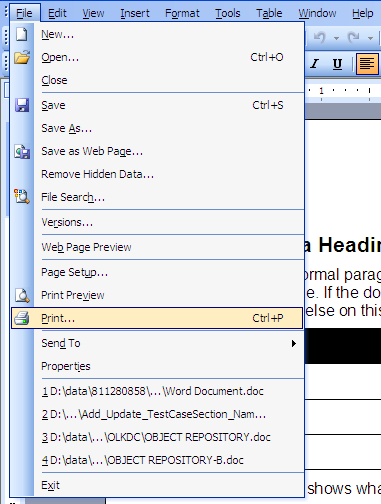
- Once you are ready to convert, select “File->Print” from the Word menu, shown below.
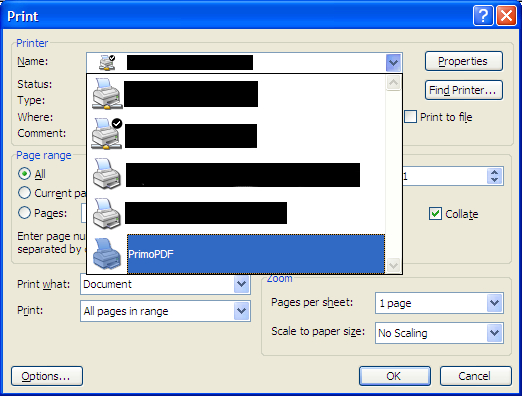
- In the print dialog, select “PrimoPDF” from the printer dropdown list. The figure below shows PrimoPDF in the printer list.
- Click the “OK” button to print the document. The document will be sent to the PrimoPDF document writer instead of an actual printer, so the document won’t actually print.
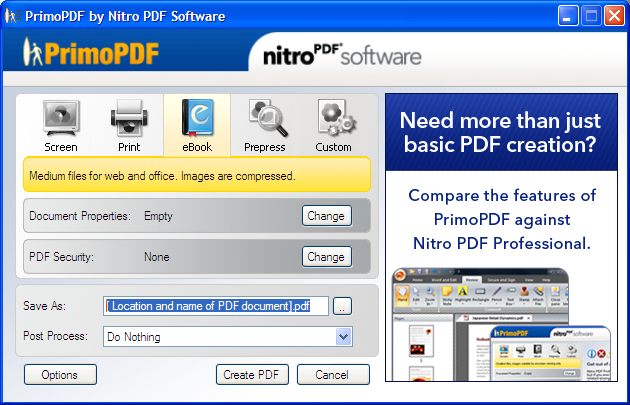
- The PrimoPDF settings dialog will be displayed. Select one of the options that suits what you plan to do with the document. The ebook setting is shown below.
- Beside “Save As”, fill in the location where you would like the PDF document created. You can also click the button with the three dots and navigate to a location.
- Once you are ready, click the “Create PDF” button to convert your Word document to a PDF file.
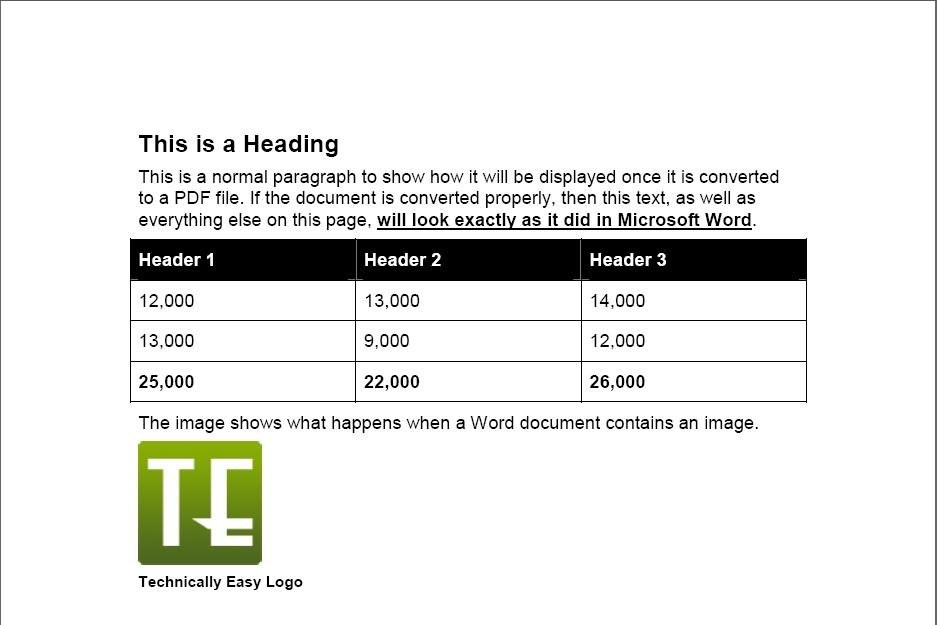
- After the document has been created, you can open it up in Adobe Acrobat Reader to see if it was converted properly. The figure below shows the PDF result from the original Word document that I used above.
(Click to enlarge.)
Note:
If you are using Office 2007 or newer, then the print option will be in a different location since Microsoft changed the look of Office in the newer version.
(Click to enlarge.)
(Click to enlarge.)
(Click to enlarge.)
(Click to enlarge.)
This process can work for many applications and various file formats. The PrimoPDF web site states that their application can convert over 300 file types into PDF.
If you wish to create PDF files for such things as an ebook, then you can do so easily with PrimoPDF.