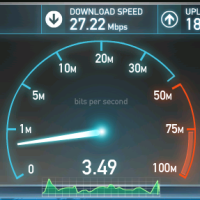
3 Reasons Your Broadband Connection Isn’t Fast Enough and How to Troubleshoot

A slow broadband connection is a common problem and there can be any number of reasons behind it. Some of which you can’t do anything about, such as the weather, or the distance from your home to the nearest exchange.

However, very often the problem with your internet speed can be addressed and it’s simply a matter of discovering the problem and then fixing it.


Broadband Connection Speed Test

Is Your ISP Coming Clean?

Firstly, call up your ISP and ask them to tell you the actual speeds you are getting from them; this will help you to determine where the fault lies, with them or you. However, be aware that this can be frustrating and convoluted as ISPs tend to insist you’re getting those speeds, even when you’re experiencing a slow connection.

A common problem is that some broadband internet providers advertise ‘speeds up to …’ which may not be available in your area. Before committing to a contract, you should do your homework and find out about other people’s experiences, either in your area or by doing some homework online – which is the ISP most complained about for this problem? The information can all be found online.

Ofcom can help here; the way that internet speeds are advertised is now being more rigorously enforced by the telecoms ombudsman and ISPs are required to follow a code of conduct to ensure consumers are not misled.

Is the Internal Wiring in Your Home Up to the Job?

Before you call your ISP, arm yourself with as much information as possible; starting with your router. By plugging your router directly into the phone socket where the line comes into the house, you can establish whether the speed is roughly the same as if you plug it in elsewhere. If you find that the speed is vastly improved then it suggests degradation via the internal wiring in your home; if this is the case then your ISP will charge you should you call them out to investigate.

Ideally you will keep your router plugged directly into the phone socket. If this is not a viable option then you may want to consider rewiring, so that the line from the phone socket to the router is as short as possible.

Bandwidth – Times and Other Users

Bandwidth can seriously affect your broadband speed and this is often due to the time of day that you access the internet. Outside of office hours are very busy times and so if you can avoid these, your speed should increase.

Other considerations to bear in mind here are whether there are a lot of connected devices in the home. Are your teenagers upstairs streaming YouTube content, or is your other half watching iPlayer in the next room – all of this will affect bandwidth and slow down your connection.

Consider making an agreement with the rest of the family on streaming content and ensure that all of your device’s security software is up-to-date – sometimes a malware infection can use a considerable amount of bandwidth as it communicates with outside servers.

Of course there are other reasons, but these are the most common and it’s wise to check these out before calling out an engineer, which could result in making you poorer.

PG

About Guest Blogger

This post was written by a guest blogger. Their details, if any, are in the post. If you are interested in guest blogging for Technically Easy, please read the guest posting guidelines.

Google+

Technology , ,

8 Comments

  1. Posted July 25, 2012 at 1:22 am | Permalink

    I was stuck with my broadband connection and didn’t know what to do about it.But this post truly helped me a lot. Thanks for sharing such valuable informations.

  2. Posted July 21, 2012 at 7:51 am | Permalink

    You should open task manager and see which apps you don’t need to be open. You can also go to Run and type ms config and go to start up programs section and disable unwanted apps from starting up with your computer.

  3. Jean from Used Tires
    Posted July 20, 2012 at 11:06 am | Permalink

    Good points. Before getting a new connection, check all options available to you and read user feedback on forums to see which company best fulfils your needs.

    Also, make sure there are no background apps running that are chewing up bandwidth. Nowdays every app has some online activity running behind the scenes and for this, you should open task manager (ctrl-alt-del in Win XP, Vista and 7) and see which apps you don’t need to be open. You can also go to Run and type msconfig and go to startup programs section and disable unwanted apps from starting up with your computer.

    -Jean

  4. Liz Tererk
    Posted July 19, 2012 at 2:50 am | Permalink

    I have problem on my broadband connection and these tips could really help me on how to solve the solve it and how to troubleshoot it in order to get fast connection. This is what I wanted so I will follow the things I have learned here.

  5. Posted July 18, 2012 at 6:32 am | Permalink

    Nice informative post. Most common problem is weather and signals.
    Twitter:

  6. Posted July 18, 2012 at 3:25 am | Permalink

    Although these are the basic ways to trouble shoot but much more effective.if you know the basics you can easily troubleshoot your connection easily.
    If the problem still persists then its better to call your service provider.

  7. Posted July 17, 2012 at 12:19 pm | Permalink

    Several years ago we had an exterior wire problem. Got that fixed and speed was much better. Thankfully it was outside the house so the phone company (our ISP) fixed it for free.
    Twitter:

  8. Posted July 17, 2012 at 9:52 am | Permalink

    Our ISP always goes on about the slow connection being due to wiring in the house and they can fix it for some outrageous price. We feel that since we were not the ones that wired it to begin with, why would we pay them to fix the job they originally did? So every agent they send out, they say something different each time about what the “problem” is. Classic. Thanks for the good read on the topic though.

Post a Comment

Your email is never published nor shared. Required fields are marked *

*
*

You may use these HTML tags and attributes <a href="" title="" rel=""> <abbr title=""> <acronym title=""> <b> <blockquote cite=""> <cite> <code> <del datetime=""> <em> <i> <q cite=""> <strike> <strong>

This blog uses premium CommentLuv which allows you to put your keywords with your name if you have had 5 approved comments. Use your real name and then @ your keywords (maximum of 3).

Subscribe without commenting

  • About Me

    I am Paul Salmon, an avid technology fanatic who is always learning new things. My goal is to inform and help others with technology.

    With this blog I try to cover various topics on this blog to cover a broad range of topics.

    Read more...

  • Email:

  • Advertise with IZEA Media
  • Sponsors

  • Recent Posts