
8 Powerful Dreamweaver Extensions For Your Website

  • Buffer
  • Pin It
  • Sharebar
  • Buffer
  • Pin It

Dreamweaver is one of the favorite web development applications for developers. It is due to large numbers of available extensions. Users’ expectations are kept in consideration in these extensions and are also followed by developers around the globe.


dreamweaver logo 256x256 8 Powerful Dreamweaver Extensions For Your Website
Web designers as well as users, need to have a list of Dreamweaver extensions that are useful for web designing and development. It’s not just to help new users, but also to help the existing ones for further exploration of the applications.

1. Dreamweaver Tools For Google 2 – Google Supports Enhanced User Experience

dreamweaver tools for google 2 256x163 8 Powerful Dreamweaver Extensions For Your Website

This is the most useful extension of the application followed by a web designer to use Google for improving users’ web experience. Its tools enhance users’ experience of web without using any complicated codes. Users will be given the facility of using search engine within the site. Developers can find this extension for free and can utilize it to benefit the end users.

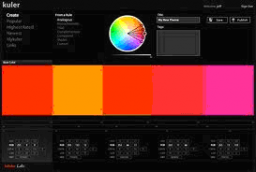
2. Adobe Kuler – Add More Color To Your Website
adobe kuler 256x172 8 Powerful Dreamweaver Extensions For Your Website

This is an amazing extension used by web developers to bring colorful changes at any website. Colorful palettes are available at Adobe Kuler that can be directly used at any of the web pages for best color theme.

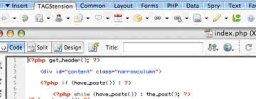
3. WordPress Extension TAGStension – Excellent For Blogs
wordpress extension tagstension 256x99 8 Powerful Dreamweaver Extensions For Your Website

Web developers use this extension to facilitate users in staying up-to-date about their blogs. It’s specifically effective for users who want to be prominent at blogosphere. A toolbar is added to the Dreamweaver for right kind of placing.

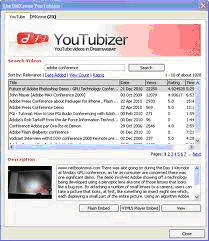
4. YouTubizer – Efficient For Embed Videos At A Site
youtubizer 8 Powerful Dreamweaver Extensions For Your Website

YouTube videos can be embed at a site by using this extension. All of the YouTube videos posted at a website can be viewed by the users while staying at the same site.

5. PayPal eCommerce Toolkit – Collect Payments At Your Site

paypal ecommerce 8 Powerful Dreamweaver Extensions For Your Website

This extension offers best way to get online payments at a website through PayPal. By using this extension, you are enabling site users with quick payments made against sale of products or services at your website.

6. Toolkit For Skype

toolkit for skype 8 Powerful Dreamweaver Extensions For Your Website

This extension gives communication a new hype at Skype. By using this extension you can provide users with facility of “Call Me” button for Skype calls through your website. An amazing offer for Skype lovers.

7. Atomz Search Engine

atomz search engine 8 Powerful Dreamweaver Extensions For Your Website

A great search option is provided to the users through this extension. It makes search as easy as friendly for site users just like that of Google.

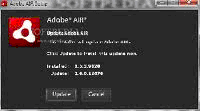
8. Adobe Air To View Air Files
adobe airpng 8 Powerful Dreamweaver Extensions For Your Website

This extension helps making web applications straight from your desktop. It allows users to have a quick and direct view of their Air files.

You can enhance the visitors’ count at your website by selecting the best from the above mentioned extensions. Your website can shift from a simple site status to a superb site status. Ask your web designer to consider these extensions for your website.

You may also like:

Google Chrome Logo

Some Security & Privacy Extensions For The Chrome Browser

Mozilla Firefox Logo

Top 7 Firefox Extensions to Increase Online Productivity

Tablet

Optimize Your Website for Tablets

HTML Code

5 Dreadful Mistakes that Must be Avoided by a Web Design Company and a Website Designer

4 people had something to say about “8 Powerful Dreamweaver Extensions For Your Website”:

Comments


  1. OK call me ignorant, (and I am!) but I have dreamweaver – heck I have the entire Adobe CS suite but I don’t use Dreamweaver other than to edit php files and I mainly use PS.
    My question is this – is there a tool, connected to adobe or otherwise that enables me to get the hex code of any colour I see on a web page so that if I am making a header to match it I don’t have to do what I currently do which is slow and painful (I screen capture the page and open the image in PS to get the hex code which has got to be the stupidest way – surely with all the crap on my desktop something can pick it up?)

    Thanks in advance Paul :)
    Alex recently posted…8 Completely Free Tools That Will Catapult Your Link Building EffortsMy Profile


    • I don’t use Dreamweaver myself as I like to code all my web pages with a simple text editor. By doing so I have become more proficient at creating pages.

      As for getting the hex code on a Web page, there is a Firefox plugin that can do that for you (providing you are using Firefox). I have used it and it works well. There may be a similar extension for Chrome as well. An alternative is to do a screenshot of the Web page and paste it into an image editor to get the colour.


  2. This is a great list but where do I get the extensions? Particularly the WordPress Extension TAGStension, that would be amazing to have!!
    Jonathan recently posted…Future Proof your CSS – Clean it up and optimizeMy Profile

Do you have something to say? Let everyone know!

Commenting policy: All comments are moderated for spam. You must use your real name and not your website name or keywords. If a comment is deemed to be spam, then it will be deleted or edited. Links to your website within the comment body is not permitted, but you are free to use CommentLuv to add a link to your latest post. If you wish to add a link to your website, you can always contact me about submitting a guest post.


CommentLuv badge
This blog uses premium CommentLuv which allows you to put your keywords with your name if you have had 5 approved comments. Use your real name and then @ your keywords (maximum of 3)

Previous Post:

Next Post: