Delete Files Older Than a Number of Days From DOS

  • Buffer
  • Pin It
  • Sharebar
  • Buffer
  • Pin It

With the operating systems available today, using the graphical user interface (GUI) of the operating system has become second-nature for me. It is very easy to copy, move, and delete files through the GUI interface than typing out the commands from a command line.

With all the interface options in an operating system, there are many times where it can be more efficient to use the command line. In one such case, I wanted to create a simple method of deleting files that were older than seven days from a specified directory. While I could have written an application to do this, I wanted to make it more simple by using a batch file. With an additional executable available with the Windows 2003 SDK, I can easily accomplish my goal.

Deleting Files From DOS Older Than Seven Days
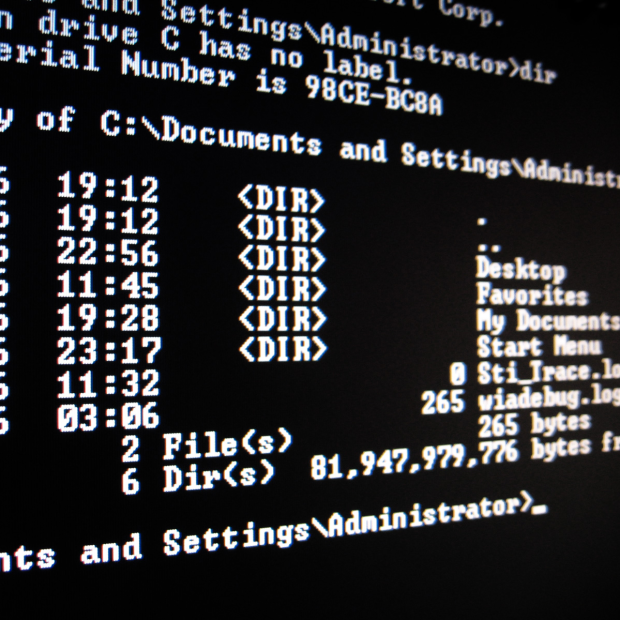
dos prompt 256x256 Delete Files Older Than a Number of Days From DOS

There is a small executable called ForeFiles that can easily allow you to get the files in a directory that meet certain time criteria. In my case I want to find all files that were older than 7 days.

To do this, I added the following command to a batch file:

forfiles.exe /p D:\Files /s /m *.* /d -7 /c "cmd /c del @file"

The above line executes the forefiles.exe program with the following parameters:

ParameterDescription
/pThis parameter specifies the path that contain the files I wish to delete.
/sThis parameter tells the program to recurse into any subfolders to look for additional files.
/mIf you want to specify a specific file type, this parameter will allow you to limit the search to specific files, such as *.doc for Word documents. In my case, I looked for all files (*.*).
/dThis one is the key parameter – it specifies the last modified date value. In my example I specify “-7″ which indicates that the files need to have a modified date 7 days less than the current date.
/cThis is the command that I execute on the files found by the program. The delete command is executed in a command window for each file.

While there are many ways to perform such an action through other applications, some times I find using batch files, and then scheduling them to run, can be just as easy.

You may also like:

No thumbnail image

What are Batch Files?

Locked File in Microsoft Windows

How to Delete Locked Files in Microsoft Windows

No thumbnail image

Restart or Shutdown Windows from a Batch File

No thumbnail image

Running Old DOS Programs in Windows XP or Vista

16 people had something to say about “Delete Files Older Than a Number of Days From DOS”:

Comments


  1. Thanks for the tips. I think I can utilize it into script (crontab job) to do it automatically.
    Dana recently posted…Motorola Atrix- The AT&T’s Android Powered 4G Cell Phone With Dual Core ProcessorMy Profile


  2. I haven’t used DOS in years. I’ve become so used to the GUI that I just sort the files into date order and do it that way.


    • I have also become used to the GUI, but I tend to do a few things from DOS since I can type quicker than I can click.


  3. Forfiles is a great command. I have only known it for 6 month or so. I had a folder with so many log files that it took minutes to open it in explore. Then I made a script with forfiles.exe that deleted all files older than 30 days. I configured it to run every night as a scheduled job. Now I don’t need to think about those log files. It is all running automatic. You can’t do that with a GUI ;-)
    Thomas recently posted…Make quick screenshots with Snipping tool in Windows 7My Profile
    Twitter:


    • Running automatically is where small files like forefiles can excel. While GUI may be great for manual deletion, sometimes you just need to run a scheduled job once a day to automatically do the cleanup for you.


  4. Nice I can use this to clean out old IE cookies from our citrix profiles.

    thanks!
    Jason recently posted…How to Back Up Mac OS X 105 or 106 Data From Disk Utility To An External Hard DriveMy Profile


  5. Thanks a ton… !!! I have been finding this.. and got everything except this great code..


  6. Hi, Thanks for the command.

    BUT, when I use it I get the message that it cannot find the file, yet it lists the actual file it tells me it cannot find.
    I’m sure it’s a simple problem, I would appreciate any feedback.

    Forfiles /p C:\Work\Stuff\Temp /m *.log /d -30 /C “cmd /c del @file”

    Could Not Find C:\Work\Stuff\Temp\ex110701.log


  7. Wow.. I never knew about this. Thanks for sharing this. Awesome!
    Andrew Walker recently posted…Promotion for Dive Vacations in Virgin Islands Last CallMy Profile


  8. Is forfiles a safe exe?
    regards


    • The forefiles executable is safe and is provided by Microsoft with the Windows Resource Kit.


  9. I never knew this before I only knew it from you, this is such a brilliant idea ever. I use to delete my files in a simple way. I never thought about this one.
    Jacob Smith recently posted…Repo CarsMy Profile


  10. It’s working perfect! It deletes the files from sub folders also.
    Thanks for the posting.


  11. Hi, this does not work for me , mine says this:

    C:\temp>forfiles.exe /p C:\Temp /s /m *.* /d -7 /c “cmd /c del @file
    FORFILES v 1.1 – by Emmanuel Boersma – 4/98

    Syntax : FORFILES [-pPath] [-mSearch Mask] [-ccommand] [-dDDMMYY] [-s]

    -pPath Path where to start searching
    -mSearch Mask Search files according to
    -cCommand Command to execute on each file(s)
    -d[+|-][DDMMYY|DD] Select files with date >= or = or <= (current date – DD days)
    -s Recurse directories
    -v Verbose mode

    The following variables can be used in Command :
    @FILE, @PATH, @RELPATH, @ISDIR, @FSIZE, @FDATE, @FTIME

    Default :
    Examples :
    FORFILES -pc:\ -s -m*.BAT -c”CMD /C Echo @FILE is a batch file”
    FORFILES -pc:\ -s -m*.* -c”CMD /C if @ISDIR==TRUE echo @FILE is a directory”
    FORFILES -pc:\ -s -m*.* -d-100 -c”CMD /C Echo @FILE : date >= 100 days”
    FORFILES -pc:\ -s -m*.* -d-010193 -c”CMD /C Echo @FILE is quite old!”

    C:\temp>

    I have been batt,ing for three days now and nobody has managed to help me, maybe here i find somebody that knows whats going on.

    im sure my version of FORFILES.exe is a problem.


    • Have you downloaded the forefiles.exe from the link in this post? That is the same one I used to execute the command.

Do you have something to say? Let everyone know!

Commenting policy: All comments are moderated for spam. You must use your real name and not your website name or keywords. If a comment is deemed to be spam, then it will be deleted or edited. Links to your website within the comment body is not permitted, but you are free to use CommentLuv to add a link to your latest post. If you wish to add a link to your website, you can always contact me about submitting a guest post.


CommentLuv badge
This blog uses premium CommentLuv which allows you to put your keywords with your name if you have had 5 approved comments. Use your real name and then @ your keywords (maximum of 3)

Previous Post:

Next Post: