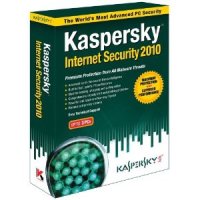
These days, it’s essential to keep some sort of protection on your computer if you’re connected to the internet. Some people simply use a firewall as their line of defense, and others prefer to maximize their protection by using a security suite. Of course, if you’re going to be browsing the internet at all, a security suite is your best bet as far as protecting yourself against internet baddies goes. There are all sorts of threats lurking online including viruses, malware, spyware, hackers, worms and more. With this many hazards hiding in the shadows, it’s very important to have something like a security suite installed on your computer.
You might be wondering what a security suite can do for you and how it might protect your computer. Because a security suite is packed with lots of useful tools to help build your defense up against threats, there are lots of ways that it can protect your computer. Just think of this type of software as an all-in-one solution for keeping your computer secure and stable. One of the most noticeable and indispensable components of a security suite is its virus/spyware protection. This component offers your computer protection against malicious executables and software that can really do some damage to your computer.
Security Suite: Overall Computer Protection

The security suite also offers a firewall that is substantial for protecting your computer from attacks and hackers. Think of this tool as a barrier between your computer and the internet. Any connection that is made from your computer to the internet (and vice versa) has to pass through the firewall. Overall, a firewall offers secure connectivity when browsing the internet.
A security suite might also offer a spam blocker for your email. If you constantly have to wade through junk mail day in and day out when you check your email, a spam blocker might really come in handy. This spam blocker might offer filtering, and it might be compatible with programs like Microsoft Outlook or Mozilla Thunderbird. It’s definitely a useful and handy component of any security suite.
Sometimes, security suites also offer components that are great for securing your computer offline as well. Components like file locks and activity monitors are common in security suites, and they help make your confidential files and software as secure as possible. File/folder lock can help password-protect your moss precious data, and activity monitors help you keep an eye on what exactly goes on in your computer’s filesystem day in and day out.
Overall, a security suite is a great way to maximize protection for your computer. The truth is that if you are connecting to the internet at all, it’s important to keep some sort of protection like a security suite on your computer.