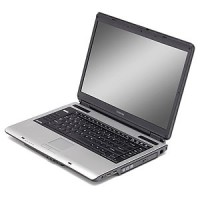
I recently had an issue with my wife’s laptop’s LCD slowly becoming dark. It started with the left side slowly getting darker, and soon the darkness would spread across half the screen. It became so bad that it was almost unreadable.
This issue occurred regardless of whether the laptop was connected to an AC power source or it was running off the battery. Also if it was because of the power management options, the whole screen would have become dark, and not just the left side. After some research I found it was probably due to the inverter that is connected to the LCD display.
What is an Inverter?

Not knowing what an inverter was to start, I looked it up with a quick Google search. I came across an entry that talks about inverters as taking incoming DC power and inverting it to higher-voltage AC power. It does this because most LCD screens contain cold fluorescent light (CFL) tubes that require the AC power to provide the backlight for LCD screens.

(Click to enlarge)
In my case, the fact that the LCD screen started to go dark was a good indication that there may have been a problem with the inverter. The CFL tubes may not have been getting the power it needed to keep the LCD screen backlit properly.
The inverter is located near the LCD and has two connections: one that connects to the DC power supplied from the motherboard or mainboard, and a second connection that provides high-voltage AC power to the LCD CFL tubes.
In my case, I had to remove the LCD display from the laptop, which included removing the entire LCD bevel (plastic casing) to get at the LCD display. Once I removed the display, I simply disconnected the inverter and removed it complete. I then attached the new inverter and replaced the two connections.
I then restarted the laptop, and noticed that the darkness of the display slowly disappeared. It appeared briefly when I first powered up the laptop, but then after a few minutes, it was completely gone and the display was bright throughout.
Unless you know what you are doing, I don’t advise you to do the installation yourself as it requires you to take apart your laptop. If your laptop is under warranty, I suggest you take it in for servicing because performing the repair yourself would probably void the warranty. In my case, the warranty had expired a few years ago.
So if you experience your LCD display going black in certain areas, chances are you will need to replace the LCD inverter.