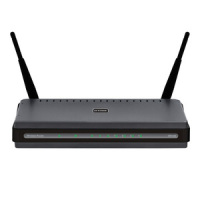
How to Reset the D-Link DIR-628 Wireless Router

A few posts ago I wrote a post titled Securing the D-Link DIR-628 Wireless Router. In that post I outlined the steps needed to secure that particular wireless router. Securing a wireless router is extremely important to prevent others from accessing your network and Internet from their computers.

There are times, however, where you may need to reset your router back to the factory defaults. You may need to do this if a setting you changed is preventing you from connecting to your router or the Internet, or you don’t know the password to access your router. It is easy to reset the DIR-628 router back to the factory defaults, which I outline below.

Note:

Reseting the router to the factory defaults will delete any changes you have made to the router, including any security settings. This should be used as a last resort.

Reset Button

D-Link DIR-628 Wireless Router

The steps involved in reseting the router is simply pressing a button located on the router. The image below (courtesy of D-Link) shows where the button is located.

D-Link DIR-628 Reset Button Location

D-Link DIR-628 Reset Button Location

To reset your router, use the following steps:

  1. Press the reset button for 10 seconds. You can use a small object, such as a paper clip to hold down the button.
  2. Do not power off the unit while the router is being reset.

    The unit should now reboot. Wait about 30 seconds before logging into your router.

  3. Open up your Web browser and enter 192.168.0.1 in the address bar.
  4. For the login, enter admin as the ID and leave the password blank.

The router has now been reset. Follow the steps in Securing the D-Link DIR-628 Wireless Router to secure your router.

This post has provided the instructions you can use to reset your D-Link DIR-628 wireless router. If you are having problems with your router, try reseting the router to the factory defaults, and then make the changes again and see if the router starts working.


The D-Link RangeBooster N Dual Band Router (DIR-628) is designed for users looking to create a high-performance wireless network. Connect the RangeBooster N Dual Band Router to a cable or DSL modem and provide high-speed Internet access to multiple computers, game consoles, and media players. Create a secure wireless network to share photos, files, music, printers, and more, from greater distances throughout your entire home or office1. We¿ve also included a QoS engine that prioritizes time-sensitive online traffic to enable smooth Internet phone calls (VoIP) and responsive gaming.
List Price: $99.99 USD
New From: $70.32 USD In Stock
Used from: $19.95 USD In Stock

PG

About Paul Salmon

Paul Salmon is the founder of Technically Easy. He is a an experienced PC user, and enjoys solving computer-related problems that he encounters on a regular basis.

Facebook | Twitter | Google+

Networking, Networks, Security

12 Comments

  1. Mario
    Posted March 2, 2011 at 1:36 am | Permalink

    I just set up my d-link 628 router buy my ipod or laptop cant join it comes up as of the networks but it is unable to connect, can help please,

  2. Eddie
    Posted March 7, 2010 at 9:36 pm | Permalink

    I have an apple labtop having trouble setting wireless. I get as far as the Dlink page but it keeps
    canceling the session. Help I use the pin in the bottom of the box. Help

  3. Brent
    Posted January 15, 2010 at 12:07 am | Permalink

    When I restart my router it resets, is there anyway I can save all of my configs?

    That was the short question. The reason I do this is because when I play my xbox online I unplug the cable from the modem and plug my xbox directly to my modem, it’s faster. Then when I plug the modem cable back into the router it doesn’t recognize the service. When I restart both the modem and the router, the router resets. Please help. Thanks

    • Posted January 15, 2010 at 8:12 am | Permalink

      Usually routers include a method or renew the DHCP settings, which includes the IP address retrieved from your ISP. When I have some time, I’ll look this up if you aren’t able to find it.

      When you restart a router, all your settings will still be saved as you need to hard reset the router for them to be restored to factory defaults.

  4. rody
    Posted October 9, 2009 at 6:29 am | Permalink

    I even don’t know how to reset the D-Link DIR-628 wireless router but when I gone through this blog I came to it hope it’s useful to me and even to other people who have no idea about it. Before I was having a wireless router that time I have no idea how to reset even though I saw the reset button and was afraid that if the system will be corrupted but now I can do it following the steps given here. Thanks for the helpful blog hope you update it with newer blog.

  5. Rae
    Posted August 14, 2009 at 9:10 pm | Permalink

    I purchased the Dlink 628 and my laptops can not access the internet. It shows that I am connected with a strong signal however when I click on my web browser the pages will not open.

    Can anyone help?

    • CoolPete
      Posted November 30, 2009 at 11:11 pm | Permalink

      You have a strong signal but still no gravy. Well, I learnt this from a microsoft pro:
      1. Go to Start, click all programs, click accessories.
      2. Select Command prompt by right clicking and select “run as administrator”
      3. Type in: inconfig/release
      4. A bunch of lines will scroll by then type in: inconfig/renew
      5. Wait for another scrolling of lines. Then exit.

      You should be able to browse now.

  6. hayer
    Posted August 3, 2009 at 10:29 pm | Permalink

    hey i just set up a d link dir-628 and none of my computers can connect to it wirelessly, but wired connection works fine and i can use the ethernet with a wired connection, but i cannot connect to the router wirelessly, please help me, thnx in advance

    • Posted August 4, 2009 at 11:43 am | Permalink

      Does your wireless network appear in the list of wireless networks that you computer can see?

      • Rae
        Posted August 14, 2009 at 9:10 pm | Permalink

        Did you ever get an answer to your problem?

  7. STEVEN
    Posted May 1, 2009 at 1:31 pm | Permalink

    My computer sees the dlink and tells me everything is working correctly the problem is the dlink is not seeing the embarq dsl that is plugged into it? It was working just fine and it got unpluged some how the line from my pc to dlink is there and the line from dlink to the globe has a red line on it. Please help

    • Posted May 1, 2009 at 1:54 pm | Permalink

      Ensure that all the hardware is connected: internet->modem->router->computer.

      If all the connections are secured in place, then you can try the following to reset the connection:

      1. Power off the modem the router, and the PC. Wait 30 seconds.

      2. Power on the modem and wait for it to come online.

      3. Power on the router and wait for it to finish starting up. A light should indicate that it is connected to the Internet.

      4. Power up your PC and see if you can connect to the Internet.

      If you still can’t connect, you should log into the administrative pages of your router and locate the Internet IP address assigned to it. If it is blank, then your router isn’t connected to the Internet. There may be options to renew the address, which you should use.

Post a Comment

Your email is never published nor shared. Required fields are marked *

*
*

You may use these HTML tags and attributes <a href="" title="" rel=""> <abbr title=""> <acronym title=""> <b> <blockquote cite=""> <cite> <code> <del datetime=""> <em> <i> <q cite=""> <strike> <strong>

Subscribe without commenting

  • About Me

    I am Paul Salmon, an avid technology fanatic who is always learning new things. My goal is to inform and help others with technology.

    With this blog I try to cover various topics on this blog to cover a broad range of topics.

    Read more...

  • Email:

  • Advertise with IZEA Media
  • Sponsors

  • Recent Posts