
Having a website is a valuable thing everybody must have particularly if you want to showcase your skills to clients or promote a product or service. There are two ways to get a site builder.
Search results for: “label/Web Site – Review”
-
Create Your Own Unique Logo in Minutes – Wix Logo Maker Review
One of the key ingredients to establishing your online presence is to have a logo that your customers can identify with. For brands that are making the transition from brick and mortar to the online world, this task can be easier if they already have a logo – but this is not always the case. And if you have a new business or if you’re looking to make an image makeover for your online presence, then finding a logo that reflects who you are can be quite an arduous task.
In the past, logo designing used to be quite an intensive task as it involved lots of time and money spent working on multiple drafts with graphic designers and digital artists. Nowadays, this task became much simpler and you can use a logo creator to make your own logo, such as the Wix Logo Maker.
But can their AI powered Logo Maker and Website Builder really deliver professional looking products? Well, we put their free logo maker under our comprehensive review process and boy was I impressed with the results!
Now, I won’t guide you guys through the entire process of creating a logo since it’s a fairly simple and straightforward procedure. But, if at any stage you get stumped or you feel like you’d like to know more about the Wix Logo Maker before you jump in and make your own logo, you can follow this video that we embedded above which includes step-by-step instructions on how to create your own unique logo. Also, check this article on the Wix Blog on do’s and dont’s and on what makes a good logo and this one that has logo examples and trends.
So, without further ado, let’s get right into this review. First up, the things that I liked about the Wix Logo Maker – there are a fair amount of those, so I’ve arranged them into separate paragraphs each for easy readability!
1. The Customizability
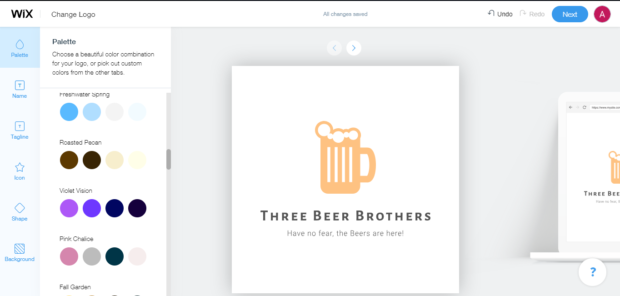
As someone without any design skills, it can be difficult to customize a logo and make sure that it is exactly the way you imagined it to be. Wix however makes that process much simpler by allowing you to have granular control over every part of the logo that you want to create for yourself. Now this is where I think the true power of Wix Logo Maker lies, as you can use their premade (and already good) logos and then tweak it so that everything from the font to the colour scheme matches perfectly with your company and your target audience.
The available customizability options can rival some of the professional tools used by digital artists to create logos and I think this robust framework of options and choices is one of the main things that sets Wix Logo Maker apart from the rest.
2. It is Easy to Use
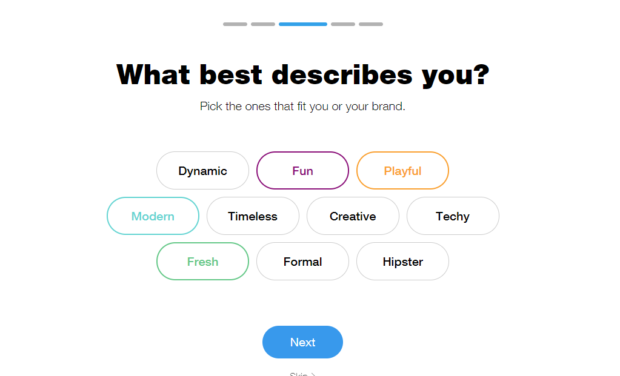
Another aspect of the logo design process that Wix has nailed is the ease of usage. Often it can be hard to put ideas into words and even harder to translate them into images. But with the help of advanced AI as well as years of web building experience, Wix Logo Maker zeroes in on your perfect logo through keywords that best describe your company.
Wix also provides you with a ton of options so that you can find an artistic expression and design language that gels uniquely with your business ethos.
This is something quite revolutionary and no one else in the logo making industry has yet harnessed the power of Machine Learning and AI to curate the perfect logo for their users.
3. It’s Free
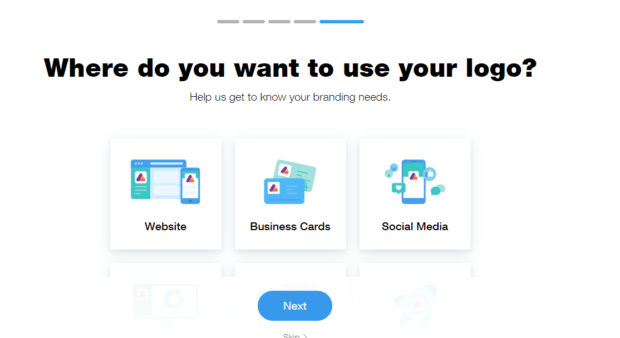
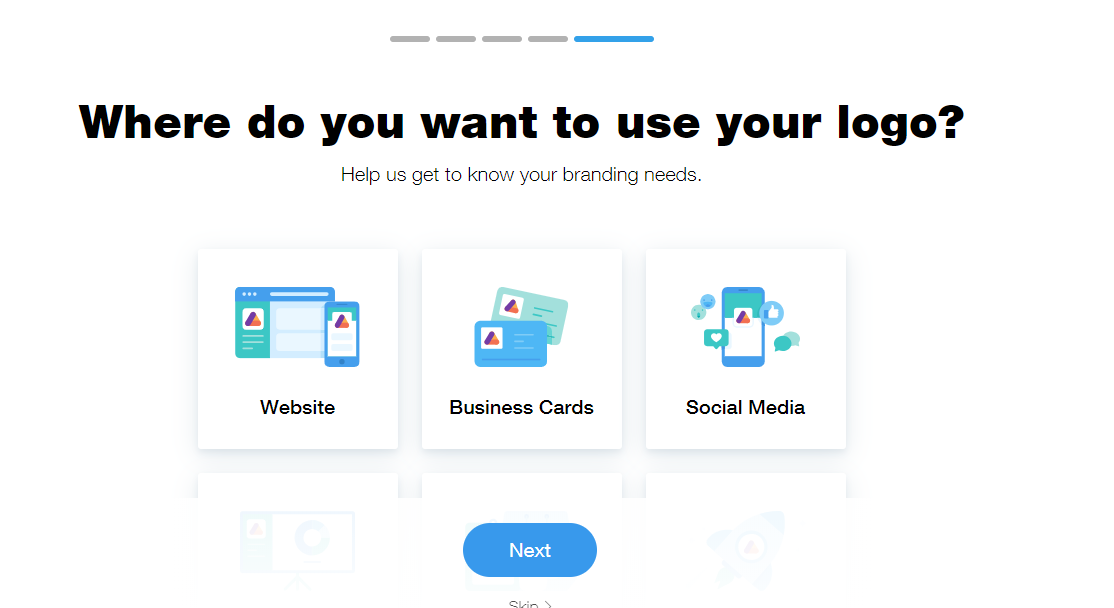
Now this may not be that big of a deal for established businesses, but for smaller startups, investing a lot of time and money into branding is something they can’t afford. This is why Wix offers the perfect solution as they make custom sizeable logos that look good on websites, business cards as well as social media.
Also Wix let’s you customize as well as revise your logo as many times as you want till you find the perfect combination of text, font, colour palette and design elements that is just right for your business.
With a traditional digital artist, you have to pay for every revision after a certain number of initial attempts which means that you either end up investing a large amount of resources or compromising in the final end product, Wix let’s you avoid both of those issues with their Logo Maker.
Now, before we end this review, we have to mention that no product out there is perfect and as such even the Logo Maker has a few niggles we wish could be ironed out in future releases. One of them is to choose the shape or nature of the background while creating a logo.
Of course Wix does provide you with a couple of options but I felt like a little variety there could spice up the logo making process a long way. Of course this is just me nitpicking coz overall the Wix Logo Maker is such a well rounded product that I really do have nothing else to complain about!
In fact there is no better way to end this review than with the words of Jeff Bezos, the richest man in the world – “A brand for a company is like a reputation for a person. You earn reputation by trying to do hard things well.” And trust me when I say this, creating logos is a hard thing, and Wix Logo Maker sure does that well!
-
Review: Blog with Ric
When creating a blog there are two things that separate a good blog from a great blog: a focus and a good design. A blog needs to be focused on a specific subject, unless it is a personal diary, and it also needs to have an easy to follow navigational design.
For this week’s review I will look at a blog that contains a long description, but short posts, and all the elements of a good design. The author has chosen to talk about many subjects, but can they all be tied together under a single focus? Let’s have a look at Blog with Ric.
-
Review: NASCAR Racing’s Biggest Fan Ron Ripple
Some time ago I reviewed a blog about F1 racing called F1-ToGo, which up to this point has been the only racing web site I reviewed. That changes this week as I review another racing blog.
Unlike the last racing review, this one is focused around NASCAR, and from what you will see it is just as well done as the F1 blog.
-
Check Web Browser Compatibility for Your Website
When you are designing a web site it is important to always test the design in many browsers. The reason for this is that different browsers may display your web site in different ways.
It has always been a difficult task to test your web site design in many browsers and many versions of the different browsers. To help with this there is a web site that can do this all for you, and provide screenshots of your web site as it is viewed in the browsers.
(more…) -
Designing Web Pages: Tables or CSS
There is some debate recently about the best method to design and layout a Web page. Traditionally, HMTL tables have been used to handle the layout of a Web page. Today, however, a new layout method is gaining more popularity which uses CSS (Cascading Stylesheets).
Which method is the best way of designing a Web page? I will explain both methods in this post and provide my own opinion. This post, however, won’t explain how to create the HTML files as I’ll save that for a future post.
Using HTML Tables
If you view the source of many Web pages on the Internet, you will probably see the entire layout of the page constructed using tables. Tables have been the main method of providing the layout of a Web page since they were first introduced. They make it easy to provide a header, footer, and content sections to a page.
Recently, however, many Web designers have been declaring that tables should only be used to display tabular data. This makes sense as many applications, such as Excel and database GUIs have a structured table look. The Web designers also state that the look and feel of a Web page should be separated from the HTML Web page.
The advantage to using tables is that they are easy to use. You define a table (<tabl>), then a row (<tr>) and finally a cell (<td>). You can span rows across columns and columns across rows to make cells larger. Formatting a table can be accomplished in the HTML code itself, or a CSS file.
Another advantage to tables is that all browsers in use today support tables. This means that a visitor won’t get a mangled Web page when it is viewed in their browser.
A disadvantage of using tables is they need to download the entire HTML first before they are rendered. This is because the browser can’t be sure how the table will look until the entire HTML can be rendered. As more people switch to broadband Internet, this will probably be a moot point.
I have designed many Web pages using tables, and have had no problems. I have, however, started to design Web pages using the new method: straight CSS with no tables.
Using CSS
The second method of laying out a Web page is using pure CSS and not tables. This method has been gaining popularity, especially among the processional Web designers.
So how exactly is CSS used to layout a Web page? The answer: through the use of division tags (<div>). These tags are used to divide your Web page into various sections. One large section will contain all the sub-sections, which is usually called the container. Within the container you may have header, footer, navigation and content sections. The look and positioning of these sections is defined by the CSS.
The CSS as I mentioned earlier is an acronym for Cascading Stylesheets. These are text files placed on a Web server that are downloaded along with the HTML file. A CSS file contains definitions, known as styles, which provide the look and feel of your Web site. The best part about using CSS files is that you only need to change one file when you want to change the look of your entire site. For those that manage thousands of Web pages, this can be a huge time saver.
One disadvantage to using CSS to layout your Web pages is that not all Web browsers support all the CSS style tags. Your Web pages may not display nicely to visitors on older Web browser. With each new version of a browser, this becomes more of a moot point.
I currently use the CSS method for Technically Easy, which is also my first site designed in this manner.
The Verdict
I usually call the last section in my posts "Summary" but this time I think I’ll provide my verdict, or opinion. I have used both methods to design Web pages, and have seen the advantages and disadvantages to both.
I decided to go with CSS for my new sites since that looks like the future of Web pages. I have accepted the risk that for many visitors on older browsers, the Web pages may not display correctly. I have also examined my Web site statistics and realized that for the most part my visitors are using newer browsers. I have tested my CSS site on IE 6.0+, Firefox 2.0+ and Opera 9.0+, and haven’t had any problems.
If you are a beginner to Web page designing, I suggest you use tables since they are easier to work with. Once you become familiar with HTML and CSS, you can then try using CSS for the layout, if you choose. I do recommend, however, that you learn CSS quickly and apply that to your Web pages as it can make changing the look of your entire site easier.
In the end, I don’t think it really matters which method you choose, as no one cares what your Web page source looks like. All that matters is that you Web pages display correctly.
-
Review: AndroidGuys
All the blogs I have reviewed up until this point in time have been mainly authored by one individual. Although for most blogs having one author is the norm, this week I review a blog that seems to go beyond that norm.
From the design to the focus of this week’s blog, you will see that this isn’t your ordinary blog. This week I review AndroidGuys.
-

Defensive Design Cost-Benefit Analysis of Web Design
Web design is no easy task. When someone says web design, they’re not just referring to one simple task. Web design means completing a multitude of tasks that, when finished, come together to hopefully equal a fantastic website that can perform more than just one trick well.
Users, after all, always look for fun websites that actually bring something to the table, rather than just sitting on the web doing nothing. Our Web Designers are sure to provide your small business with tons of fun!