Search results for: “label/Web Site – Review”

  • Data Archiving Method

    I have recently begun backing up my data such as photos (both digital and film), videos, and other files so that in case something happens, I will not lose my irreplaceable data. There is always much discussion on the best ways to archive data, and I have my way. Many may agree and disagree with my method, but this one works for me.

    In this post I will explain my method, as well as the reasons I chose to use the tools and storage devices.

    Organizing and Labelling the Data

    Before I begin to archive the data, I first organize the data, as well as set some labeling standards. The archival process is much easier once you have organized all your files, photos, and whatever else you will be archiving.

    If you plan to scan photos, slides, negatives, or other documents, you should separate them into groups, either by date or people. This will help you to keep certain items together within your archives.

    Once you have organized your data, you should create a labeling scheme to make it easier for you to find the data that you need. I have decided to backup my data on DVDs (I’ll explain why below), so each DVD is stored in a jewel case with a label assigned to the case. The label contains the following:

    1. Title – I provide a descriptive title to indicate the contents of the DVD.
    2. Years – I indicate the years covered by the data on the DVD. This helps to order the DVDs in chronological order, even if they weren’t burned in that order.
    3. Created Date – The date that I created the DVD. This will come in handy in the future to determine how old the DVD is, and whether I should create a new copy of the DVD.
    4. Catalog Name – This is a unique name that I give each DVD so I can organize them. I came up with a naming convention that indicates the type of data on the DVD.
    5. Family – This field contains the last name of the family represented by the data on the DVD. This helps to find data for a specific family name.

    I also decided to use coloured jewel cases that will help indicated the data on each DVD. For example, for photos I use a black jewel case, and videos will be stored in blue cases. You can easily purchase a box of coloured jewel cases for cheap.

    Once I have organized my data, and came up with a labeling scheme, the next step is to start determining how to store the data.

    Archiving Media

    This is probably the most debated point with regards to archiving data. Many people have their opinions about which media is best. Each media type has its pros and cons, so choose one that works for you.

    I have chosen to archive my data on single-layer DVD discs. I chose this method because they are relatively affordable, can hold a lot of data and can be easily stored. When I do make an archive disc, I always make two copies, so that if one becomes corrupted in the future, then I can retrieve my data from the copy.

    I have, however, not chosen just any DVD discs to use for archiving. I have chosen to use DVD+R discs from Taiyo Yuden. The DVD+R format has several benefits over the DVD-R specification, with one of the benefits being better error management. Taiyo Yuden discs are known as very reliable discs, so I chose them for my archives.

    Just in case you are wondering where you can purchase Taiyo Yuden discs, I discovered that very few stores, if any, carry them. I ordered mine online, as most people probably do. I only know of two online stores where you can order them for those living in Canada or the United States:

    If you know where else you can purchase these DVDs, I would like to know. Be careful, however, as many places offer DVDs that say they are Taiyo Yuden, when in fact they are fakes.

    I burn the DVD using Nero, using the catalog name as the DVD name, and perform a verification after each burn to ensure that the data was written without any issues. Once the burn has completed, I print the label, and then insert the label into the jewel case with the DVD. I write the catalog name on the DVD using a water-based CD marker.

    When I’m done with my burning, I move one of the copies offsite to prevent all my archives from being destroy if something were to happen to my home.

    Many people have discussed the life of a burned DVD, and whether their data will be available in 50 years. I think that as long as the data is readable after 5 years I should be good. I’ll probably move my data to the next generation of storage media, so won’t care if these DVDs can be read in 50 years.

    Summary

    In this post I have provided an overview of my method for archiving my data. I use a simple labeling system as well as DVD+R discs to organize and store my data. For more security, and piece of mind, I also always burn at least two copies of the data, just in case one is destroyed. Finally I move one of the copies offsite to losing all archives if something were to happen.

    You can choose to follow my method, or come up with your own. You should always create a system that works best for you.


  • 7 Places to Look for Reviews Before Downloading an App

    7 Places to Look for Reviews Before Downloading an App

    Welcome to the world of smartphones, operating systems and applications. If you don’t live under a rock you must know that your device can’t operate without an app.

    Tablets or phones running an operating system may be home to two million applications, if that was possible. From food and travel to childcare and iBanking – applications have revolutionised the way we perform daily tasks.

    But how to know which app is the best for you? Many people abide by word of mouth regarding apps and go on to download the one every other person keeps recommending.

    But then again – how does the word get out about an app and where should you always go to consult if you are looking to find a genuine app that turns your phone into a TV remote?

    Simple – you follow the list curated specially to fulfill all your interrogative needs regarding applications and their reviews.

    Good app reviews are a bit hard to find because most of the apps are free, and users prefer directly downloading an app, rather than taking time to read reviews.

    Other apps aren’t free and ask for a few bucks in exchange for the tools they offer. That’s when you really worry about user reviews and get cautious before spending your money.

    You can visit the places mentioned below to get trusted reviews on apps, since they’re all credible sources with a daily readership of thousands.

    1. Google

    Quite naturally, everyone goes to the popular search engine to enter the question they want answered in mere seconds. But whatever you see in the search results may not be very much true.

    So just in case you are looking for app reviews, make sure you ask Google, and in the search results, look for websites like:

    • PC Mag
    • Tech Crunch
    • Gizmodo
    • The Verge
    • The Guardian Tech
    • CNET
    • MacWorld

    These platforms are a dream for app developers to be featured on. If you are reading a review here, chances are that you are hearing from the right people about the right thing.

    2. YouTube

    The famous video uploading medium has plenty of trusted sources that give reviews about apps all the time. Some are YouTubers who have a dedicated account to reviewing apps and can take requests.

    Others mostly review apps based on their priority in the app store lists.

    Some of the popular reviewers are listed below:

    • Soldier Knows Best
    • Locker Gnome
    • Tys iPhone help
    • The iPod Kid
    • AppStore Reviewer
    • iTouch iPodz
    • Phone Arena
    • Bbs iPod touch help
    • Unique App’s
    • AppVee
    • Ultimate Phone Reviews

    3. Paid sites

    There are websites which take a fee from developers and then review the site for them. These websites have a daily visitor count in thousands and any app that goes up on their ‘featured’ section surely gets a bunch of downloads.

    For you, a common user, it means that you have access to genuine reviews that a first-timer like you wrote about an app. Here is a small list of paid review sites:

    By paid app you should only assume that they take the review process very seriously and what you read there is a product of someone’s genuine efforts.

    4. Free review sites

    There are also free app review sites that do it for the love of tech. These websites aren’t scammy, and are in fact very helpful.

    All you have to do is to visit their site and search for the app you want a reviews of. Take a look at the following sites:

    5. Appstore reviews

    App stores are the home of an app. Naturally, a user turns to the reviews and ratings mentioned below for a quick idea about the app.

    App stores try to make the app info look more appealing by adding small video tutorials about what the app will look like. What you should do is to make sure you read the developer history.

    Follow the developer’s website and make sure take a detailed survey. You can even reach them out individually.

    There is a small percentage of people who post fake reviews on all the app stores, turning a positive and pleasant experience into a haunting worry.

    All the developers have nightmares regarding them. This is why you, as a user, should always second check by reaching out to the developer.

    Apple keeps an eye out for fake reviews and so do Google and Windows, but until this evil is totally caged, do your research. Learn more about why you shouldn’t trust app store reviews.

    6. Appstore sites

    Apple, Google and Windows have dedicated sites to help app developers with queries. They have scheduled hours and an efficient customer service.

    Developers usually post an app they want the store to review. Later it will be put up on the app stores. You can check them out here:

    • Apple: Apple has a great section for reviewing apps. They will do it to check if the apps are free of harmful and offensive material. Some developers linked to Apple may invite you to use Test Flight – a platform made for pilot projects and research on upcoming apps.
    • Google: The great developer blog has all the info you need about app reviews, be it games or spreadsheets. There are professionals talking about stuff that can’t be wrong in any way. Go take a look at the blog.
    • Windows: You can visit windows central which is a highly interactive platform and fulfils all your needs. There are dedicated sections for all windows places and you can go check out trusted app reviews. Windows also launched a new app store platform for its current breed of desktops, and they require apps too now, so you can check out the best and the worst apps made for every device.

    7. Blogs

    By blogs it doesn’t mean the developer blogs, but the blogs coming out from common people with a flair for technology and apps.

    These are key influencers in the field and regularly review apps for the benefit of all.

    • You can check Guardian blogs which get contributions from popular bloggers.
    • The Apps World blog is also great, snf that will help you a lot in your selection process.
    • Do visit Apptamin which is a great guide for users and developers too.
    • Apps Blogger is also another blog of many that had great app reviews and stays relevant to the current app store trends.

    Gamers have their different universe in apps and YouTubers know that well. Be it interactive games like Big Barn World, Harvest Frenzy or fighting games like Grand Theft Auto.

    These reviewers cover all. Here is a list of some:

    • Touch Arcade: It is the oldest game app reviewing site.
    • iMore: It has been reviewing quality content since 2007.
    • 148Apps: It has a how to section, a price drop section and also dedicated sections for games.
    • Pocket Gamer: This UK-based site covers a wide spectrum of games on all platforms.

    Hopefully these places will help you out when you are desperate to look for a trusted review related to apps. Whatever source you follow, make sure you read up well and research on multiple platforms before downloading apps.

    About Erica Silva

    Erica Silva is a blogger by choice. She loves to discover the world around her. She likes to share her discoveries, experiences and express herself through her blogs.

    Find her on Twitter:@ericadsilva1

  • Incapsula: New Version Review

    Incapsula: New Version Review

    A few months ago I switched to Incapsula to help increase the performance of my blog and at the same time add an additional level of security. After testing out the service for several weeks I wrote my review about Incapsula, and in that review I mentioned that the dashboard and reports were comprised of flash objects. This caused both the dashboard and reports to load very slowly.

    Since that review, Incapsula has contacted me about a new version of their service. The new version totally redesigns the entire dashboard and reporting feature of their service. I was offered to have a look at their new version, which I was very happy about, and have had a good look at their new version, which just went live. After using their new version for some time, I do have a few thoughts regarding the extensive changes that they have made.

    (more…)

  • Review: Fussy Baby

    As a parent of two young children, I know how frustrating it can be when your child is constantly crying and doesn’t seem to want to stop. Raising a child under such circumstances is very difficult, and at times can cause you to lose your nerves.

    This week I review a web site, not a blog, that provides information on getting you and your baby through the difficult days. Those with infants and young children may find the site very interesting.

    (more…)

  • How To Generate Web Site Traffic

    There is much discussion on how to generate traffic to your Web site, but I decided to list a few points on the methods I like to use.

    1. It’s All About Content

      You may have heard that "content is king." What does this mean? Visitors to your site like to read updated and unique content. This means you must update your Web site on a regulary basis to keep your visitors coming back for more. Search engines also love unique content. The more content you have the more you will get listed in search engines. When you first start a site search engines may be your main traffic generator so it’s best to get listed in them. Also remember to check your spelling and grammar.

    2. Write Content For Your Visitors

      When writing your content, write it for your visitors and not search engines. This means don’t load up the content with keywords that is hard to read and understand. You need your visitors to keep coming back and not the search engines. If you write unique content the search engines will list you…don’t worry.

    3. Linking to Your Web Site

      This is a big part of getting listed in search engines, and thus getting more traffic. The more quality Web sites that link to yours, the better search engine rank you will receive. You should have sites that share the same niche as your site link back to you. When a search engine indexes the other site, it will find the link to yours and then index your site.

    4. Get Listed in Directories

      Besides search engines, there is another type of site you should get listed in: a directory. A directory is a list of Web sites that are organized into various categories. Many of these Web sites are very popular so getting listed in one of them can help you generate traffic. A bonus to getting listed in a directory is that they usually have a high page rank, which will help increase yours. Do a search for directories that contain your Web site niche and get added.

    5. See also Open Directory Project.

    6. Forums and Blogs

      I put these two into the same point because they essentially do the same thing: you leave comments and a link to your Web site. Let me explain. Do a search for a forum that is related to your niche, and sign up. Add your Web site name and URL in your signature to your profile. Now leave comments to some of the posts in the forum. Search engines will index forums, and at the same time will find the link in your signature which will once again act as a link back to your site. Leaving comments in blogs acts the same way as comments in forums.

      See also Website Babble.

    7. Write Ezine Articles

      Ezine articles are similar to magazine articles except they appear online. There are several free Web sites that allow you to write your own article. These are great as you can become a well-known leader in your niche. You should then put a link at the end of your article to your Web site, so anyone reading it can click the link and go to your site. Search engines will also index any article you have written. Other sites that also enjoy your article may print your article with the link to your Web site included. You can’t get any better than that for something that cost you nothing but time.

      See also Ezine Articles.

    8. Good Site layout

      This one is important to get your visitors to return. Make sure your site is easy to read and navigate. Having light grey text on a white background may be hard for some to easily read, so use black instead. A visitor to your site should be able to understand how to navigate within the first few seconds of loading the page. Keep the navigation simple, such as a menu on one side of the page or across the top.

    9. Submit Your Feed

      If you have a blog make sure you submit your feed to various Web sites. A feed is the content that you have created in a specific format. You can also create feeds for a regular Web site as well.

      See also Feedburner or Ping-o-matic.

    10. Advertising

      This point is not one to generate traffic as much as revenue, but I felt it important to list, as it can reduce your traffic. Placing advertising on your site is a debatable issue. The issue that is up for debate is when should you place advertisment: when you first start your Web site, or when you get a large number of visitors? My take on the issue is that it is your choice, just don’t load your site with advertisment. I hate sites that display advertisement at almost all possible locations on a Web page: top, bottom, left and right. I prefer that the advertisement be in one location and blend into the site and not stand out.

  • Review: 1 Million Love Messages

    When I started providing free reviews I decided to use a simple system to determine which Web site or blog I review: first come first serve. There were exceptions in the past where I didn’t feel that the Web site was appropriate for this blog. Since I passed on a few sites today’s review comes at a most opportune time.

    The blog I will be reviewing today is called 1 million Love Messages, and with Valentine’s Day right around the corner, it appears that the timing couldn’t be any better.

    (more…)

  • Review: Themes That Don’t Suck

    Since I started offering free reviews in November 2007, I have done mostly blog reviews. Blogs are easy to review since I always look for the same specific information. Web sites, on the other hand, are more complex as there is no ideal standard which I can follow.

    This week I will look at a web site that offers WordPress templates. I haven’t used WordPress myself, so I couldn’t have a closer look at the templates. According to the webmaster, though, these themes don’t suck. The next question is whether the web site can use the same tagline?

    (more…)

  • WordPress Paid vs. Free Themes: Which Are The Right Ones For You?

    WordPress Paid vs. Free Themes: Which Are The Right Ones For You?

    WordPress is undoubtedly one of the most powerful website engines out there. Because of its easy to use features, it takes no time for an unprofessional to build an out-of-the-box site. With this platform and a quality WordPress hosting provider, having a site up and running is not a big deal.

    With elegant and simple layout, WordPress has so much to offer to developers in order to meet both business and personal needs.

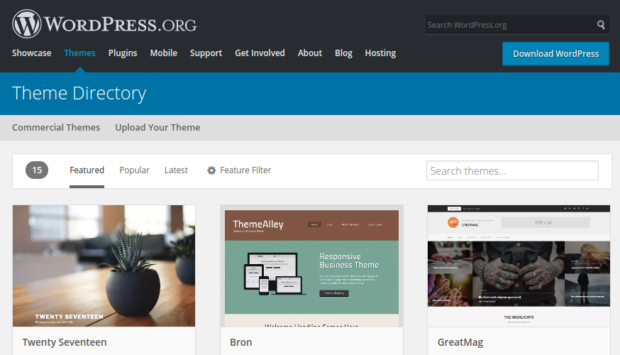
    If you are a WordPress beginner, you will be impressed with its customizable features, free themes, and so many easy DIY features. While one of the most challenging tasks is to choose a theme, however, you can check 000webhost.com if you are looking for a list of free WP themes for all kinds of different websites.

    For some, free themes are enough to develop a website, but for others, premium (paid) themes are a better choice.

    So, how do you decide which theme is right for you?

    Let’s have a look.

    Pros of free WordPress themes

    WordPress Themes

    Absolutely free. Free WordPress themes are completely free. You can download them, use them on your website and make money. No hassle and no hidden charges.

    Strict review process. These free themes tend to be bug-free and secure, all thanks to a strict review by some experts who scan and test the themes before they are added into the theme directory.

    Loads faster. Free themes come with limited features. But, it loads faster and you will get sufficient time to develop your site.

    More plugins. Because developers have to follow strict guidelines of theme review, they tend to support more plugins compared to premium themes.

    Easy to download. These themes are easy to download. You don’t have to struggle a bit to get these themes because they are available from the WordPress dashboard.

    WordPress free themes come with ample benefits. It helps developers to learn various theme development skills because, after the theme review process, the experts suggest the changes and audits the theme’s code.

    Also, it helps the developer to build their reputation, and understanding of the basics of a WordPress theme.

    Cons of free WordPress themes

    Just like many things in life, free WordPress themes come with a few disadvantages as well. These are:

    Limited functionality and features. Most of the free WordPress themes do not provide additional features like landing buttons, using shortcodes, creating buttons etc.

    Lack of professional design. Some of the free WordPress themes look unprofessional and may implement poor navigational controls. Background colors may also not be attractive.

    Limited support options. WordPress free themes come with limited options like you can’t respond to support queries.

    Zero obligation. If you are looking for a warranty, then free themes are not for you. Right or wrong, only you are responsible for it. There could be updates to the them, though, which could fix issues.

    Not a unique design. When you check the internet, you’ll find many blogs and sites that have used the same free WordPress theme. Moreover, with free themes, you’ll get restricted options to customize the look of the theme.

    Compatibility issue. Most of the free themes have compatibility problems with plugins. Many of these problems could be related to updates to the WordPress core, that causes a conflict with the free theme that may not be updated to the changes to the WordPress core.

    To make the right choice, the first thing you should know is the difference between free and paid themes and how they differentiate from each other.

    Let’s now know more about premium or paid themes now.

    WordPress paid themes come with lots of advantages like consistent updates, theme support and much more. Here are a few pros of premium/paid WordPress theme.

    Pros of premium WordPress themes

    All kinds of support like phone, email, forum etc. Whether you are a WordPress beginner or a pro, with WordPress paid themes you will get all kinds of support that suits your needs. You can contact them via phone, email or participate in the forums, the choice is yours.

    High quality. Compared to free themes, WordPress themes are higher in terms of generating value, for creating positive feedback loop, etc.

    Advanced functionality. When you opt for a paid version of a WordPress theme, you will get access to a number of advanced functionality like Elegant themes, WooDojo plugins or even advanced admin panels. This makes site configuration and customizations much easier.

    High-quality design. A good design goes a long way and it doesn’t need any proof. From backend admin menus/pages to page templates, a high-quality design can help you to improve the productivity of your site.

    Guaranteed security. Where free WordPress themes come with a ‘at your own risk’ label, premium/paid site comes with guaranteed security to their customers.

    Cons of premium WordPress themes

    Higher price. Let’s face it, premium WordPress themes are expensive. There are chances the theme you choose can be a bit high in price, and after you bought it, you need some sort of licensing fees as well. That may become a little expensive than what you could afford.

    Don’t have any official review process. Another disadvantage of premium themes is they don’t have any official review process so they can ignore WordPress development best practices in a few areas.

    Crossing over into plugin domain. It is quite common that WordPress themes can cross over a few plugins domain and offer some features that may disappear when you change themes.

    Slow loading speed. The main aim of developers is to create more themes with irrelevant features. You may not use many of those features, but the features that you don’t use can actually slow down your website.

    To sum up

    When looking for a WordPress theme, make sure you build a website that can cater to your every need. Other than browser support, responsive design, load time, it is important for you to build a website that helps your business to stand apart.

    It’s completely fine to start with a free version of a WordPress theme and then upgrade when you think it’s the right time.

    When buying a WordPress theme, it is important to understand the pros and cons of both premium and free WordPress themes. Your selection is based on your website needs, budget as well as on the aesthetic preferences.