Is Your iPhone as Protected as You Think?

Human curiosity is a strong desire, and when coupled with the fact that mobile devices like iPhones, Blackberries and Android devices are packed with more personal information than the standard wallet, chances are you aren’t doing as much as you can to protect yourself.

When Symantec did a study that purposely “lost” 50 cellphones in popular cities like New York, Washington DC, Los Angeles and San Francisco, the results were staggering. For 83 percent of the devices, whoever picked them up had no problems with attempting to access corporate-related applications or data.


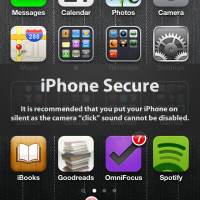
iPhone Secure

Most people don’t think twice about purchasing the extended warranty for their mobile device, but it never occurs to them to implement software-based security on the device in the event it is lost or stolen. Here are five easy tips to keep your private data safe should you misplace your smartphone:

  1. Most devices have a “screen lock” feature built in – you just need to turn it on. Choose a simple password or pattern, decide how much time should pass before the device auto-locks, and you’ve taken the first step to preventing unauthorized access.
  2. Find and install a legitimate “remote wipe” application. This allows you to remove all data on the device when you don’t have access to it. But do your research first – make sure the app is from a reputable source.
  3. Don’t allow mobile banking applications to store your password. The few seconds it takes to input your PIN number or online banking passphrase when you check your balance could be all it takes to prevent a stranger from accessing your financial data.
  4. Don’t store your home address in your GPS app. You already know where you live – what you need your GPS to guide you to is a familiar sight. Save a nearby convenience store, church or gas station as your “home” address so that a thief can’t use your phone to take a voice-guided trip to your front door.
  5. Treat your phone like luggage: Don’t leave it unattended. Don’t let a stranger take it out of your line of sight. Give it some defining characteristics that help it stand out as “yours,” like a unique case or wallpaper.

Finally, be sure to back up your phone regularly. The good thing about today’s digital world is that as long as you plan accordingly, you won’t really “lose” your data.

PG

About Guest Blogger

This post was written by a guest blogger. Their details, if any, are in the post. If you are interested in guest blogging for Technically Easy, please read the guest posting guidelines.

Google+

Security ,

7 Comments

  1. Posted October 5, 2012 at 12:36 pm | Permalink

    Wow… I never thought the stats would be so high! I do trust Symantec’s data as they seem fairly reliable when it comes to stuff like this!

  2. Posted September 16, 2012 at 5:16 pm | Permalink

    This is such great advice. I think we tend to get way too lax about the amount of information we store in our mobile devices – and how loosely we protect that data (if we do so at all). The Symantec experiment is pretty eye-opening, too, and is a really good reminder to take some steps toward securing our sensitive information!
    Twitter:

  3. Posted September 16, 2012 at 3:07 am | Permalink

    Back ups is the most important tip you can ever give to any mobile user. It saves you from all the hassle..

  4. Lee
    Posted September 14, 2012 at 3:21 pm | Permalink

    Hi the smartphone is an integral part of our lives now. We put all sorts on it and often security is put to the back of our minds. Your post is really good because it has bought it to the fore front of our thinking.

    Great post thanks lee

  5. Posted September 13, 2012 at 2:10 pm | Permalink

    What a great post of yours ! I like your article very much because its importance. Thanks for your fantastic sharing about iPhone.

  6. Posted September 13, 2012 at 2:06 pm | Permalink

    What a great post of yours ! I like your article very much because its importance. Thanks for your nice instruction about iPhone protected post.

  7. Posted September 13, 2012 at 10:22 am | Permalink

    Earlier I was thinking that my iphone is fully protected but after reading this article i have a little doubt. I will check once again and update the protection

Post a Comment

Your email is never published nor shared. Required fields are marked *

*
*

You may use these HTML tags and attributes <a href="" title="" rel=""> <abbr title=""> <acronym title=""> <b> <blockquote cite=""> <cite> <code> <del datetime=""> <em> <i> <q cite=""> <strike> <strong>

This blog uses premium CommentLuv which allows you to put your keywords with your name if you have had 5 approved comments. Use your real name and then @ your keywords (maximum of 3).

Subscribe without commenting

  • About Me

    I am Paul Salmon, an avid technology fanatic who is always learning new things. My goal is to inform and help others with technology.

    With this blog I try to cover various topics on this blog to cover a broad range of topics.

    Read more...

  • Email:

  • Advertise with IZEA Media
  • Sponsors

  • Recent Posts