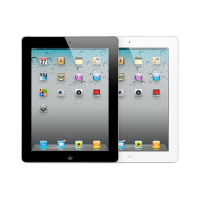
First the iPad Touch came and introduced us to touchscreen interfaces. Then the iPhone was released and allowed us to contact all of our friends and acquaintances by just tapping a screen. When the iPad came out, it introduced us to a world of computing without a mouse, keyboard, or need for a desk. The touchscreen technology has changed the way we do digital business. While using your fingers to navigate a device is cool, there are certain drawbacks to always having to rely on a touchscreen.
1. Lack of Compatible Browsers
When designing a website, developers are still stuck in the mindset that they need to engineer a user experience for those viewing content on desktops. Apple iOS is an excellent way to view the Internet through your mobile device, but some interactive elements like Flash are conspicuously missing.
Windows has recently unveiled to the world their new operating system, Windows 8, which promises to change the mobile browsing game with their new “metro” style browser. But it might be too late because Apple has such a dominate place in the market.
2. Low Battery Life
Touchscreens take up a lot of battery power in order to present graphics and allow ease of access to the interface. This is an unavoidable fact that all smartphone owners need to deal with. There are apps that decrease the number of programs that are running in the background, but the touchscreen still dominates the amount of battery being used.
3. High Risk of Damage
If you drop your touchscreen device, even from a relatively safe distance, there is a good chance the screen will crack like a windshield. If you don’t have a good warranty, your phone will be permanently damaged and may not work correctly ever again.
4. Smudging
Touchscreens are very sensitive. So sensitive that every little movement of your finger will be detected by it. Fingerprints and dust can make your touchscreen un-cooperative and make it feel like it has a mind of its own.
5. Teaching Mom How to Use it
Unless your mom works for Facebook or one of the data centers in New Jersey, you’re going to have a difficult time trying to teach her how to use her new phone or tablet. Imagine explaining all about apps, browsing, texting, and playing games; while all she really wants to do is learn how to call on the thing.
I personally think that the drawbacks of owning a touchscreen smartphone are nil in comparison to the advantages and “cool” factor of it. It is up to you to decide whether to stay with the old-school cell phones or upgrade to touchscreens.
Tags: Tablet, Touchscreen


on September 28, 2011 at 12:19 am
It is nice to have this kind of electronic gadget we called touch screen , but I don’t know how to take care of it. we all know that it is so much sensitive and first to be destroyed. so if you have this kind of gadget , you must be very careful.
Kate Brown Wilson recently posted…נעלי נשים
on September 28, 2011 at 4:20 am
Touchscreen phones need more battery than other phones, I think it needs to be sorted out as you can’t charge your phone all the time. May be in coming version this issue will be resolved.
Aaron recently posted…Goa Carnival 2012
on September 28, 2011 at 4:20 am
But overall, this touch screen is a very fancy, unique, fun technology!
Andrew Walker recently posted…Great hotel spas
on September 28, 2011 at 4:40 am
Touchscreen display has highest risk damage for all component, so you must very careful everytime touch a touchscreen display. To protect your touchscreen tablet or phone you must buy sleeves to carry out everywhere.
Toni recently posted…HP ePrint-enable Google Cloud Printer for Chromebooks
on September 28, 2011 at 5:00 am
I would also prefer the old fashion mouse and keyboard. specially when I am working, touchscreens are hard to use. It slows down my work.
Julie Hayes recently posted…יוגה
on September 28, 2011 at 11:42 pm
It all depends on what you use it for. Advantages are relative to the person, your mom would consider buttons on a phone as a great advantage, while you would consider them inconvenient. Games, internet, apps, all these are nice to have and i agree they’re useful, but what if all you want is to make calls with the damn thing? What if you already have a laptop that you carry everywhere with you? It doesn’t justify the drawbacks.
Chris recently posted…ProForm 290 CSR Recumbent Bike Review
on September 29, 2011 at 9:41 am
But still having touchscreen is still handy and fun.
Ysabelle recently posted…Quickest Way To Get Pregnant
on October 1, 2011 at 7:35 pm
I think the biggest reason for me why I’m typing on a MacBook Air instead of a touchscreen is that… I can type using a keyboard.
I’m also regularly have multiple tabs open when browsing the web and the speed and ease of switching between tabs or programs is still better than with a touchscreen.
Greg Lam recently posted…Business Plan Update August 2011
on October 2, 2011 at 10:05 pm
I am with you when it comes to keyboards. I’d rather type on a keyboard rather than a touchscreen.
on October 4, 2011 at 8:40 am
Thanks for figuring all this difficulties; really Touch screen phones have this battery issue; I encountered this so many times and don’t find the sustained resolution in this regard.
on October 18, 2011 at 8:59 am
One of the biggest drawbacks for me is the lack of keyboard. I know it probably defeats the object of have a tablet, I guess it depends how you use it. Any lengthy typing, like blogs or replying to emails has to be done on my desktop.
I small moan I guess.
Also fingerprints do drive me crazy, you just can’t keep the screens clean
Haha good point about teaching you parent how to use it though, made me laugh. My Dad is 84 and I showed him the internet on the iPhone a little while ago (he’s never used a PC). To be fair he did ask some sensible questions, so he understood what I was saying. I did attempt to explain twitter, but he couldn’t grasp why it would be useful..
Graham
Graham Bell recently posted…ReviewTabletPC.co.uk review system now open to everyone
on October 18, 2011 at 9:25 am
The lack of a keyboard is one of the drawbacks I mention as well. I like a standard-sized keyboard to type on, but for simple things such as browsing the web, I could use a touchscreen.