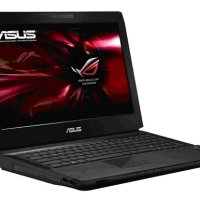
Having a laptop computer was one of the best decisions I made in my life and as a result I have been able to increase my efficiency significantly. I have also been able to learn a few tricks to make my laptop usage experience great. Below are some tips to make your laptop more efficient and to enhance your laptop usage.
Beware of Dust
The first step you have to take towards ensuring your laptop is secure and effective is to protect it from dust. Dust can be very dangerous to your laptop in that it can block the ventilation areas of your laptop and lead to overheating. Computers also aren’t in any way friend to dust so you should do your best to protect your laptop from exposure to dust.
Heat Can be Dangerous to the Health of Your Laptop – Avoid it at All Cost
Another thing you need to beware of when trying to get the best from your laptop is heat. Your laptop will be able to work faster and effectively if it is in a cool dry area but the opposite will be the case if it is exposed to heat.
It is important to ensure you only use your laptop in a cool dry area to prevent it from experiencing any problems.
Be Careful With External Devices Used With Your Laptop
It is also very important for you to beware of which external device you use on your laptop. Make sure you don’t use flash disks or external hard disks from people you don’t trust. It is also very important that you’re careful with who you allow access to your computer and what devices they can use with your computer.
Install an Antivirus and Firewall Software
Millions of laptop computers are infected by a virus every year and that is due to the fact that a lot of people are either using substandard antivirus or no antivirus at all. By installing the right antivirus on your computer you will be able to eliminate the chances of your computer being infected by a virus and thus be able to ensure your computer lasts longer.
It is also very important that you install a firewall so that you will be able to be in control of who is able to access your computer. The major function of a firewall is to tell you whenever an external computer or network is trying to access your laptop and then give you options to either allow or block it.
Charge Your Laptop in a Proper and Effective Manner
Do you know that charging your laptop every minute as soon as it is discharged can be dangerous? Do you know that leaving your laptop plugged in even when its battery is full can eventually lead to overheating?
Another tip to help you effectively maintain your laptop computer is by charging it properly. Make sure you don’t just charge your laptop for the fun of it and also ensure you don’t leave it plugged in when the battery is full.
Backup Your Files Regularly
The reality of life is that no matter what measures you take to protect your laptop computer nothing is eternally certain. That is why it is very important for you to be backing up your files regularly. That way you will not be at complete loss should anything happen to your laptop.
Tags: Laptop Efficiency, Laptop Maintenance, Maintenance Tips


on August 29, 2011 at 3:47 pm
Thank you for this article!
on August 29, 2011 at 8:46 pm
Those are tips I didn’t knew about maintaining a laptop’s efficiency. I totally agree with the second point, heat can be destructive I crashed my brother’s laptop due to heat …
Carla recently posted…Renault Megane RS 250 Monaco Grand Prix Limited Edition
on August 30, 2011 at 8:24 am
Heat is a computer’s worst enemy. Many processors now include the ability to stop running if too much heat is generated to help minimize damage to the computer.
on August 29, 2011 at 8:50 pm
Gathering of dust increases inner temp of lappie and so keeping it clean is one of main reasons! I have seen people who mercilessly use their laptop and then cry foul manufactures dont maintain standards and all. I have been using lappie of COmpaq since 3 yrs with no complain.
Thanks for reminding some small to do tips buddy to take care of lappie.
shashank chinchli recently posted…Introduction to Classes in Java
on August 30, 2011 at 8:26 am
Most people probably don’t clean the dust from the laptops – many probably don’t know that they should. Once something goes wrong because of the build up of heat, it can be too late to do anything about it.
on August 30, 2011 at 8:09 am
Have you ever thought about writing an ebook or guest authoring on other blogs? I have a blog centered on the same subjects you discuss and would really like to have you share some stories/information. I know my viewers would value your work. If you’re even remotely interested, feel free to shoot me an email.
John recently posted…Lot Size in Forex Trading
on August 30, 2011 at 8:30 am
I have thought about guest posting, but finding time to write additional articles is the issue I am facing. If I can find some free time to write a few posts, in addition to the ones I publish here, then I’ll let you know.
on August 30, 2011 at 7:31 pm
You missed one Paul…last but not least…;)
Install Ubuntu Linux on that puppy as a dual boot system.
If you use windows, and start using Ubuntu, you will NEVER want to go back…trust me…;)
Mark
Mark recently posted…Free Onsite WordPress SEO Course
on August 31, 2011 at 8:13 am
I have Ubuntu installed, but still like to use WIndows on my desktop. While Ubuntu is a good operating system, it was more of a pain to get my wireless card working on the laptop than it was with Windows. I also still like to play games from time to time, and no OS beats Windows when it comes to gaming. For some reason I also find Flash runs much slower on my Ubuntu laptop than it did when Vista was installed. Not sure why, though.
on August 31, 2011 at 3:06 am
Mark, I am using windows as my OS, I just want to ask what is Ubuntu all about?
Isabel Singh recently posted…Home Security Monitoring Company
on November 3, 2011 at 5:38 am
In short, Ubuntu is Linux-based operating system, alternative to Windows or Mac OS.
Try to read about Ubuntu. Or maybe other Linux OSes (called distributions).
For example, I try to review different Linux distributions in my blog.
darkduck recently posted…GNOME3 vs Unity on Ubuntu 11.10: my score is 6 – 9
Twitter: linuxnote
on November 3, 2011 at 8:17 am
Ubuntu is a good operating system – I currently use it on one of my laptops. The problem with a Linux operating system is that it is harder for the non-technical to use. For example, I pretty much had to jump through hoops to get the wireless network adapter working on my Ubuntu laptop, when I could have just installed Windows and had the proper driver installed automatically. More driver support is definitely needed before Ubuntu can go mainstream.
on November 3, 2011 at 9:36 am
Unfortunately I have to agree. Although, this is not an issue of Linux or its developers, but rather manufacturers who close their specifications and source code.
Also, there is always a ndiswrapper route.
darkduck recently posted…Coming back to Humanity, or getting Ubuntu 11.10 installed again
Twitter: linuxnote
on November 3, 2011 at 11:10 am
I wish more manufacturers supported Linux, but it would probably be costly to them to support a OS with such a small market share. Once I got the wireless adapter to work, I have enjoyed using Ubuntu.
on November 3, 2011 at 11:15 am
It’s a vicious circle…
darkduck recently posted…A tale of broken love to Kubuntu 11.10
Twitter: linuxnote
on September 2, 2011 at 12:02 am
Hi there. Thanks for sharing this. I always tried to clean my laptop frequently, at least I haven’t seen any dust stacking up yet.

Andrew Walker recently posted…CellularOutfitter Coupon Code
on September 2, 2011 at 8:02 am
Cleaning the laptop of dust on a regular basis is an important part of maintaining the laptop, as dust can effect a laptops hardware in really bad ways.
on September 6, 2011 at 6:40 am
I always use a lapdesk with my laptops, which help to not only keep the laptop cool, but also my lap!

James M. Fisher recently posted…Guest Posters Wanted!
Twitter: WindowsTalk
on September 6, 2011 at 2:06 pm
I haven’t used a lapdesk before, but I have heard about them. It is amazing at how hot your lap can get with a laptop. If only companies would improve on the laptop design to position the fans in a better location than underneath.
on September 6, 2011 at 2:33 pm
I got mine at Staples for about $20, IIRC. It has no built-in fan, but the bottom of the lappy is raised so air can circulate underneath.
James M. Fisher recently posted…SoftColor Automata Giveaway
Twitter: WindowsTalk
on September 26, 2011 at 5:18 am
Hi there. Thanks for sharing this. It’s a very nice and helpful tips!
Andrew Walker recently posted…Great hotel spas
on December 5, 2011 at 10:07 pm
Heat is a computer’s worst enemy. Thanks for sharing this. I got mine at Staples for about $20, IIRC. I always tried to clean my laptop frequently, at least I haven’t seen any dust stacking up yet.
Roxie Stuart recently posted…Cancer Tips
on December 6, 2011 at 10:54 am
Have you ever thought about writing an ebook or guest authoring on other blogs? Ubuntu is a good operating system – I currently use it on one of my laptops.
Aurelia Rollins recently posted…Gout Tips
on December 6, 2011 at 11:30 am
I have thought about writing an ebook and also guest authoring, but finding the time to do either is hard.