Functions and Resources of Memory Card Data Recovery Software

Without a dependable, preexisting data backup system, recovery from memory card failures, and the resultant data loss can be expensive and near to impossible. At times, even the best data recovery technicians encounter insurmountable complications. But do not despair. Sometimes the process of memory card data recovery can be as simple as rightly applying the correct memory card data recovery software.

Data recovery solutions come in three formats: 1) Hire a data recovery specialist, 2) Purchase professional data recovery software, or 3) Download a free data recovery software package. This article addresses the second two methods of memory card data recovery.

Concept of Data Recovery

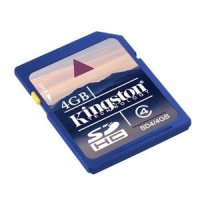
SD Memory Card

Flash memory has a limited number of write cycles. Writing zeros to the location of a deleted file would senselessly reduce the life of the memory card. Thus when files are erased, the system merely modifies the file directory so that the file seems no longer to exist.

In seeking to squeeze the most possible write cycles out of a flash card, the system applies equal usage to ever area of the card. Before deleted file space is reused, the remainder of the flash chip must be filled up.

This overwrite process is very useful for flash memory card data recovery. In fact, this is a best-case scenario for file recovery. Unless the memory card is physically unreadable, the right software, correctly applied, can help you recover lost data.

Most every data recovery software package addresses the same issues with similar methods. They go after the underlying data by ignoring the conventional Windows file system. They typically work out of RAM memory so as to avoid any risk of writing data to the target drive or flash memory card. Use them to:

  • Fix partition tables
  • Recover deleted partitions
  • Recover boot sectors
  • Fix FAT tables
  • Rebuild NTFS boot sectors
  • Undelete files
  • Copy deleted files to new sources
  • Repair MFT using MFT mirror
  • More.

Memory Card Data Recovery Software

I make the following software lists for reference rather than for detailed application processes. All are considered effective data recovery packages.

PG

About Paul Salmon

Paul Salmon is the founder of Technically Easy. He is a an experienced PC user, and enjoys solving computer-related problems that he encounters on a regular basis.

Facebook | Twitter | Google+

Data Recovery

9 Comments

  1. Bert Leen
    Posted August 22, 2012 at 5:26 am | Permalink

    Kernel for Windows data recovery tool is also available for free demo. The free demo version displays preview of the recovered data, which can be saved after purchasing the full version. For more information please visit here : http://www.softwaredatarecovery.net/windowsrecovery.html

  2. Kate Mirkowski
    Posted October 11, 2011 at 11:42 pm | Permalink

    Lots of facts about memory card here and I learn a lot of things. I have a lots of memory card that has been lose and damage, I’m glad that there is a certain memory card data recovery software which really helps. Thanks!

    • Posted October 12, 2011 at 8:40 am | Permalink

      There are many memory card recovery software available. Many of them are free.

  3. Elijah Parker
    Posted September 12, 2011 at 8:10 pm | Permalink

    I lost my data of my memory card but then I thought it was only hidden but then when I check it out, nothing at all. I ignore and I try to save another data and I open it again no more data has been saved at all. The memory card is the problem right? Well, I’ll gonna find out what’s wrong with it.

  4. Posted March 9, 2011 at 1:32 am | Permalink

    If you lost data from memory card and working continuously on it. There is high chances to overwrite considerable amount of space. In that situation you can’t recover your lost data from any devices.

    • Posted March 9, 2011 at 8:28 am | Permalink

      That is why you shouldn’t use the memory card if you wish to recover data to reduce the chance of overwriting what was deleted.

  5. Posted February 15, 2011 at 8:32 pm | Permalink

    Hi,
    The overwrite process is very useful for flash memory card data recovery and the specific and authenticated software will do the rest, you ned to just follow the instructions

  6. Posted February 14, 2011 at 11:02 am | Permalink

    I forgot what the name but I was using some software to recover memory card data back then. The software could recover most of data but some data was corrupt.

    • Posted February 14, 2011 at 3:12 pm | Permalink

      I recovered deleted data from a memory card recently, and used the PhotoRec application mentioned in this post. It did a really good job of finding the photos.

Post a Comment

Your email is never published nor shared. Required fields are marked *

*
*

You may use these HTML tags and attributes <a href="" title="" rel=""> <abbr title=""> <acronym title=""> <b> <blockquote cite=""> <cite> <code> <del datetime=""> <em> <i> <q cite=""> <strike> <strong>

This blog uses premium CommentLuv which allows you to put your keywords with your name if you have had 5 approved comments. Use your real name and then @ your keywords (maximum of 3).

Subscribe without commenting

  • About Me

    I am Paul Salmon, an avid technology fanatic who is always learning new things. My goal is to inform and help others with technology.

    With this blog I try to cover various topics on this blog to cover a broad range of topics.

    Read more...

  • Email:

  • Advertise with IZEA Media
  • Sponsors

  • Recent Posts