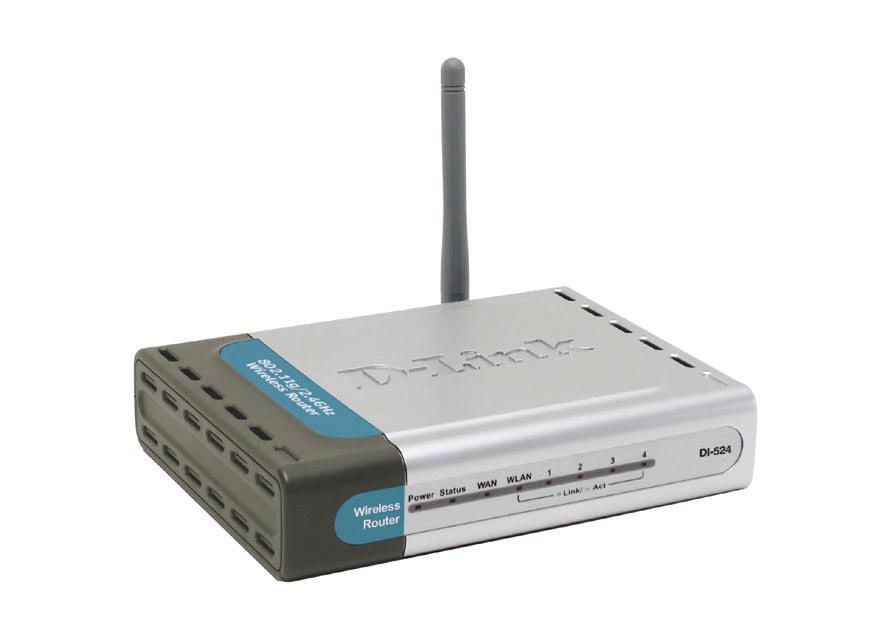
Some time ago I wrote a post titled Securing D-Link DI-524 Wireless Router. In that post I outlined the steps needed to secure that particular wireless router.
More recently I wrote another post title How to Reset the Linksys WRT54G Wireless-G Router and decided to write a similar post on reseting the DI-524 router.
Reset Button
Note:
Reseting the router to the factory defaults will delete any changes you have made to the router, including any security settings. This should be used as a last resort.
The steps involved in reseting the router is simply pressing a button located on the router. The image below (courtesy of D-Link) shows where the button is located.

To reset your router, use the following steps:
- Press the reset button for 10 seconds. You can use a small object, such as a paper clip to hold down the button.
- Open up your Web browser and enter 192.168.0.1 in the address bar.
- For the login, enter admin as the ID and leave the password blank.
Do not power off the unit while the router is being reset.
The unit should now reboot, and once the WLAN light stops blinking the router should be reset.
The router has now been reset. Follow the steps in Securing D-Link DI-524 Wireless Router to secure your router.
Summary
This post has provided the instructions you can use to reset your D-Link DI-524 wireless router. If you are having problems with your router, try reseting the router to the factory defaults, and then make the changes again and see if the router starts working.


what happens is I type in admin with no password, and it let’s me move on to the open page, then I click on wizard and it takes me to the change password page, I leave the old password empty and type in my new password and once again in the confirm box, then it opens another box that wants my password,
I tried typing admin and leaving the password blank also tried admin with new password, but it still locks me out wheream I going wrong?
Try entering the password under admin in the log in, i think that might create the password for you.
If my router is plugged into my modem, and then my computer is plugged into the router, I cannot connect to the internet.
(a direct connection between modem and computer works fine)
So I tried to reset my router (My ISP told me I should try that) so I reset it while the computer was plugged into the router, but then I couldnt connect to the IP address you put here.
Do I have a different sort of problem?
My reset button doesn’t work. Is there some way to do it in the web interface or through CLI or something?
My router is having problems. Like whenever i try resetting my router and then I go to my web browser and type in 192.168.0.1, I put in admin with no password in the password box and it doesn’t move on to the next page, it just sits there. What can I do? any more tips?
What happens when you use 192.168.1.1?
I have some problems. I went to 192.168.0.1, typed in admin and left the password blank..clicked OK. And after three tries it says 401 Unauthorized. It doesn’t go to the configuration menu.
Try resetting the router again. Maybe something wasn’t reset properly.
Hi,
You should keep puching the reset butom for 10 seconds,than it will for sure works .
I’ve set up my router I have internet and wireless but I want to set up the Admin/security but whenever i enter: 192.168.0.1 the browser page shows a Page Load Error, it says “The connection to the server was reset while the page was loading.” I’ve tried this many times
Can you try using 192.168.1.1, and see if you can get access to your router’s administrative pages?
i have tried this and it doesn’t work is there another option?
Whoohoo!! Thanks SOOO much for your awesome articles about resetting the router and securing the network! You rock man!
I inherited a DI-524 and didn’t know the first thing about wireless or routers. In fact to me a router is a hand held wood working device! lol
Followed all your instructions to the T, and presto wham-o, router reset, secured, and my laptop is now mobile around the condo!
You made my day!
THANK YOU!!
Jen – 50 yrs young!
I’m glad I could help.
I think 1 more piece of info. should have been mentioned.
After resetting your router, change your network properties to “auto assign”, else you might get a connection to server timed out error [ depending on what your network setting was prior to resetting the router ].
I just thought it was worth mentioning since some people above have complained of a server timed out error once the router was reset.
[...] http://technicallyeasy.net/2008/02/how-to-reset-d-link-di-524-wireless/ [...]
Where is the PIN # located at? I can’t find it. I need it to setup a wireless connection on my laptop =/ It’s not on the back of my router. And I lost my CD and manual. Is there anyway to get the PIN number?
What PIN # are you looking for? Once you reset your router, you can use the default user name and password to log in.