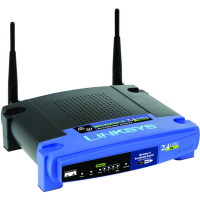
How to Reset the Linksys WRT54G Wireless-G Router

One of the most popular pages on Technically Easy is the post titled Securing Linksys WRT54G Wireless-G Router. In that post I outlined the steps needed to secure these particular wireless broadband routers.

The one problem I didn’t mention is how to reset the router back to the factory defaults. You may need to do this if you forget your router’s password or made a mistake and you can’t connect to the router. In this post I’ll outline two methods you can follow to reset your Linksys WRT54G Wireless-G router.

Reset Button

Note:

Resetting the router to the factory defaults will delete any changes you have made to the router, including any security settings. This should be used as a last resort.

The first method involves simply pressing a button located on the back of the router. The image below (courtesy of Linksys) shows where the button is located.

Linksys WRT54G Reset Button Location

To reset your router, use the following steps:

  1. Press the reset button for 30 seconds.
  2. The settings should now be returned to the factory default settings, meaning any changes you had made would be deleted.

  3. Open up your Web browser and enter “192.168.1.1″ in the address bar.
  4. For the login, leave a blank ID and enter “admin” as the password.

The router has now been reset. Follow the steps in Securing Linksys WRT54G Wireless-G Router to secure your router.

Through the Web Administration Pages

The second method involves logging into the Web administration pages of the router. Use the following steps to reset the router using this method:

  1. Open your Web browser and enter the IP address of your router. By default, the address is “192.168.1.1″.
  2. Enter your user ID And password when prompted. Hopefully this has been changed, but if it hasn’t, the default is no ID and “admin” as the password.
  3. At the top of the Web page, click “Administration” and then “Factory Defaults”.
  4. Beside “Restore Factory Defaults”, click “Yes”.
  5. Now click the “Save Settings” button at the bottom of the Web page.

Your WRT54G wireless router should now be reset to the factory defaults. Ensure you follow the steps outlined in Securing Linksys WRT54G Wireless-G Router to secure your router.

Summary

This post has provided two methods you can use to reset your Linksys WRT54G Wireless-G router. If you are having problems with your router, try resetting the router to the factory defaults, and then make the changes again and see if the router starts working again.

100 Responses to “How to Reset the Linksys WRT54G Wireless-G Router”:

  1. captain Jim says:

    When I enter 192.168.1.1 the box where I’m supposed to enter the Id & password flashes 3 times real quick then I get Log In failed 401. How can I get that box to stop flashing so I can enter a password?

  2. Emil says:

    try 2 use another web browser:)

  3. Mike Steeves says:

    If you are not using Internet Explorer, that may be your problem. Many, if not all, Cisco products require Internet Explorer for full or reliable functionality with the appliance’s web interface. For example … trying to get into a Cisco 1131AG WAP via Firefox will have you pulling your hair out in frustration. It’s even in the device documentation … but who ever reads that? I have run into the same ‘issue’ with some Linksys products, and what with Linksys being held by Cisco these days …

  4. bbneo says:

    I have *never* had a problem logging into my WRT54G using Firefox 3.x or Google Chrome. I never use IE. I do this wirelessly from my home fedora Linux systems.

    I might be lucky, and it might have to do with my particular version of the router and router software, but I kinda doubt that.

    Any company who limits their web browser access support to IE does so at their own peril today. Especially with Internet Exploder.

    • Paul says:

      I wouldn’t say that they do it at their own peril, as they are pretty much guaranteed that the browser will be installed on almost 90% of desktops today.

      I have never had any problems accessing my router through IE, but have had issues with Firefox. Why? Because of add-ons. People install so many add-ons that there may be issues in the future with accessing particular web pages. Maybe you are having conflicts with a few add-ons?

      In the end; however, any Web browser should work without any problems. You are accessing HTML pages after all, not running software.

  5. Bbneo says:

    Not 90%. Not on any of the 4 fedora Linux machines in my house.

    IE only has about 40-50% of the share of browsing.
    The neverending stream of security vulnerabilities of IE and Microsoft OS’s
    make them dangerous to use.

    If you haven’t tried Firefox 3.5 or Google Chrome,
    you really owe it to yourself to give them a try…
    They are at least 3-5 x faster than IE in rendering pages
    *and* more secure.

    • Paul says:

      Microsoft pretty much owns close to 90% of the desktop market, and with that comes IE. I know IE only has about 40-50% of the browser market, however, it is installed on desktops whether people use it or not.

      Regardless of what operating systems people use, Microsoft and Windows will never go away. As good as Unix systems or Mac systems are, they can’t compete with Microsoft’s marketing system.

      If you don’t think so, just look at XBox. Microsoft competed against Sony and Nintendo in the game systems market, and they have done pretty good. Marketing is everything.

  6. Ryan says:

    hey guys i got the linksys WRT54GS from my cousin and i can connect to the internet but i cant access the control panel. ivw done a hard reset and used the default password and its still wrong. Can anyone help?

  7. bbneo says:

    Paul, you are somewhat right about Microsoft and successful “marketing” practices…

    I consider what Microsoft does more like unethical business practices… and it is slowly starting to drag them down.

  8. Edy says:

    I have a WRT54Gv5 router that was on my older XP box for a long time. Worked great, no complaints. I got a new Vista computer and set everything up. I can get on the internet just fine, both hardwired and wireless.

    I am trying to set up a static IP for port fowarding. But, I cant log into the router. the default gateway in IPConfig is 192.168.1.1 – as it has always been. when I enter that address, I get the standard ‘cannot display webpage’ from ie, just as if I was not connected at all.

    I pinged the router, and did get replies. Turned off firewall, same result. Tried Firefox, IE and Chrome – bupkiss.

    I am about to lose my damn mind. Help?

  9. Edy says:

    oh and I am afraid to reset it. If I do that, and lose the encryption key in the process, will my laptops not be able to connect?

    • Paul says:

      If you reset the router, it will no longer be secure so there won’t be an encryption key. Once you reset the router you will need to specify another encryption key.

    • bbneo says:

      If you reset the router, you might need to change a number of the settings, but if you can’t login to it, it sounds like you don’t have a choice.

      After you reset it, you should be able to access it by way of the default username/password (? admin/admin).

      First thing: change the router admin password.

      Next thing: Go to wireless security in the setup screen (via 192.168.1.1), and set wireless security the way you want it… (e.g., WPA, with a passphrase….) If you are going to use the same security you had before, you should need to do anything with your other machines. If you change it, you will have to make sure that you enter the new passhrases/codes into your other machines.

  10. Shanna says:

    Dear All!
    I have a very big problem about Linksys Wireless G Broadband Router WRT54G2. I was purchase it today, butt I can use it.
    When plug the power lead to Linksys router, all Ethernet light are on but here is just one Ethernet cable connected other three ports are empty.
    Internet light is also (on) green but other light such power and wireless light is off.

Leave a Reply